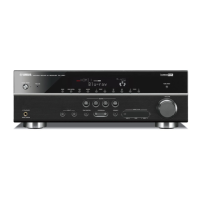
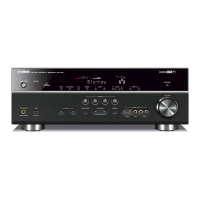
EasyManua.ls Logo

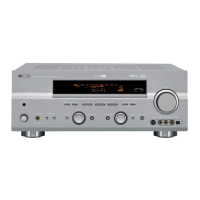
Yamaha RX-V650 - Service Manual

Yamaha RX-V650
128 pages
Print Icon
To Next Page IconTo Next Page
Loading...
This manual has been provided for the use of authorized YAMAHA Retailers and their service personnel.
It has been assumed that basic service procedures inherent to the industry, and more specifically YAMAHA Products, are already
known and understood by the users, and have therefore not been restated.
WARNING: Failure to follow appropriate service and safety procedures when servicing this product may result in personal
injury, destruction of expensive components, and failure of the product to perform as specified. For these reasons,
we advise all YAMAHA product owners that any service required should be performed by an authorized YAMAHA
Retailer or the appointed service representative.
IMPORTANT: The presentation or sale of this manual to any individual or firm does not constitute authorization, certification or
recognition of any applicable technical capabilities, or establish a principle-agent relationship of any form.
The data provided is believed to be accurate and applicable to the unit(s) indicated on the cover. The research, engineering, and service
departments of YAMAHA are continually striving to improve YAMAHA products. Modifications are, therefore, inevitable and
specifications are subject to change without notice or obligation to retrofit. Should any discrepancy appear to exist, please contact the
distributor's Service Division.
WARNING: Static discharges can destroy expensive components. Discharge any static electricity your body may have
accumulated by grounding yourself to the ground buss in the unit (heavy gauge black wires connect to this buss).
IMPORTANT: Turn the unit OFF during disassembly and part replacement. Recheck all work before you apply power to the unit.
IMPORTANT NOTICE
100885
SERVICE MANUAL
RX-V750/DSP-AX750/DSP-AX750SE
RX-V650/HTR-5760
AV RECEIVER/AV AMPLIFIER
AMP CHECK / アンプチェック . . . . . . . . . . . . . . . . . . . . 47
DISPLAY DATA . . . . . . . . . . . . . . . . . . . . . . . . . . 48–49
IC DATA . . . . . . . . . . . . . . . . . . . . . . . . . . . . . . . . 50–60
BLOCK DIAGRAM . . . . . . . . . . . . . . . . . . . . . . . . 61–62
PRINTED CIRCUIT BOARD . . . . . . . . . . . . . . . . 63–77
PIN CONNECTION DIAGRAM . . . . . . . . . . . . . . . . . 78
SCHEMATIC DIAGRAM . . . . . . . . . . . . . . . . . . . 79–88
PARTS LIST . . . . . . . . . . . . . . . . . . . . . . . . . . . . 89–125
REMOTE CONTROL RAV270, RAV271 . . . . 126–127
REMOTE CONTROL RAV248, RAV249 . . . . . . . . 128
CONTENTS
TO SERVICE PERSONNEL . . . . . . . . . . . . . . . . . . . . 2
IMPEDANCE SELECTOR . . . . . . . . . . . . . . . . . . . . . . 3
FRONT PANELS . . . . . . . . . . . . . . . . . . . . . . . . . . . 4–5
REMOTE CONTROL PANELS . . . . . . . . . . . . . . . . . . 6
REAR PANELS . . . . . . . . . . . . . . . . . . . . . . . . . . . 7–13
SPECIFICATIONS /
参考仕様 . . . . . . . . . . . . . . . . . 14–18
INTERNAL VIEW . . . . . . . . . . . . . . . . . . . . . . . . . . . . 19
DISASSEMBLY PROCEDURES /
分解手順 . . . . . 20–24
SELF DIAGNOSIS FUNCTION (DIAG) /
自己診断機能(ダイアグ) . . . . . . . . . . . . . . . . . . . . 25–46
RX-V750/DSP-AX750/DSP-AX750SE
RX-V650/HTR-5760

Other manuals for Yamaha RX-V650

Questions and Answers

  • L
    Lisa SmithSep 12, 2025
    Why is FM stereo reception noisy on my Yamaha RX-V650 Receiver?
    • R
      Rodney YatesSep 12, 2025
      If the FM stereo reception is noisy on your Yamaha Receiver, check the antenna connections. The characteristics of FM stereo broadcasts may cause this problem when the transmitter is too far away or the antenna input is poor. Consider using a high-quality directional FM antenna.
  • P
    pscottAug 25, 2025
    What to do if my Yamaha RX-V650 fails to turn on?
    • R
      Richard WeberAug 25, 2025
      If your Yamaha Receiver fails to turn on or enters standby mode shortly after being powered on, ensure the power cord is firmly connected. Verify that the impedance setting matches your speakers. Check all speaker wire connections to ensure they are secure and not touching anything other than their respective connections, as the protection circuitry might have been activated. If the unit has been exposed to a strong external electric shock, set it to standby mode, disconnect the power cord, plug it back in after 30 seconds, and then use it normally.
  • M
    Michael PierceAug 25, 2025
    How to fix a Yamaha RX-V650 Receiver remote control that is not working?
    • A
      angela01Aug 26, 2025
      If the Yamaha Receiver's remote control isn't working correctly, ensure you are within a 6 m (20 ft) range and no more than 30 degrees off-axis from the front panel. Replace all batteries, if they are weak. Also, ensure the manufacturer code is correctly set using the 'LIST OF MANUFACTURER CODES'. If it doesn't help, try another code for the same manufacturer using the 'LIST OF MANUFACTURER CODES'.
  • D
    david02Sep 23, 2025
    How to stop buzzing and whining noises from my Yamaha Receiver?
    • J
      julia86Sep 23, 2025
      If there are buzzing and whining noises from your Yamaha Receiver, move the unit away from the TV, as a TV set may be used nearby.
  • J
    Jacob BakerSep 13, 2025
    Why is there no sound coming from the center speaker on my Yamaha Receiver?
    • K
      Kevin CraigSep 13, 2025
      If there is no sound from the center speaker of your Yamaha Receiver, raise the level of the center speaker. Check if “CENTER SP” in SET MENU is set to NONE, if so, select the appropriate setting for the center speaker. If one of the HiFi DSP programs (except for 7ch Stereo) has been selected, try another sound field program.
  • D
    Dr. Stephanie RamseySep 18, 2025
    How to fix source recording issues with digital output jack on Yamaha RX-V650 Receiver?
    • R
      Ryan ClarkeSep 18, 2025
      If a source cannot be recorded by a digital recording component connected to the DIGITAL OUTPUT jack on your Yamaha Receiver, connect the source component to the DIGITAL INPUT jacks.
  • C
    clarkemilySep 6, 2025
    Why does my Yamaha RX-V650 display 'E-9:USER CANCEL'?
    • K
      Kristen EspinozaSep 6, 2025
      If your Yamaha Receiver shows 'E-9:USER CANCEL', it means the auto setup was cancelled because of user activity. Perform the auto setup again, and avoid adjusting the volume or other settings during the process.
  • C
    Cindy HillSep 6, 2025
    What does 'E-4:SBR->SBL' mean on my Yamaha Receiver?
    • T
      tchoiSep 7, 2025
      If your Yamaha Receiver shows 'E-4:SBR->SBL', it means only the right surround back channel signal is detected. If you have only one surround back speaker, connect it to the LEFT SURROUND BACK SPEAKERS terminal.
  • L
    Laura KingSep 23, 2025
    How to fix source recording issues with analog output jacks on Yamaha RX-V650?
    • D
      derek81Sep 23, 2025
      If a source cannot be recorded by an analog component connected to the AUDIO OUT jacks on your Yamaha Receiver, connect the source component to the analog AUDIO IN jacks.
  • H
    Hector CervantesAug 30, 2025
    Why does my Yamaha RX-V650 show 'W-3:LEVEL ERROR'?
    • N
      Nathan GreenAug 30, 2025
      If your Yamaha Receiver shows a 'W-3:LEVEL ERROR', it means there's a significant difference in volume levels among your speakers, preventing proper level correction. Here's what you can do: 1. Readjust the speaker installation so that all speakers are set in locations with similar conditions. 2. Check the speaker connections. 3. Use speakers of similar quality and efficiency. 4. Adjust the output volume of the subwoofer.

Summary

SERVICE MANUAL

TO SERVICE PERSONNEL

Information and warnings for authorized service personnel regarding product safety and component handling.

IMPEDANCE SELECTOR

Details the impedance selector switch function and warning about its usage.

FRONT PANELS OVERVIEW

Illustrations and identification of controls and indicators on the front panels of various models.

REMOTE CONTROL PANELS

Illustrations of the remote control units (RAV270, RAV271, RAV248, RAV249) and their button layouts.

REAR PANELS OVERVIEW

Diagrams illustrating the connectivity ports and connectors on the rear panels for different models.

TECHNICAL SPECIFICATIONS

Detailed electrical and performance specifications for audio, video, FM, and AM sections.

SET MENU TABLE

Table outlining the structure and options available within the device's setup menu.

PARAMETER VARIABLE RANGE

Details the adjustable range and step values for various DSP parameters across different programs.

INTERNAL VIEW

Visual guide showing internal components and the layout of major printed circuit boards (PCBs).

DISASSEMBLY PROCEDURES

Step-by-step instructions for safely disassembling the unit, including component removal.

SELF DIAGNOSIS FUNCTION (DIAG)

Guide to the built-in diagnostic functions for fault detection, including menu items and operation.

DIAG MENU DETAILS AND TESTS

Explanations and specifications for each item within the diagnostic menu system.

AMP CHECK PROCEDURES

Procedures for checking amplifier idling current and confirming output voltages.

PIN CONNECTION DIAGRAMS

Diagrams showing pin assignments for ICs and grid assignments for controls.

IC DATA

Detailed information, pinouts, and functions for key integrated circuits used in the DSP section.

PRINTED CIRCUIT BOARD LAYOUTS

Foil side views of various PCBs (DSP, FUNCTION, OPERATION, MAIN, SUB TRANS, CONVERSION) with component references.

SEMICONDUCTOR OUTLINE DRAWINGS

Visual representations of ICs, transistors, FETs, diodes, and their pin connections.

SCHEMATIC DIAGRAMS

Detailed circuit diagrams for major functional blocks like DSP, FUNCTION, OPERATION, MAIN, POWER, and CONVERSION.

PARTS LISTS

Comprehensive lists of electrical and mechanical components used in the unit, organized by PCB and type.

REMOTE CONTROL SCHEMATICS

Circuit diagrams for the remote control units, illustrating their internal workings.

Yamaha RX-V650 Specifications

General IconGeneral
Audio DecodingDolby Digital, DTS, Dolby Pro Logic II
TunerAM/FM
TypeAV Receiver
Channels7.1
Component Video Inputs3
Component Video Outputs1
Digital Audio Outputs1 Optical
Total Harmonic Distortion0.06%
Input Sensitivity/Impedance200 mV/47 k ohms
Signal-to-Noise Ratio100 dB
InputsAnalog Audio: 6
Video InputsComponent: 3
HDMI InputsNo
Digital Audio Inputs2 Optical, 2 Coaxial
Frequency Response10Hz-100kHz (+0/-3dB)
Amplifier Output95 W/ch (8 ohms, 20 Hz-20 kHz, 0.06% THD)
Video Inputs/OutputsComposite: 5 in / 2 out

Related product manuals