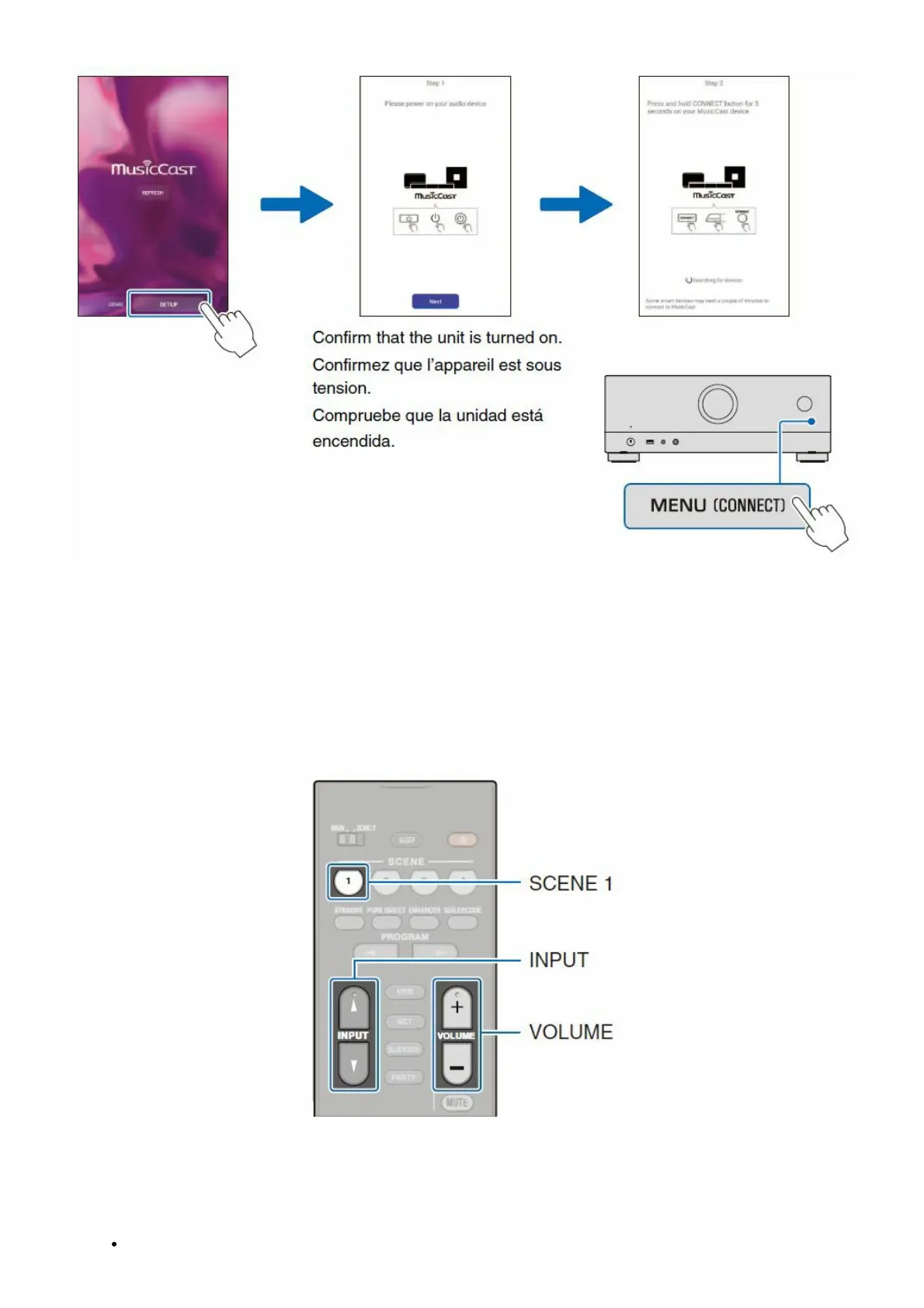
Connecting to a network with the MusicCast CONTROLLER app
1. Download the dedicated MusicCast CONTROLLER app to your mobile device on the App Store or Google
Play.
2. Follow the app’s on-screen instructions to configure network settings.
Important notice regarding information security
Visit the website shown at right for details.
Playing a BD/DVD
1. Press SCENE 1.
HDMI1 is selected as the input source.



 To Next Page