EasyManua.ls Logo

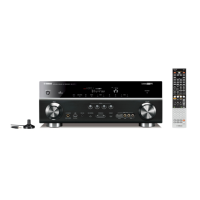
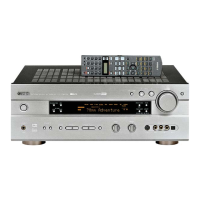
Yamaha RX-V750 - Service Manual

Yamaha RX-V750
128 pages
Print Icon
To Next Page IconTo Next Page
Loading...
This manual has been provided for the use of authorized YAMAHA Retailers and their service personnel.
It has been assumed that basic service procedures inherent to the industry, and more specifically YAMAHA Products, are already
known and understood by the users, and have therefore not been restated.
WARNING: Failure to follow appropriate service and safety procedures when servicing this product may result in personal
injury, destruction of expensive components, and failure of the product to perform as specified. For these reasons,
we advise all YAMAHA product owners that any service required should be performed by an authorized YAMAHA
Retailer or the appointed service representative.
IMPORTANT: The presentation or sale of this manual to any individual or firm does not constitute authorization, certification or
recognition of any applicable technical capabilities, or establish a principle-agent relationship of any form.
The data provided is believed to be accurate and applicable to the unit(s) indicated on the cover. The research, engineering, and service
departments of YAMAHA are continually striving to improve YAMAHA products. Modifications are, therefore, inevitable and
specifications are subject to change without notice or obligation to retrofit. Should any discrepancy appear to exist, please contact the
distributor's Service Division.
WARNING: Static discharges can destroy expensive components. Discharge any static electricity your body may have
accumulated by grounding yourself to the ground buss in the unit (heavy gauge black wires connect to this buss).
IMPORTANT: Turn the unit OFF during disassembly and part replacement. Recheck all work before you apply power to the unit.
IMPORTANT NOTICE
100885
SERVICE MANUAL
RX-V750/DSP-AX750/DSP-AX750SE
RX-V650/HTR-5760
AV RECEIVER/AV AMPLIFIER
AMP CHECK / アンプチェック . . . . . . . . . . . . . . . . . . . . 47
DISPLAY DATA . . . . . . . . . . . . . . . . . . . . . . . . . . 48–49
IC DATA . . . . . . . . . . . . . . . . . . . . . . . . . . . . . . . . 50–60
BLOCK DIAGRAM . . . . . . . . . . . . . . . . . . . . . . . . 61–62
PRINTED CIRCUIT BOARD . . . . . . . . . . . . . . . . 63–77
PIN CONNECTION DIAGRAM . . . . . . . . . . . . . . . . . 78
SCHEMATIC DIAGRAM . . . . . . . . . . . . . . . . . . . 79–88
PARTS LIST . . . . . . . . . . . . . . . . . . . . . . . . . . . . 89–125
REMOTE CONTROL RAV270, RAV271 . . . . 126–127
REMOTE CONTROL RAV248, RAV249 . . . . . . . . 128
CONTENTS
TO SERVICE PERSONNEL . . . . . . . . . . . . . . . . . . . . 2
IMPEDANCE SELECTOR . . . . . . . . . . . . . . . . . . . . . . 3
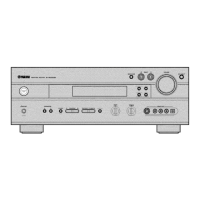
FRONT PANELS . . . . . . . . . . . . . . . . . . . . . . . . . . . 4–5
REMOTE CONTROL PANELS . . . . . . . . . . . . . . . . . . 6
REAR PANELS . . . . . . . . . . . . . . . . . . . . . . . . . . . 7–13
SPECIFICATIONS /
参考仕様 . . . . . . . . . . . . . . . . . 14–18
INTERNAL VIEW . . . . . . . . . . . . . . . . . . . . . . . . . . . . 19
DISASSEMBLY PROCEDURES /
分解手順 . . . . . 20–24
SELF DIAGNOSIS FUNCTION (DIAG) /
自己診断機能(ダイアグ) . . . . . . . . . . . . . . . . . . . . 25–46
RX-V750/DSP-AX750/DSP-AX750SE
RX-V650/HTR-5760

Other manuals for Yamaha RX-V750

Questions and Answers

  • S
    steve75Sep 18, 2025
    Why does my Yamaha RX-V750 display 'E-9:USER CANCEL'?
    • C
      Cynthia GrahamSep 18, 2025
      If your Yamaha Receiver shows 'E-9:USER CANCEL', it means the auto setup was cancelled because of user activity. Perform the auto setup again, and avoid adjusting the volume or other settings during the process.
  • M
    michelle99Aug 25, 2025
    What does 'E-1:NO FRONT SP' mean on my Yamaha Receiver and how to fix it?
    • B
      brittneyweaverAug 25, 2025
      The 'E-1:NO FRONT SP' error on your Yamaha Receiver means that the front left and right channel signals are not being detected. To resolve this: * Select the front speakers using SPEAKER A or B. * Check the connections to your front left and right speakers.
  • B
    bcainAug 25, 2025
    Why does my Yamaha RX-V750 say 'E-8:NO SIGNAL'?
    • S
      Sarah PowellAug 26, 2025
      If your Yamaha Receiver shows 'E-8:NO SIGNAL', it means the optimizer microphone isn't detecting test tones. Check the microphone setting. Also, verify the speaker connections and their placement.
  • M
    Mr. Eric FlowersAug 26, 2025
    What to do if my Yamaha RX-V750 Receiver says 'Connect MIC!'?
    • J
      Jonathon ChanAug 26, 2025
      If your Yamaha Receiver displays 'Connect MIC!', the optimizer microphone is not connected. Connect the supplied optimizer microphone to the OPTIMIZER MIC jack on the front panel.
  • J
    Jonathan JohnsonSep 22, 2025
    What to do if Yamaha RX-V750 Receiver displays 'E-10:OTHER ERROR'?
    • D
      David RojasSep 22, 2025
      If your Yamaha Receiver displays 'E-10:OTHER ERROR', it indicates a DSP communication error or hangup occurred. Try performing the auto setup procedure again.
  • T
    terri93Sep 23, 2025
    Why does my Yamaha RX-V750 say 'Unplug HP!'?
    • S
      Sheila WatkinsSep 23, 2025
      The 'Unplug HP!' message on your Yamaha Receiver indicates that headphones are connected. Unplug the headphones.
  • T
    Tracey MirandaSep 9, 2025
    Why does my Yamaha RX-V750 Receiver show 'W-3:LEVEL ERROR'?
    • M
      melissa28Sep 9, 2025
      If your Yamaha Receiver shows a 'W-3:LEVEL ERROR', it means there's a significant difference in volume levels among your speakers, preventing proper level correction. Here's what you can do: 1. Readjust the speaker installation so that all speakers are set in locations with similar conditions. 2. Check the speaker connections. 3. Use speakers of similar quality and efficiency. 4. Adjust the output volume of the subwoofer.
  • C
    Christina EdwardsSep 12, 2025
    How to fix 'W-1:OUT OF PHASE' error on Yamaha RX-V750?
    • J
      Jose ValdezSep 12, 2025
      If your Yamaha Receiver displays a 'W-1:OUT OF PHASE' error, it indicates that the speaker polarity might not be correct. Double-check the speaker connections to ensure that the positive (+) and negative (–) terminals on your receiver match the corresponding terminals on your speakers. Note that this message may appear even when the speakers are connected correctly.
  • S
    Shannon BairdSep 3, 2025
    What to do if my Yamaha RX-V750 Receiver says 'Unplug HP!'?
    • D
      Dawn MartinSep 3, 2025
      If your Yamaha Receiver displays 'Unplug HP!', it means headphones are connected. Unplug the headphones.
  • M
    Melissa AcostaSep 1, 2025
    What does 'E-6:CHECK SURR.' mean on my Yamaha Receiver?
    • T
      thomasdavidsonSep 1, 2025
      The 'E-6:CHECK SURR.' message on your Yamaha Receiver means that surround back speakers are connected, but surround left/right speakers are not. Connect surround speakers when you use surround back speakers.

Yamaha RX-V750 Specifications

General IconGeneral
Channels7.1
Total Harmonic Distortion (THD)0.06 %
Frequency Response10 Hz - 100 kHz
HDMINo
Response Bandwidth10 Hz - 100 kHz
Signal-To-Noise Ratio100 dB
Input Impedance47 kΩ
Input Sensitivity200 mV
Surround Sound EffectsYes
Sound EffectsYes
DSP Presets17
Tuner BandsAM / FM
Tuning RangeFM: 87.5 - 108 MHz, AM: 530 - 1710 kHz
Preset Station Qty40
Video Inputs4
Audio Inputs6
Audio Formats SupportedDolby Digital, Dolby Pro Logic II, DTS
Audio D/A Converter24bit / 192kHz

Related product manuals