EasyManua.ls Logo

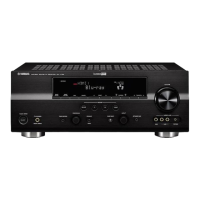
Yamaha RX-V757 - User Manual

Yamaha RX-V757
107 pages
Print Icon
To Next Page IconTo Next Page
Loading...
YAMAHA ELECTRONICS CORPORATION, USA
6660 ORANGETHORPE AVE., BUENA PARK, CALIF. 90620, U.S.A.
YAMAHA CANADA MUSIC LTD.
135 MILNER AVE., SCARBOROUGH, ONTARIO M1S 3R1, CANADA
YAMAHA ELECTRONIK EUROPA G.m.b.H.
SIEMENSSTR. 22-34, 25462 RELLINGEN BEI HAMBURG, GERMANY
YAMAHA ELECTRONIQUE FRANCE S.A.
RUE AMBROISE CROIZAT BP70 CROISSY-BEAUBOURG 77312 MARNE-LA-VALLEE CEDEX02, FRANCE
YAMAHA ELECTRONICS (UK) LTD.
YAMAHA HOUSE, 200 RICKMANSWORTH ROAD WATFORD, HERTS WD18 7GQ, ENGLAND
YAMAHA SCANDINAVIA A.B.
J A WETTERGRENS GATA 1, BOX 30053, 400 43 VÄSTRA FRÖLUNDA, SWEDEN
YAMAHA MUSIC AUSTRALIA PTY, LTD.
17-33 MARKET ST., SOUTH MELBOURNE, 3205 VIC., AUSTRALIA
©
2005 All rights reserved.
RX-V757
Printed in Malaysia WE59930
RX-V757
AV Receiver
OWNER’S MANUAL
U
01EN_RX-V757_U-cv_version1.fm Page 1 Friday, December 24, 2004 4:29 PM

Table of Contents

Other manuals for Yamaha RX-V757

Questions and Answers

  • C
    christopherguerreroAug 20, 2025
    What to do if my Yamaha RX-V757 shows E-10:INTERNAL ERROR?
    • R
      Robert FosterAug 20, 2025
      The E-10:INTERNAL ERROR on your Yamaha Receiver means a DSP communication error or hangup occurred. Perform the auto setup procedure again.
  • M
    Melissa MorrisAug 22, 2025
    What to do if my Yamaha RX-V757 Receiver sound only plays on headphones?
    • S
      Susan WintersAug 22, 2025
      If sound only plays on headphones for your Yamaha Receiver, unplug the headphones.
  • J
    Juan SimmonsAug 25, 2025
    What to do if my Yamaha RX-V757 shows E-1:NO FRONT SP error?
    • M
      Michael WilliamsAug 25, 2025
      The E-1:NO FRONT SP error on your Yamaha Receiver indicates that the front left/right channel signal(s) is/are not detected. To resolve this: * Select the front speakers using SPEAKERS A/B. * Check the front left and right speaker connections. * If using an external amplifier for the front speakers, ensure it is powered on.
  • M
    Mary RobinsonAug 26, 2025
    Why does my Yamaha Receiver say W-1:OUT OF PHASE?
    • A
      Anthony RobertsAug 26, 2025
      The W-1:OUT OF PHASE message on your Yamaha Receiver means the speaker polarity is incorrect. Verify the speaker connections, ensuring proper polarity (+ / –). Note that this message may appear even if the speakers are connected correctly.
  • Q
    qgreeneAug 27, 2025
    What to do if Yamaha Receiver displays E-8:NO SIGNAL?
    • D
      davidhardingAug 28, 2025
      The E-8:NO SIGNAL error on your Yamaha Receiver means the optimizer microphone does not detect test tones. To fix it, check the microphone setting and also check the speaker connections and placement.
  • J
    juliethomasAug 30, 2025
    How to connect the optimizer microphone to Yamaha Receiver?
    • M
      Mr. Leonard BaileyAug 30, 2025
      Connect the supplied optimizer microphone to the OPTIMIZER MIC jack on the front panel of your Yamaha Receiver.
  • A
    amartinSep 1, 2025
    What to do if my Yamaha Receiver shows E-5:NOISY error?
    • A
      anthony58Sep 1, 2025
      The E-5:NOISY error on your Yamaha Receiver indicates that background noise is too loud. To resolve this: * Try the auto setup procedure in a quiet environment. * Turn off noisy electrical equipment like air conditioners, or move them away from the optimizer microphone.
  • R
    Ryan PughSep 3, 2025
    What to do if Yamaha Receiver displays E-9:USER CANCEL?
    • A
      anne94Sep 3, 2025
      The E-9:USER CANCEL error on your Yamaha Receiver means the auto setup procedure was cancelled due to user activity. Perform the auto setup procedure again, and do not adjust VOLUME (etc.) during the process.
  • C
    Christine SandersSep 5, 2025
    Why does my Yamaha Receiver show W-3:LEVEL ERROR?
    • C
      crangelSep 5, 2025
      The W-3:LEVEL ERROR on your Yamaha Receiver indicates that the difference of volume level among speakers is excessive. To solve this: * Readjust the speaker installation so that all speakers are set in locations with similar conditions. * Check the speaker connections for proper polarity (+ / –). * Use speakers of similar quality and efficiency.
  • J
    jamesnicoleSep 7, 2025
    What does E-6:CHECK SUR. mean on my Yamaha Receiver?
    • A
      Alexis DavisSep 7, 2025
      The E-6:CHECK SUR. error on your Yamaha Receiver indicates that surround back speaker(s) is (are) connected, though surround L/R speakers are not. To solve this: * Connect surround speakers when you use (a) surround back speaker(s). * Check the surround speaker connections.

Summary

Safety Instructions

Operating Precautions

Contains critical warnings and precautions before unit operation.

Controls and Functions Overview

Front Panel Controls

Identifies and describes controls and indicators on the unit's front panel.

Remote Control Operations

Explains the function of each button on the remote control.

Speaker Setup Guide

Speaker Placement Guidelines

Provides guidelines for optimal placement of speakers for surround sound.

Speaker Connection Guide

Explains how to properly connect speaker cables to the unit.

Component Connections

Speaker Impedance Configuration

How to set speaker impedance for 4 or 6 ohm speakers.

Automatic Sound Setup

Optimizer Microphone Setup

Instructions for connecting and placing the optimizer microphone.

Initiating and Troubleshooting Auto Setup

Steps to initiate setup and common errors with remedies.

Playback Operations

Basic Playback Operations

Covers fundamental playback actions like turning on, selecting sources, and adjusting volume.

Pure Direct Audio Mode

Guide to activating PURE DIRECT mode for pure audio fidelity.

Advanced Operations Guide

System Settings Menu

Manual Setup Options

Options for manually adjusting speaker and system parameters.

Remote Control Features

Editing Sound Field Parameters

Troubleshooting Guide

General Unit Issues

Lists common problems and remedies for unit operation.

Remote Control Issues

Troubleshoots issues related to the remote control's functionality.

Factory Reset Procedure

Yamaha RX-V757 Specifications

General IconGeneral
BrandYamaha
ModelRX-V757
CategoryReceiver
LanguageEnglish

Related product manuals