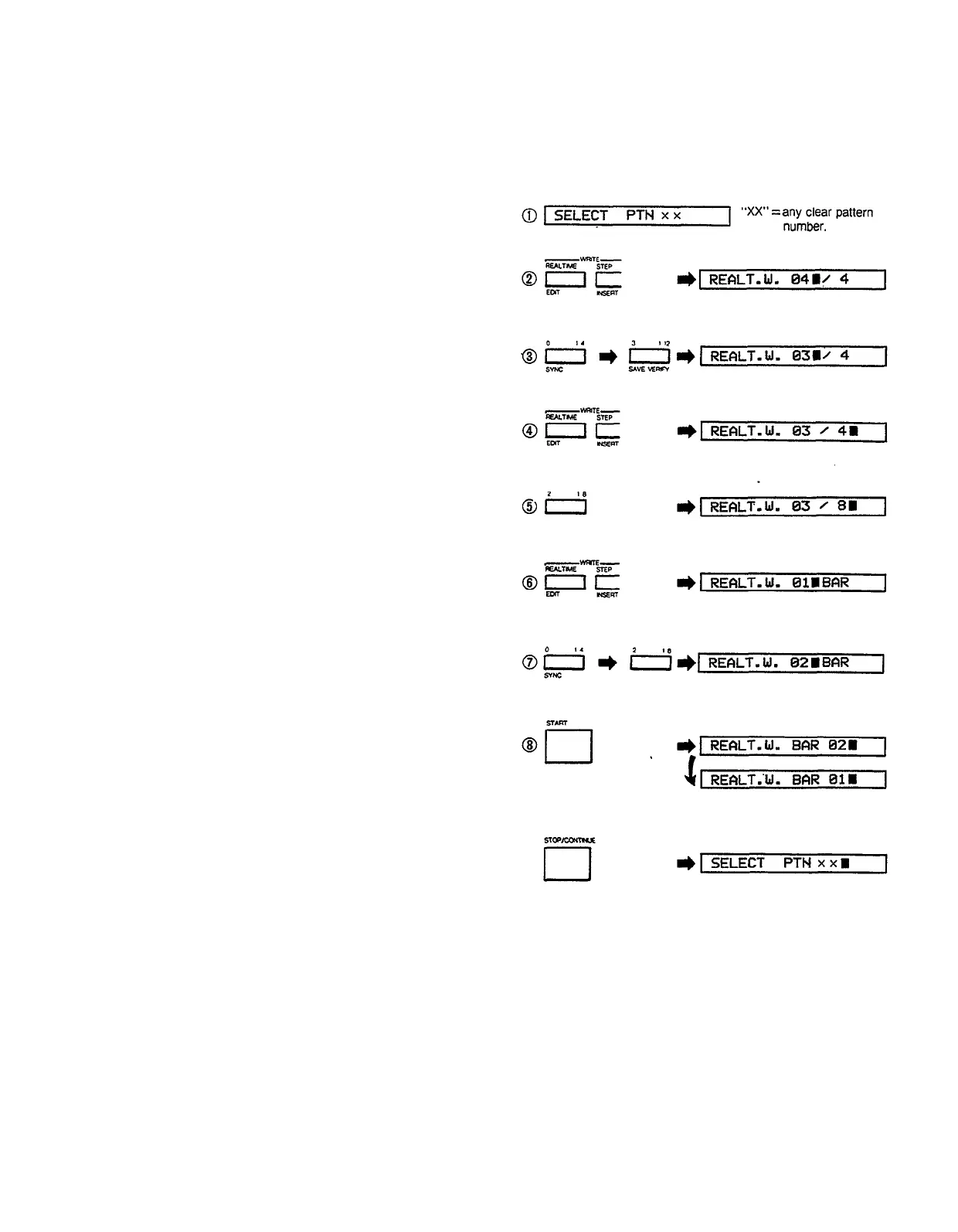
To review, the real time write parameter input procedure
is as follows:
1. Press REAL TIME WRITE button to enter real time
write mode.
2. Enter first part of time signature via white number
buttons (integer markings, two digits).
3. Press REAL TIME WRITE button to move cursor to
second part of time signature.
4. Enter second part of time signature via number
buttons (fraction markings).
5. Press REAL TIME WRITE button to prompt for number
of bars in pattern.
6. Enter number of bars via number buttons. (integer
markings, two digits)
l
The real time write mode can be exited at any time by
pressing the STOP/CONTINUE button
l
Steps 2-6 above can be skipped if the default
parameters (4/4 time, 1 bar) are acceptable.
You are now ready to program your pattern.
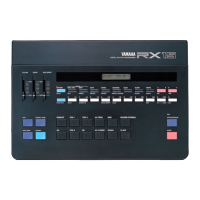
Tap the red START button and you will hear the “click
track” rhythm guide. The first click of each bar is
accented (the actual time of the click function-whether
the click is heard on every 1/4 note, every 1/8 note,
etc.
–can be adjusted using the CLICK function to be
discussed later). The RX15 will continue cycling through
the full length of the pattern while you record. Adjust the
tempo using the TEMPO control, and start playing. For
multi-bar patterns the first bar can be located by
watching the LCD display panel: e.g. “REALT.W BAR 02”
indicates that the current bar is bar 2. There’s no need
to try and input all instruments at once. Just program
one or two at a time, adding new instruments on
successive cycles of the pattern. Input accented beats
by using the ACCENT button (See “Accents” in the
“THE INSTRUMENTS” section).
Make a mistake? Single notes can be cleared by holding
down the CLEAR button (top row) and tapping the
appropriate instrument button at the timing of the note
that is to be cleared. When the pattern is complete,
press the STOP/CONTINUE button.
You can add new instruments and rhythm lines to
already-programmed patterns by simply selecting the
pattern, entering the real time write mode, pressing the
START button and writing as usual. The time signature or
bar length of a programmed pattern CANNOT be
changed. Time signature and number of bars can only
be programmed in clear patterns (see the CLEAR
function, below).
11
Real-Time Write (EX: 3/8 time, 2 bars)
Enter pattern guided by click function.


 To Next Page