CHANGING THE PATTERNS AND BACKING ACCOMPANIMENT.
You can easily change the patterns and backing accompaniment of the
selected song—either while the song is stopped or while it is playing.
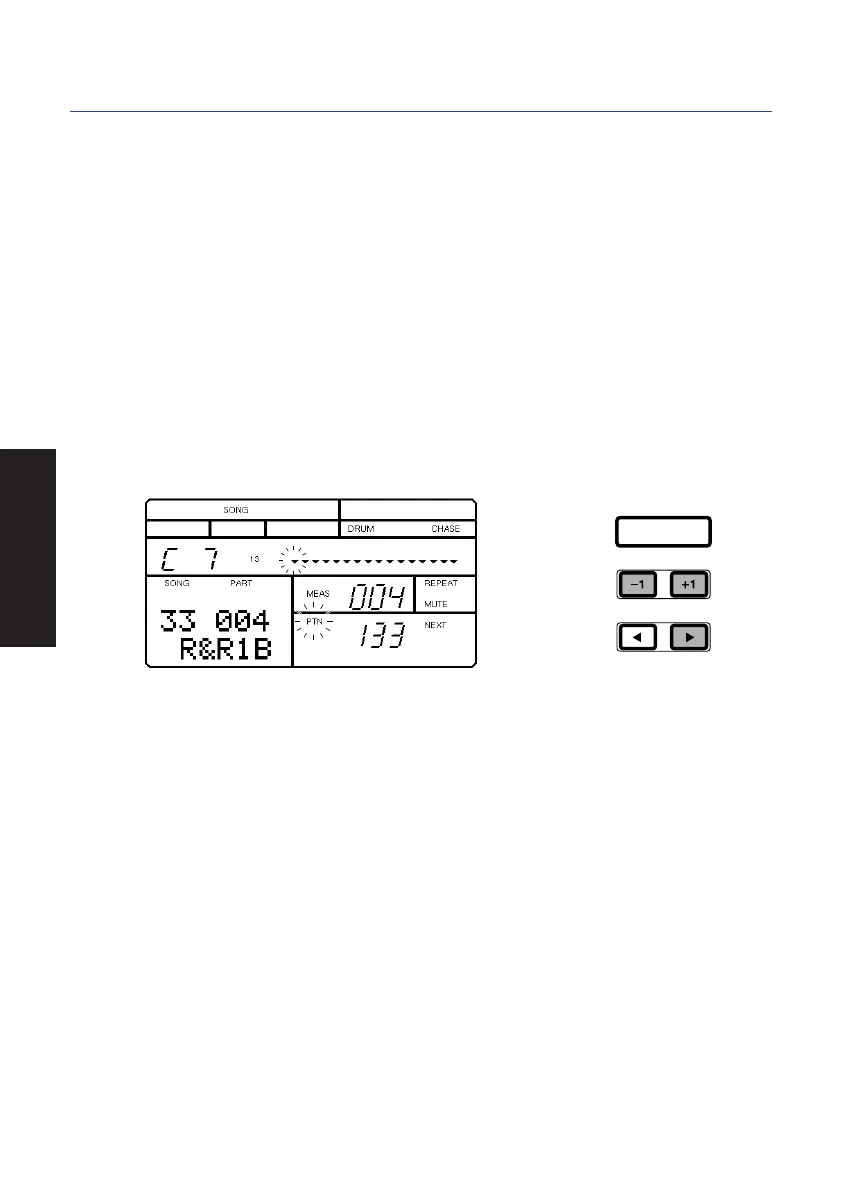
After you’ve switched into the Song Mode Song Select function and selected a
song, when you press [PLAY] to start the song playback, the flashing cursor
position will change from “SONG” (in the lower left area of the LCD) to “PTN”
(Pattern; in the lower right area of the LCD). This indicates that you can change
the pattern.
When you change the pattern number, the pattern will change, and the
accompaniment backing will change accordingly.
■ To change the pattern, either start the playback or press [F] once or more
to position the flashing cursor over the word “PTN” (Pattern). Then press
[-1] and [+1] to select a rhythm pattern.
ENTER
28
GETTING STARTED
PDF02_E.qx 6/2/99 5:48 PM Page 28


 To Next Page