Ideal for Playing Live
Many features of this synthesizer make it ideal for live performances. These features are explained here.
The parameters for these features can be stored per Voice/Performance.
MUSIC SYNTHESIZER
Modular Synthesis Plug-in System
Rear
Panel
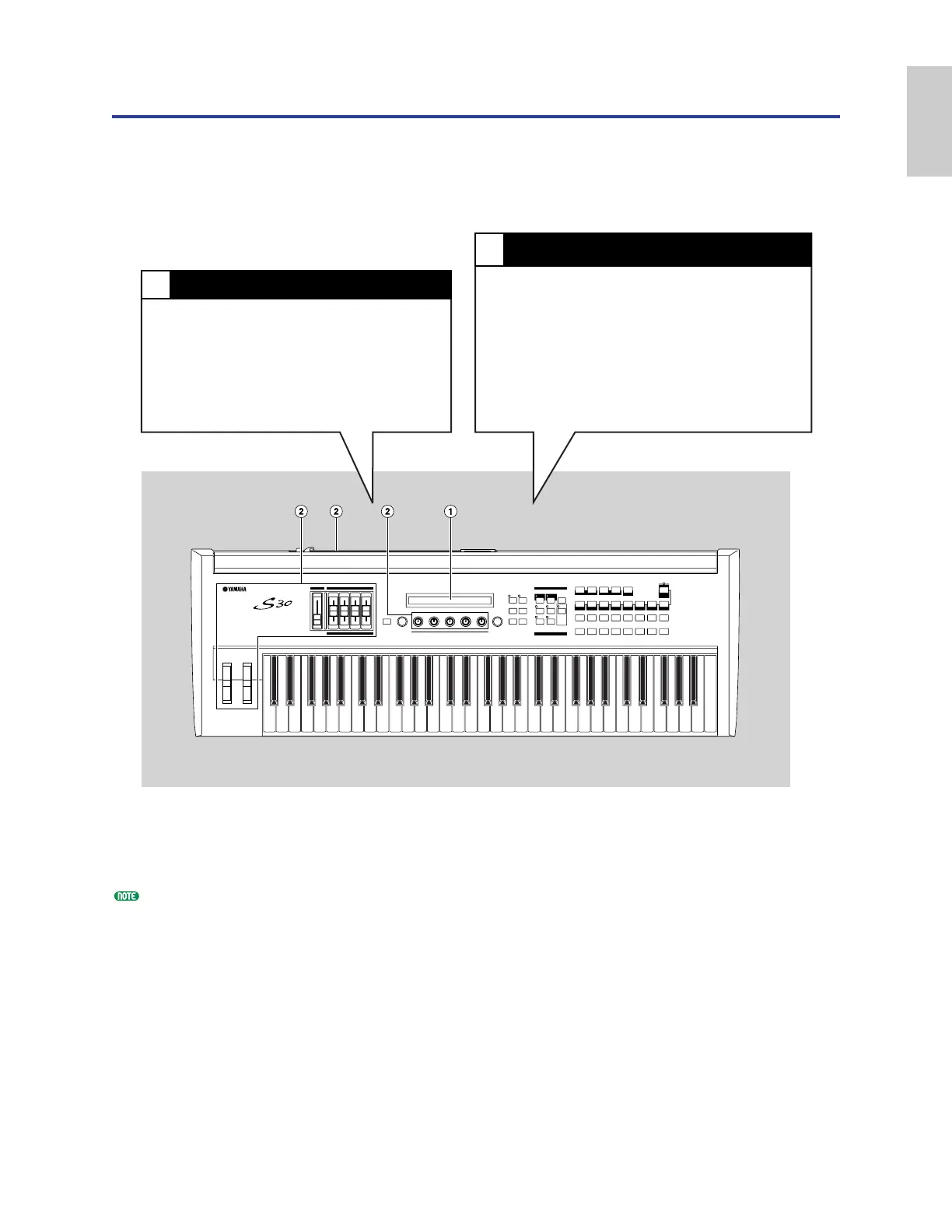
1 Using the Arpeggiator (Page 36)
A wide variety of arpeggio patterns can be
created automatically by just holding down a
set of notes on the keyboard. You can specify
the sound and the note range within which the
arpeggiator is active, then use your left hand to
hold down the notes being arpeggiated while
using your right hand to play a melody line.
2 Using the Controllers (Page 38)
The Pitch Bend Wheel, Modulation Wheel and
Control Sliders can be freely assigned to control
various sound parameters in real time. By
connecting an optional Foot Controller or Foot
Switch, you can also use your feet to control
parameters, to change Program Number, and so
on (Page 43). Also, you can assign parameters to
Knobs [A], [B], [C], [1] and [2] on the front panel
below the LCD.


 To Next Page