EasyManua.ls Logo

Yamaha SB168-ES - User Manual

Yamaha SB168-ES
19 pages
Print Icon
To Next Page IconTo Next Page
Loading...
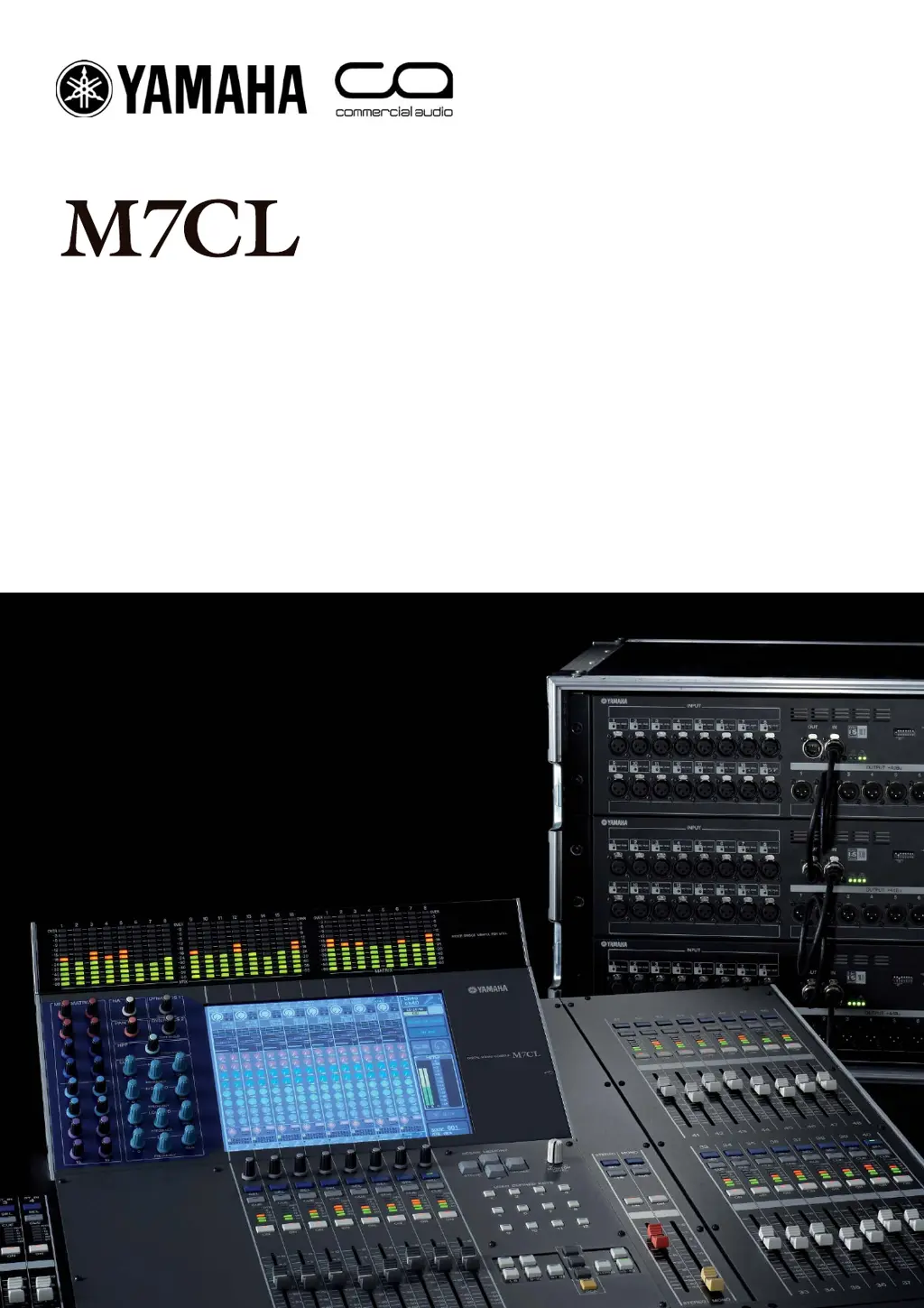
M7CL Quick Start Guide Part 1
1
Part 1
An introductory guide to the M7CL group of consoles including features
included in Version 3 Firmware and the M7CL-48ES hardware.
These guides are for people about to use the
M7CL for the rst time, or for experienced
users requiring some tips and tricks for better
understanding of M7CL and its PC based
software partner the M7CL editor.
Quick Start Guide
A guide for people using M7CL Version 3 in the real world.

Other manuals for Yamaha SB168-ES

Questions and Answers

  • C
    Christina YangAug 20, 2025
    How to troubleshoot Yamaha Accessories when the power won’t turn on?
    • G
      gabrielbruceAug 20, 2025
      First, ensure the power cable is properly connected and the [POWER] switch is correctly engaged. If the power still doesn’t come on after checking these, contact your Yamaha dealer.
  • J
    Julie VelezAug 22, 2025
    What to do if Yamaha Accessories unit is not receiving an input signal?
    • J
      jimmyjonesAug 22, 2025
      Check if the input cables are correctly connected and that the source devices are sending a signal. Verify the SIG indicators on the appropriate channels. Also, ensure the AVS-ESMonitor patch settings are correct (Net Patch or I/O Patch page) and the head amplifier gain is set to an appropriate level. Check if you have executed the Quick Setup function and if you have changed any patch settings via the AVS-ESMonitor application after executing the Quick Setup function.
  • C
    Calvin JonesAug 25, 2025
    What to do if there is no output from Yamaha Accessories?
    • W
      Wendy WilsonAug 25, 2025
      First, check the output cables to ensure they are properly connected. Also, verify that the AVS-ESMonitor patch settings are appropriate (Net Patch or I/O Patch page). Make sure that output is not muted at the digital mixing console. Check if you have executed the Quick Setup function and if you have changed any patch settings via the AVS-ESMonitor application after executing the Quick Setup function.
  • C
    Connie WillisAug 27, 2025
    Why is the input level too low on my Yamaha Accessories?
    • B
      Bryan NelsonAug 27, 2025
      If you are using a condenser microphone, verify that the [+48V MASTER] switch and phantom power for the corresponding channel(s) are turned ON. Also, ensure that the head amplifier gain is set to an appropriate level.
  • J
    Jacob MartinezAug 30, 2025
    How to resolve a duplicate IP address error on Yamaha Accessories?
    • B
      Bryce BrownAug 30, 2025
      If you encounter a duplicate IP address error, it means a device connected to the NETWORK connector has the same IP address as the SB168-ES fixed IP address. To fix this, change the IP address of the conflicting device to something other than 192.168.0.2.
  • L
    Linda SmithAug 31, 2025
    What to do if the fan has malfunctioned in Yamaha Accessories?
    • P
      Pamela OconnorSep 1, 2025
      Check if anything is obstructing the fan. If the problem persists, contact your Yamaha dealer.
  • C
    Cheryl MurilloSep 2, 2025
    What does an illegal DIP switch setting mean for Yamaha Accessories?
    • J
      Justin JensenSep 2, 2025
      An illegal DIP switch setting indicates that the device is running in initialization or a special mode. To return to normal, power OFF the device, set DIP switches 5–8 to their “up” positions, and then power it back ON.
  • C
    Caroline RamirezSep 4, 2025
    What does 'No Battery!' mean on Yamaha Accessories?
    • C
      Curtis ForbesSep 4, 2025
      It means the backup battery is almost completely depleted, and stored settings might be lost. Stop using the unit and contact your Yamaha dealer, as turning off the power now could initialize the unit.
  • J
    James GarciaSep 6, 2025
    What does 'Critical Battery!' mean on Yamaha Accessories?
    • S
      Stacie AdamsSep 6, 2025
      It indicates the backup battery is low, and stored settings might be lost. Stop using the unit as soon as possible and contact your Yamaha dealer to prevent potential initialization.
  • K
    Kathleen GomezSep 8, 2025
    What does 'Memory Error! All Memories were Initialized' mean on Yamaha Accessories?
    • J
      joseph33Sep 8, 2025
      It means the internal backup memory was corrupted, and all data has been initialized. If the error continues after restarting, the backup battery might be depleted. Contact your Yamaha dealer.

Yamaha SB168-ES Specifications

General IconGeneral
Channels16
Phantom PowerYes
Bit Depth24-bit
AD/DA Conversion24-bit/96 kHz
Rack Units1U
Network ProtocolDante
Sample Rate44.1 kHz, 48 kHz, 88.2 kHz, 96 kHz
ConnectivityEthernet
Connector TypeXLR

Related product manuals