Periodic maintenance and adjustment
6-7
1
2
3
4
5
6
7
8
9
10
11
12
13
14
EAU59460
Removing and installing the
panel
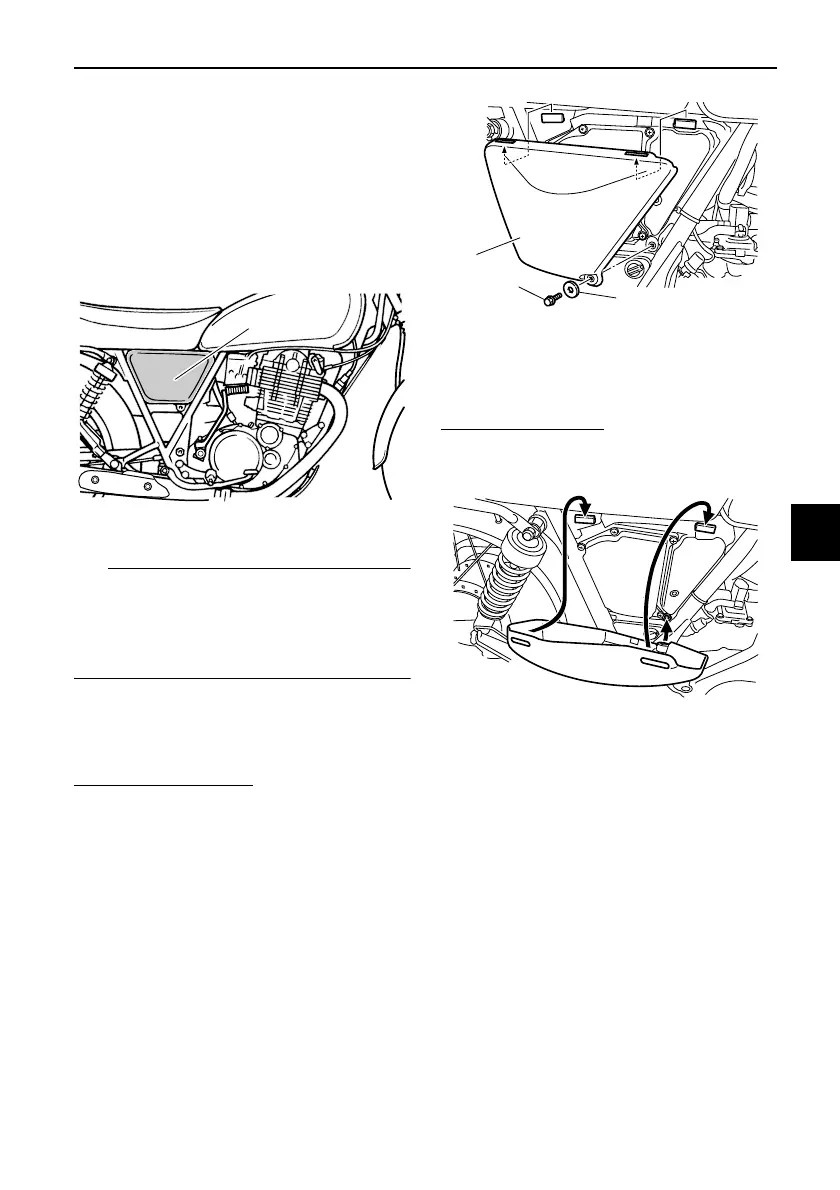
The panel shown needs to be removed
to perform some of the maintenance
jobs described in this chapter. Refer to
this section each time the panel needs
to be removed and installed.
The panel on the left side is removable
using the key. However there is no
need to remove this panel for mainte-
nance jobs described in this chapter.
EAU19152
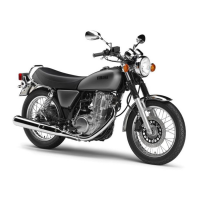
Panel A
To remove the panel
Remove the bolt, and then pull the pan-
el off as shown.
To install the panel
Place the panel in the original position,
and then install the bolt.
1. Panel A
1. Panel A
2. Bolt
3. Washer
2RD-28199-E1.book 7 ページ 2015年9月3日 木曜日 午後3時42分


 To Next Page