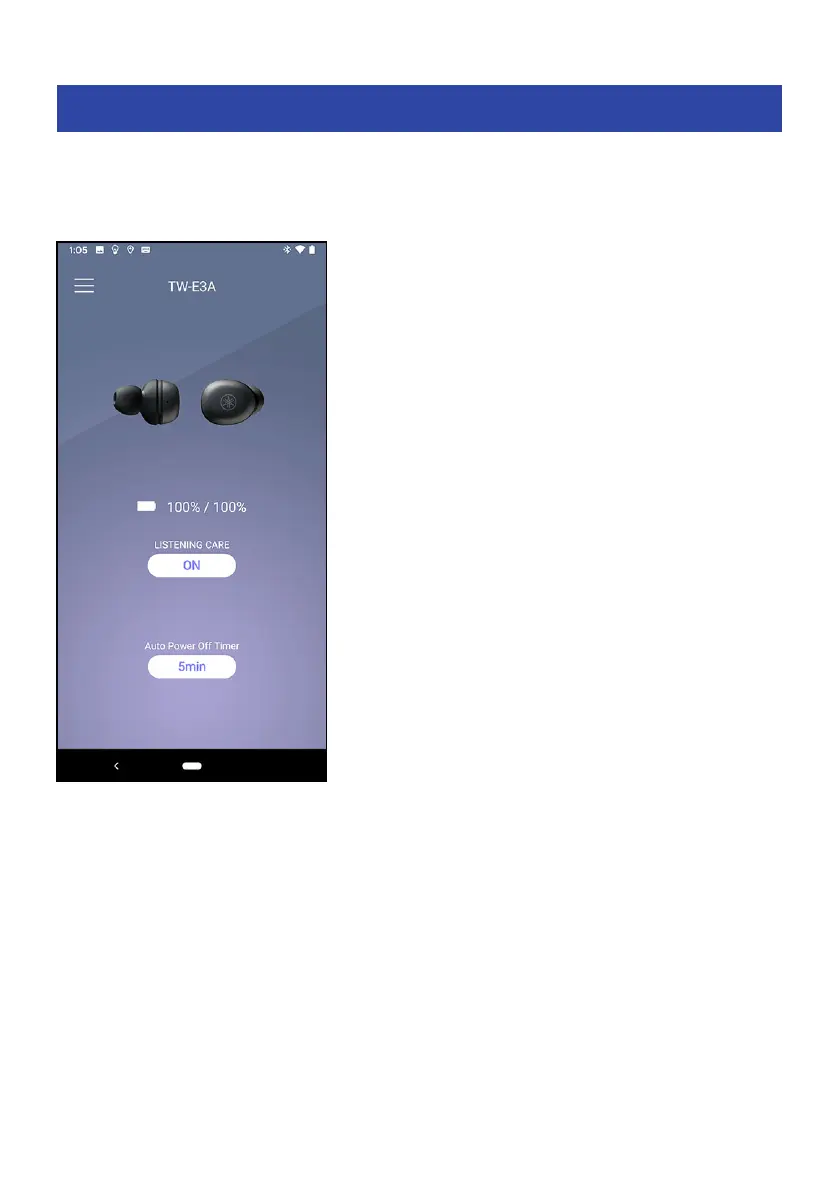
List of settings (main screen)
The settings that you can make on the main screen of the Headphones Controller app are shown below.
NOTE
The app screen may differ, depending on your product.
(
LISTENING CARE
Turns LISTENING CARE (a feature that automatically adjusts the sound quality according to the volume)
on/off.
(
Auto Power-Off Timer
Sets the time it takes for the power to turn off after Bluetooth has been disconnected.
Related links
(
“About the app for earphones/headphones”(p.32)
(
“List of product settings (menu)”(p.34)
(
“Automatically adjust the sound quality according to the volume”(p.35)
(
“Setting the auto-standby time”(p.36)
33
Settings > List of settings (main screen)



 To Next Page