Registering (pairing) a different Bluetooth device
Follow the steps below to register (pair) another Bluetooth device. [q01]
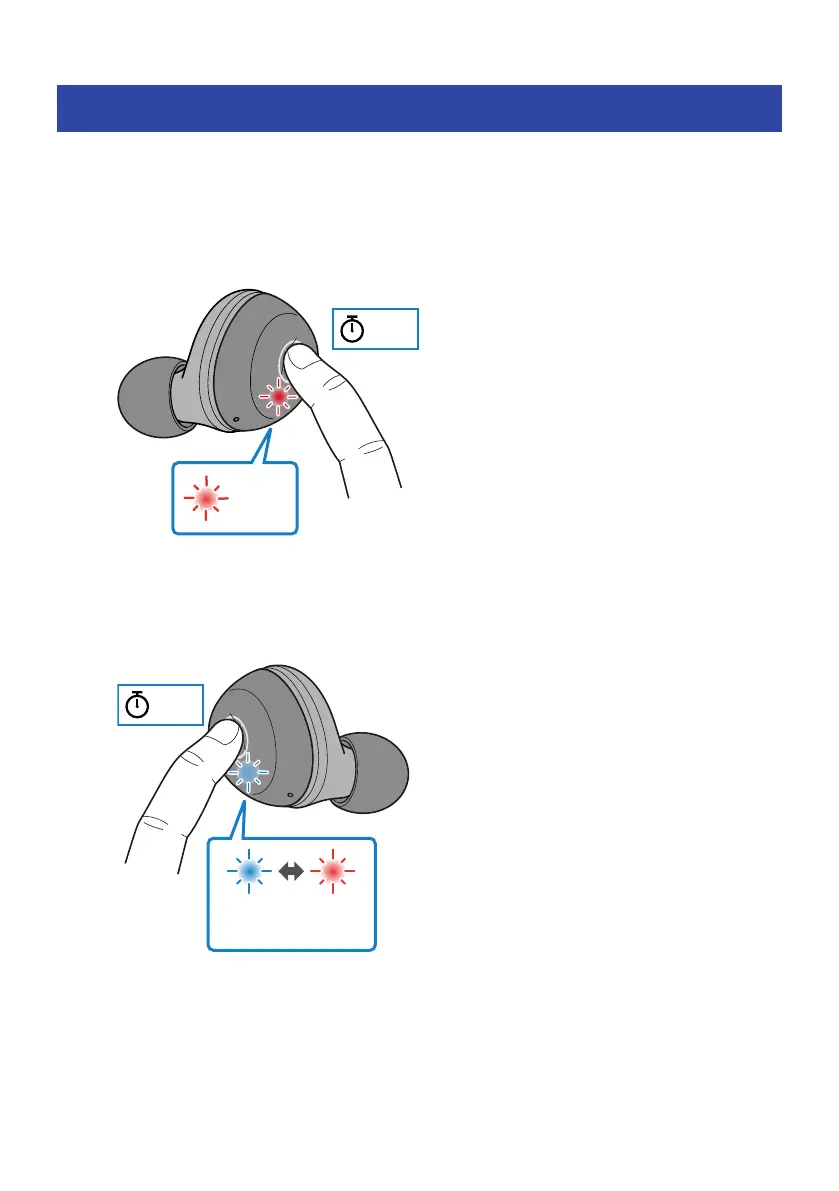
1 Keep pressing the function key on each earphone (L, R) until their indicators light
up red.
The power will turn off.
2 Keep pressing the function key on the earphone (R) until its indicator lights up as
shown below.
You will hear the “Pairing” audio message in the earphone, and the earphone will enter
registration (pairing) standby mode.
5 sec
Blue Red
Flashes alternately
20
Connections > Registering (pairing) a different Bluetooth device



 To Next Page