Restoring this product to factory defaults (Initialize /
Reset)
This will restore all settings of this product to their factory defaults.
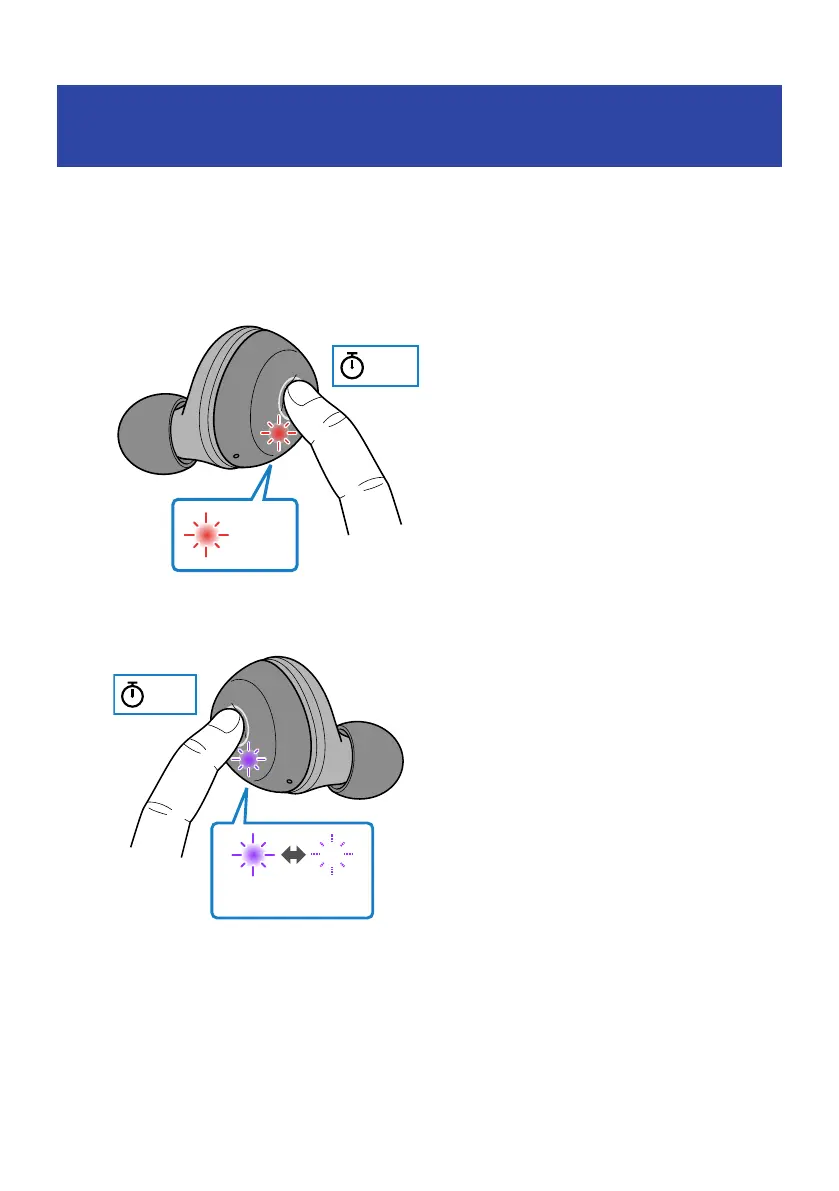
1 Turn off the power after removing the earphones from their charging case.
Keep pressing the function key on each earphone (L, R) until their indicators light up red. You
will hear the "Power Off" audio message in the earphones.
2 Hold down the function key on earphone (R) for about 10 seconds.
and the indicator flashes as shown below.
46
Troubleshooting > Restoring this product to factory defaults (Initialize / Reset)



 To Next Page