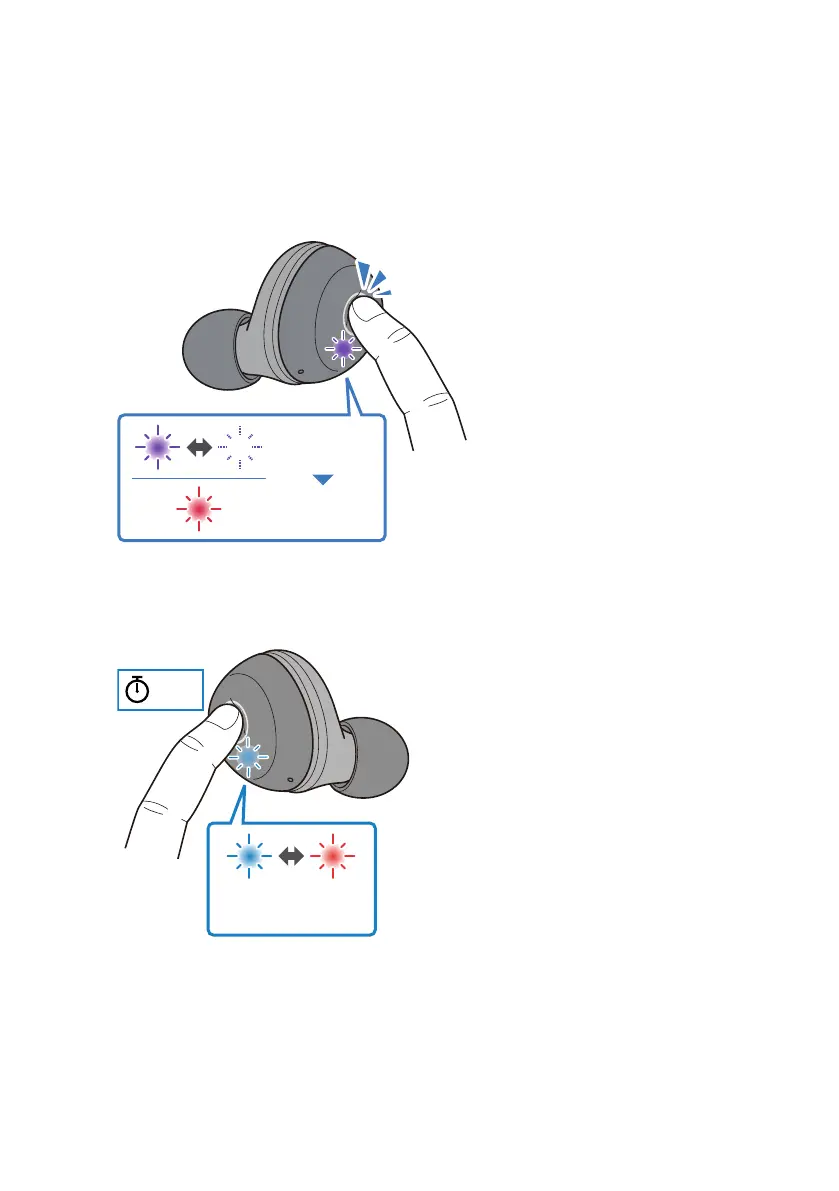
5 Once the indicator starts flashing, press the function key on earphone (L) three
times within 10 seconds.
The indicator flashes as shown below, and the power will turn off. You will hear the "Power
Off" audio message in the earphones. If the indicator does not stop flashing red, go back and
retry the previous step.
Purple Flashes
(two times)
Red
Lights up
6 Hold down the function key on earphone (R) for two seconds. The power will turn
on.
Take your finger off the key once the indicator lights up.
2 sec
Blue
Red
Flashes alternately
48
Troubleshooting > Restoring this product to factory defaults (Initialize / Reset)



 To Next Page