EasyManua.ls Logo

Yamaha WXC-50 - User Manual

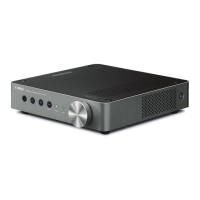
Yamaha WXC-50
52 pages
Print Icon
To Next Page IconTo Next Page
Loading...
UCABGLV
EN
FR
ES
Owners Manual (Basic)
For more information about operating this product, refer to the Owners Manual (Advanced).
The latest Owner’s Manual (Advanced) can be downloaded from the following website.
http://download.yamaha.com/
Mode demploi (Basique)
Pour en savoir plus sur le fonctionnement de ce produit, reportez-vous au Mode d’emploi (Avancé).
Vous pouvez télécharger le Mode d’emploi (Avancé) le plus récent depuis le site Web suivant.
http://download.yamaha.com/
Manual de instrucciones (Básico)
Si desea obtener más información sobre el uso de este producto, consulte el Manual de
instrucciones (Avanzado).
El último Manual de instrucciones (Avanzado) puede descargarse en el siguiente sitio web.
http://download.yamaha.com/
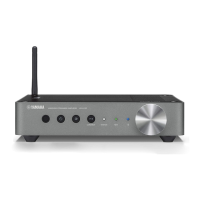
WIRELESS STREAMING PRE-AMPLIFIER
PRÉAMPLIFICATEUR STREAMING SANS FIL
WIRELESS STREAMING AMPLIFIER
AMPLIFICATEUR STREAMING SANS FIL

Other manuals for Yamaha WXC-50

Questions and Answers

  • C
    Christian WilliamsJul 26, 2025
    Why is there no sound coming from my Yamaha Amplifier?
    • W
      William LeonJul 26, 2025
      If there is no sound from your Yamaha Amplifier, first, ensure that all input and output cables are properly connected. Then, verify that you've selected the correct input source using the input selection keys. Also, check that the volume isn't set to minimum or muted. Finally, if you're using a digital optical audio output, confirm that the audio format is set to PCM on your playback device, as the unit only supports PCM on the optical input.
  • N
    normanchelseaJul 30, 2025
    How to fix Yamaha WXC-50 Amplifier if the power does not turn on?
    • B
      Brad JacobsJul 31, 2025
      If your Yamaha Amplifier doesn't turn on, make sure the power cable is firmly connected. If it still fails to power on, the protection circuitry might have been activated. As a safety precaution, capability to turn on the power is disabled. Contact your nearest authorized Yamaha dealer or service center to request repair.
  • R
    Richard HenryAug 4, 2025
    What to do if my Yamaha WXC-50 cannot connect to the Internet via a wireless router?
    • T
      Timothy McintyreAug 4, 2025
      If your Yamaha Amplifier cannot connect to the Internet via a wireless router, first, ensure that the wireless router is turned on. If it is on, try placing the unit and the wireless router closer to each other, or move them to a location where there are no obstacles between them.
  • R
    Robert WhiteAug 8, 2025
    Why does my Yamaha WXC-50 turn off immediately after turning on?
    • E
      Elizabeth WalkerAug 8, 2025
      If your Yamaha Amplifier turns off immediately after being turned on, it may be due to a shorted speaker cable. Twist the bare wires of each speaker cable firmly and reconnect them to the unit and speakers. Alternatively, the inner power supply circuit may be malfunctioning. Contact your nearest authorized Yamaha dealer or service center to request repair.
  • W
    wbuchananAug 12, 2025
    Why is the network feature not working on my Yamaha WXC-50 Amplifier?
    • M
      Mary RyanAug 13, 2025
      If the network feature on your Yamaha Amplifier is not functioning, ensure that the DHCP server function is enabled on your router. Also, make sure to use the network function after the unit has completely started up, which takes about 10 seconds after plugging in the power cable.
  • M
    Michael RobinsonAug 17, 2025
    What to do if firmware update via the network failed on Yamaha Amplifier?
    • N
      Natalie HaynesAug 17, 2025
      If a firmware update via the network failed on your Yamaha Amplifier, the network connection might be unstable. Try updating again after a while.
  • S
    Shannon WareAug 21, 2025
    What to do if my Yamaha WXC-50 Amplifier is not reacting?
    • M
      msmithAug 21, 2025
      If your Yamaha Amplifier is not reacting, the internal microcomputer may be frozen due to an external electric shock. Try holding down the z (Power) key for at least 15 seconds to reboot the unit.

Yamaha WXC-50 Specifications

General IconGeneral
Amplifier class-
Audio output channels- channels
Peak power per channel- W
Signal-to-Noise Ratio (SNR)112 dB
Total Harmonic Distortion (THD)0.003 %
AC (power) inYes
Audio (L/R) in1
USB 2.0 ports quantityUSB 2.0 ports have a data transmission speed of 480 Mbps, and are backwards compatible with USB 1.1 ports. You can connect all kinds of peripheral devices to them.
Speakers connectivity typeRCA
Power consumption (standby)1.8 W
PurposeHome
Product colorSilver
Connectivity technologyWireless
Weight and Dimensions IconWeight and Dimensions
Depth245.9 mm
Width215 mm
Height51.5 mm
Weight1440 g

Related product manuals