
EasyManua.ls Logo

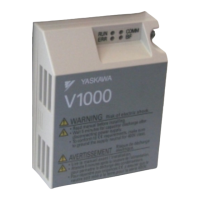
YASKAWA MECHATROLINK-II V1000 - User Manual

YASKAWA MECHATROLINK-II V1000
30 pages
Print Icon
To Next Page IconTo Next Page
Loading...
MECHATROLINK-II
通信
V1000オプションユニット
取扱説明書
形式 SI-T3/V
MECHATROLINK-II
YASKAWA AC Drive-V1000 Option
Installation Manual
Type: SI-T3/V
To properly use the product, read this manual thoroughly and retain
for easy reference, inspection, and maintenance. Ensure the end user
receives this manual.
製品を安全にお使い頂くために,本書を必ずお読みください。
また,本書をお手元に保管していただくとともに,最終的に本製品をご使用になる
ユーザー様のお手元に確実に届けられるよう,お取り計らい願います。
MANUAL NO. TOBP C730600 49A

Questions and Answers

  • D
    Daniel DavisAug 16, 2025
    What to do if I have a MECHATROLINK-II Option Communication Error on my YASKAWA Recording Equipment?
    • E
      Erica StevensonAug 16, 2025
      If you're experiencing a MECHATROLINK-II Option Communication Error, it could be due to several reasons. First, check for any faulty wiring. It may also be that the communication cable is not connected properly. Another cause could be a data error due to noise; in this case, check the various options available to minimize the effects of noise. Finally, the MECHATROLINK-II Option itself might be damaged. If wiring isn't the issue, and the error persists, consider replacing the MECHATROLINK-II Option.
  • J
    James BrownAug 19, 2025
    What causes a Serial Communication Transmission Error in YASKAWA MECHATROLINK-II V1000 Recording Equipment and how to fix it?
    • J
      johnathan77Aug 19, 2025
      A Serial Communication Transmission Error may occur due to several reasons. First, check for wiring errors, short circuits, or improper connections. Second, there might be a programming error on the master side, so check communications at start-up and correct any programming errors. Finally, the communication circuitry could be damaged, so perform a self-diagnostics check.
  • J
    Jeffrey RichardsAug 22, 2025
    What to do if there is an External Fault Input from MECHATROLINK-II Option in YASKAWA MECHATROLINK-II V1000?
    • R
      ramirezbarbaraAug 22, 2025
      If you're getting an External Fault Input from the MECHATROLINK-II Option, it means an external fault is being sent from the master controller (PLC). Remove the cause of this external fault. It could also be due to a problem with the PLC program, so check the program used by the PLC and make the appropriate corrections.
  • M
    Michelle YoungAug 25, 2025
    How to resolve a Station Address Error on YASKAWA Recording Equipment?
    • J
      Joanna BennettAug 26, 2025
      A Station Address Error occurs when the address is outside the specified address range. To fix this, set F6-20 to an address within the specified range.
  • T
    Terri SaundersAug 28, 2025
    What causes an SI-T Watchdog Timer Error on YASKAWA MECHATROLINK-II V1000?
    • S
      Sydney WilliamsAug 28, 2025
      An SI-T Watchdog Timer Error indicates that data has not been received from the PLC, triggering the watchdog timer. Execute DISCONNECT or ALM_CLR, then issue a CONNECT command or SYNC_SET command and proceed to phase 3.
  • M
    Michael OdonnellAug 31, 2025
    What causes a MECHATROLINK-II Option Fault in YASKAWA MECHATROLINK-II V1000?
    • X
      xcooperAug 31, 2025
      A MECHATROLINK-II Option Fault can arise from a non-compatible option connected to the drive. Ensure you connect an option that is compatible with the drive.
  • J
    Joshua PopeSep 3, 2025
    What to do if there is a problem with the connectors between the drive and MECHATROLINK-II Option on YASKAWA MECHATROLINK-II V1000 Recording Equipment?
    • O
      Oscar SotoSep 3, 2025
      If you suspect a problem with the connectors between the drive and the MECHATROLINK-II Option, turn the power off and check the connectors.
  • T
    Todd DavisSep 6, 2025
    What does a MECHATROLINK-II Option self-diagnostics error mean for YASKAWA MECHATROLINK-II V1000 Recording Equipment?
    • J
      james00Sep 6, 2025
      A MECHATROLINK-II Option self-diagnostics error indicates a MECHATROLINK-II Option hardware fault. Replace the MECHATROLINK-II Option.
  • P
    Phyllis TylerSep 9, 2025
    What does MECHATROLINK-II Option Flash write mode mean for YASKAWA Recording Equipment?
    • S
      Suzanne Bryant DDSSep 9, 2025
      MECHATROLINK-II Option Flash write mode indicates a MECHATROLINK-II Option hardware fault. Replace the MECHATROLINK-II Option.
  • D
    Dennis MendezSep 12, 2025
    What does Communication ID error mean for YASKAWA MECHATROLINK-II V1000 Recording Equipment?
    • H
      Heidi RiveraSep 12, 2025
      A Communication ID error indicates a MECHATROLINK-II Option hardware fault. Replace the MECHATROLINK-II Option.

Summary

Preface and Safety

Safety Information and Warnings

Outlines safety messages, warnings, and conventions for safe operation.

General Safety Precautions

Outlines general safety rules and precautions for handling the equipment.

Installation Procedure

Installation Safety Precautions

Highlights critical safety warnings and precautions before installation.

MECHATROLINK Option Drive Parameters

Parameter Settings Table

Lists configurable parameters for the MECHATROLINK-II Option and their default values.

Troubleshooting

Specifications

Technical Specifications

Details electrical, environmental, and performance specifications of the option unit.

YASKAWA MECHATROLINK-II V1000 Specifications

General IconGeneral
BrandYASKAWA
ModelMECHATROLINK-II V1000
CategoryRecording Equipment
LanguageEnglish

Related product manuals
