User Guide for the SIP-T23P/G IP Phone
172
5. Click Export to open file download window, and then save diagnostic files to your
local system.
Note
How to reboot the phone?
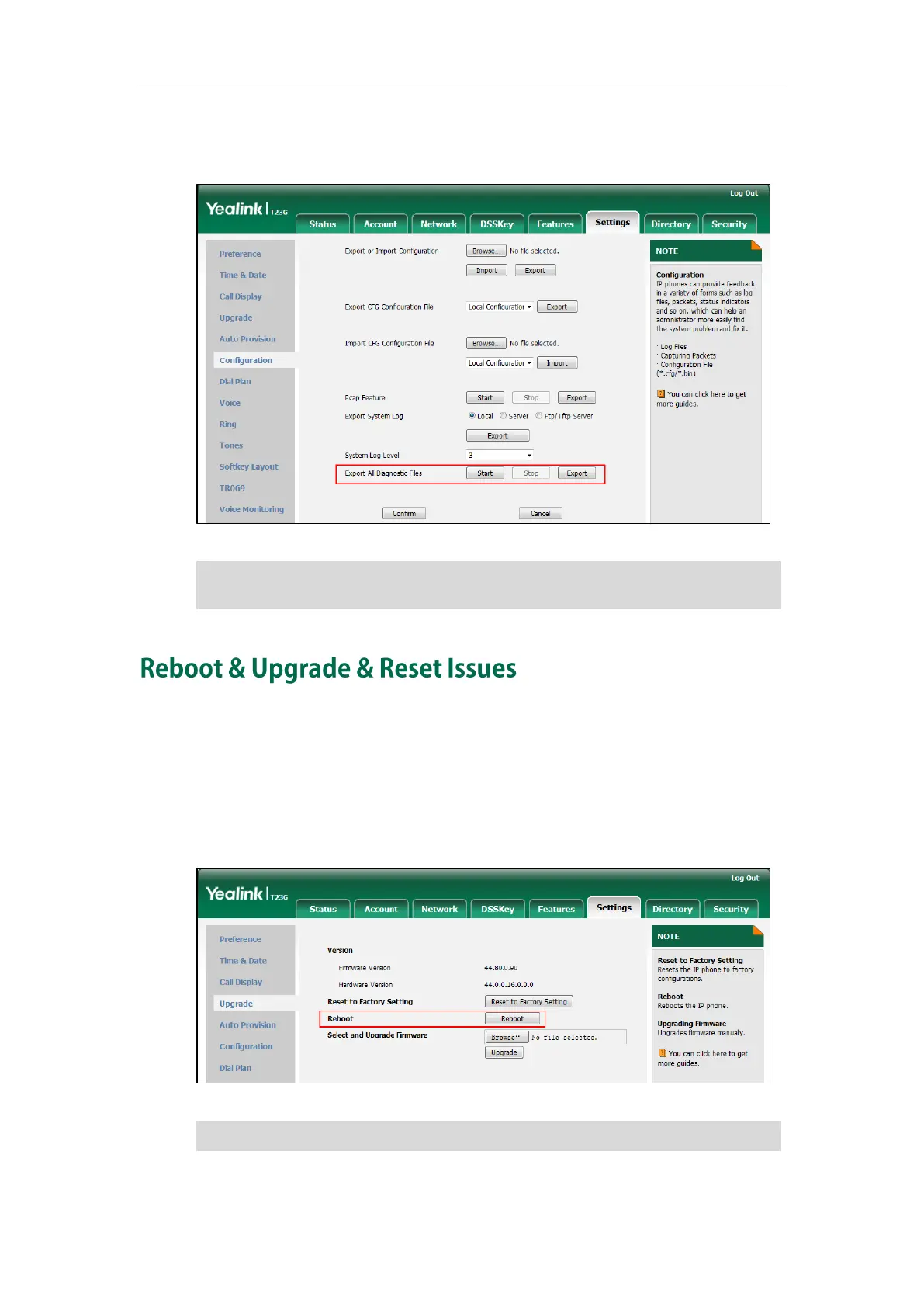
To reboot the phone via web user interface:
1. Click on Settings->Upgrade.
2. Click Reboot to reboot the IP phone.
Note
Any reboot of the IP phone may take a few minutes.
If the issue cannot be reproduced, just directly click Export to export all diagnostic
files.


 To Next Page
 Loading...