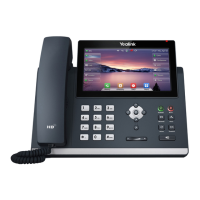
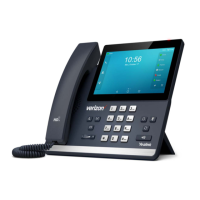
Your quick start guide Yealink T48s
The box for your handset will contain a number of items:
• The main handset chassis
• A plastic ‘foot’ which should be attached to the base of the
chassis
• A handset receiver
• A curly wire to attach the receiver to the main chassis
• A RJ45 Ethernet cable to connect the handset to your local
network
If you have ordered a power supply unit (PSU) then this will be
provided separately. Note that the phone does not need a PSU if
your network supports power over Ethernet (POE).
The phone has a second Ethernet port which can be used to attach
another device (e.g. your PC) to the same network port in your
office.
The phone also supports the use of a headset which should
be attached using an RJ9 square type connecting cable to the
appropriate socket on the rear of the chassis.
Once the handset is powered and connected to your network it
should boot up ready for use, with the correct extension number,
date and time displayed on the screen.
In the event that the handset does not boot up correctly then please
contact our Support team.
1 Power Indicator 9 Message Key
2 Touch Screen 10 Volume Keys
3 Headset Key 11 Navigational Keys
4 Mute Key 12 Dial Pad
5 Hold Key 13 Speaker
6 Transfer Key 14 Hook switch Tab
7 Speakerphone Key 15 Hook switch
8 Redial Key
Installing Your Handset
2
1
10
11
4
14
12
5
6
7
8
9
15
3
13



 To Next Page
 Loading...