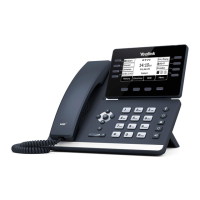
User Training Guide
Making a call (internal or external)
You can place a call in three ways
1. Pick up the handset
2. Enter the desired number using the physical keypad or the on-screen keypad
3. Press OK, or the Send Key
Using the hands-free speakerphone mode
1. With the handset on-hook, press the speaker button or the line key to obtain a dial
tone.
2. Enter the desired number using the physical keypad or the on-screen keypad
3. Press OK or the Send Key
Using a connected headset
1. With the headset connected press the Headset key
2. Press a line key
3. Enter the desired number using the physical keypad or the on-screen keypad
4. Press OK or the Send Key
Answering a call
You can answer a call in three ways
Using the hands-free speakerphone mode
1. With the handset on-hook and the headset mode deactivated, press the Answer
soft key.
OR
2. With the handset on-hook and the headset mode deactivated, press the Line key
with the fast flashing green LED indicator.



 To Next Page
 Loading...