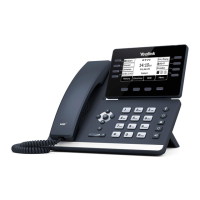
Yealink T58V
Yealink T48G Phone QRG 2 20/05/19
Placing a Call
To place a call using the handset:
1. Lift the Handset
2. Enter the number using the keypad or the dial pad on the touch screen
- Tap to see the onscreen keyboard
3. Press , or tap Send
Note: You can also tap or from your home screen to search for an entry or contact after picking up
the handset, and then tap the desired entry or contact to place a call
To place a call using the handsfree (speakerphone) mode:
4. Using the hands-free speakerphone
- With the handset on hook press Speaker
- Enter the number, press or tap the Send soft key
To place a call using the headset:
- Press to activate the headset mode
- Enter the number, press or tap the Send soft key
Placing a Call on Hold
To place an active call on hold
1. Press on the phone or tap the Hold soft key while on an active call
(The touch screen indicates that the call is on hold).
To resume a held call:
1. Press on the phone or tap the Resume soft key.
Call Waiting
It is possible to make multiple calls however, only one active call can be in progress at any time, other calls are
placed on hold.
To make a new call during an active call:
1. Press on the phone or tap the Hold Soft key (to place the original call on hold).
2. Tap the New Call soft key.
3. Enter the desired number using the keypad or on-screen keypad.
4. Tap OK or the Send soft key.
Note: To switch between calls, tap the Held call then tap Resume.



 To Next Page
 Loading...