YS-e Instruction Manual 76-QD0444EN-00Y01-00.doc
20
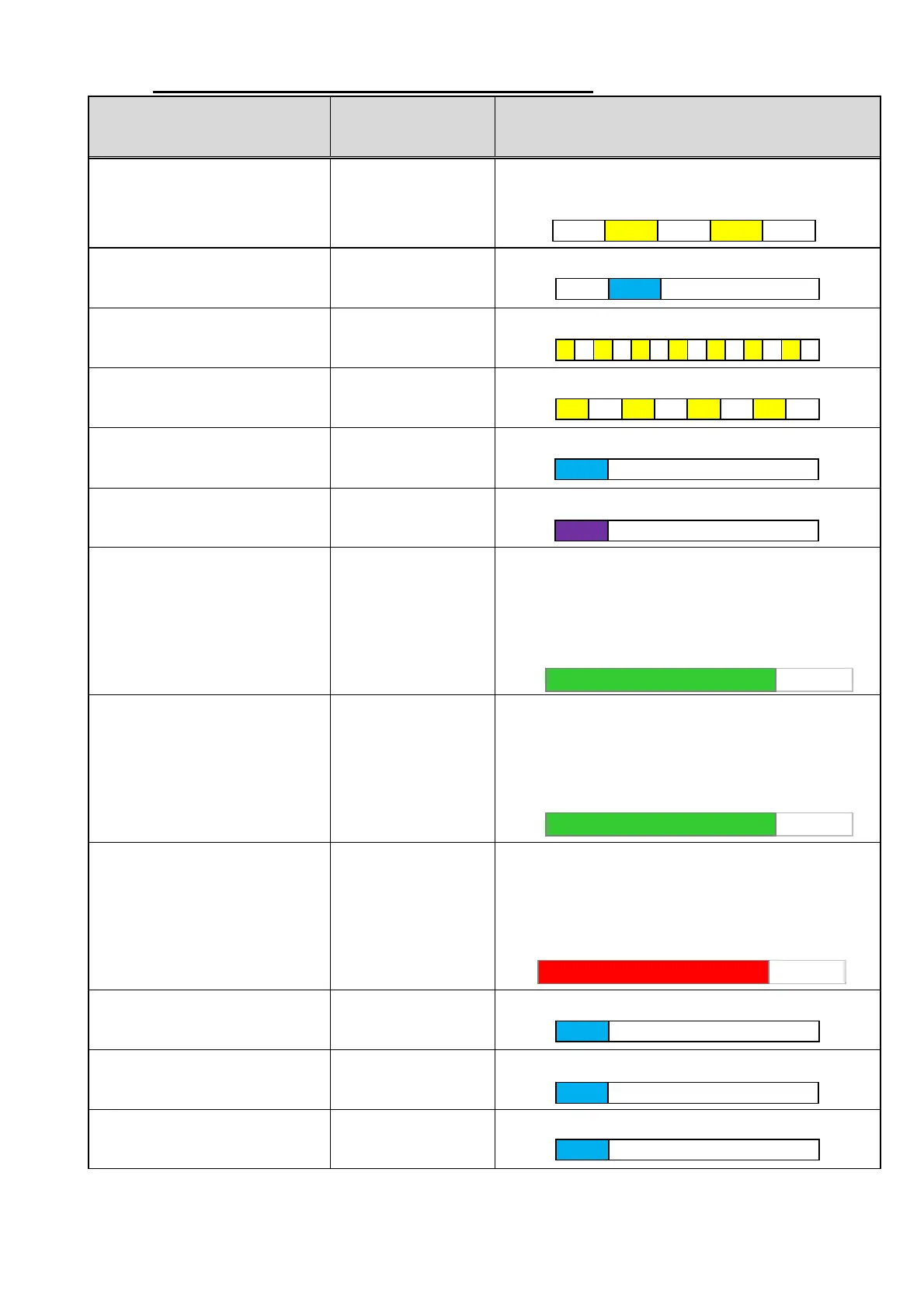
10. Buzzer sounds and LED lighting patterns
Condition
Buzzer sound
pattern
LED lighting pattern
When the tool is activated
(pairing is not done or WU-1 is
OFF after pairing is done)
The buzzer beeps
Repeating OFF - orange ON - orange OFF (slow
blinking)
When the tool is activated
(pairing is done)
The buzzer beeps
OFF – lighting in blue – OFF again
In pairing mode
The buzzer beeps at
the beginning
Repeating orange ON – OFF (fast blinking)
When wireless communication
error occurs
OFF
Repeating orange ON and OFF (blinking)
When pairing is successful The buzzer beeps
Lighting in blue
When pairing is failed OFF
Lighting in purple
When tightening is OK The buzzer beeps
Lighting in green – OFF until the following
conditions are met:
1 second elapsed, next buzzer sound, operation of
the throttle lever.
When the tightening is
completed for specified bolt
number.
The buzzer beeps
Lighting in green – OFF until the following
conditions are met:
10 second elapsed
(*), next buzzer sound,
operation of the throttle lever.
When tightening error signal is
outputted
The buzzer beeps
six times
Lighting in red – OFF until the following conditions
are met:
10 second elapsed
(*), next buzzer sound,
operation of the throttle lever.
When WORK signal is inputted The buzzer beeps
Lighting in blue
When PASS/OFF signal is
inputted
The buzzer beeps
Lighting in blue
When RESET signal is inputted The buzzer beeps
Lighting in blue
* Light off after 1 second with V. 1.00


 To Next Page