YS-e Instruction Manual 76-QD0444EN-00Y01-00.doc
14
4. reparations before use
Since the battery pack you purchased is not fully charged, fully charge it before use.
4.1. Before charging
Place the battery charger in a location at 0 to 40℃.
The cooling fan in the charger operates or stops depending on the temperature of the
battery pack.
During the charging, the operation of the cooling fan changes, but it is not a malfunction.
4.2. Method of charging
4.2.1. Connect the battery charger to the power supply cord, and insert the power plug into
the receptacle.
The LED of the charger is still off.
4.2.2. Insert the battery pack into the battery charger.
Slide the battery pack to the end along with the insertion slot of the battery charger.
When it is correctly installed, the LED lights in red and the charging starts.
When the charging is completed, the LED lights in green.
4.2.3. Remove the battery pack from the battery charger.
4.2.4. Remove the power plug of the battery charger from the receptacle.
4.3. Descriptions of indicator lamp of the battery charger
4.4. Installation of the battery pack
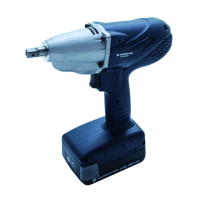
Slide the battery pack along the insertion slot of the tool to the end and make sure that it does
not come off (it clicks when the battery pack is slid to the end).
4.5. Removal of the battery pack
While pressing the eject buttons on both sides of the battery pack, slide it to your side.
Color
OFF OFF Condition of plugging in..
RED Lighting Charge in process
GREEN Blinking Practical charge(80%) completed
GREEN Lighting Charge completed
ORANGE Blinking
Charge standing-by (Temperature of battery pack is
high/low)
RED Blinking Charge Impossible (Abnormality etc.of battery pack)
Lighting Condition
LED Display Condition
Charging Condition


 To Next Page