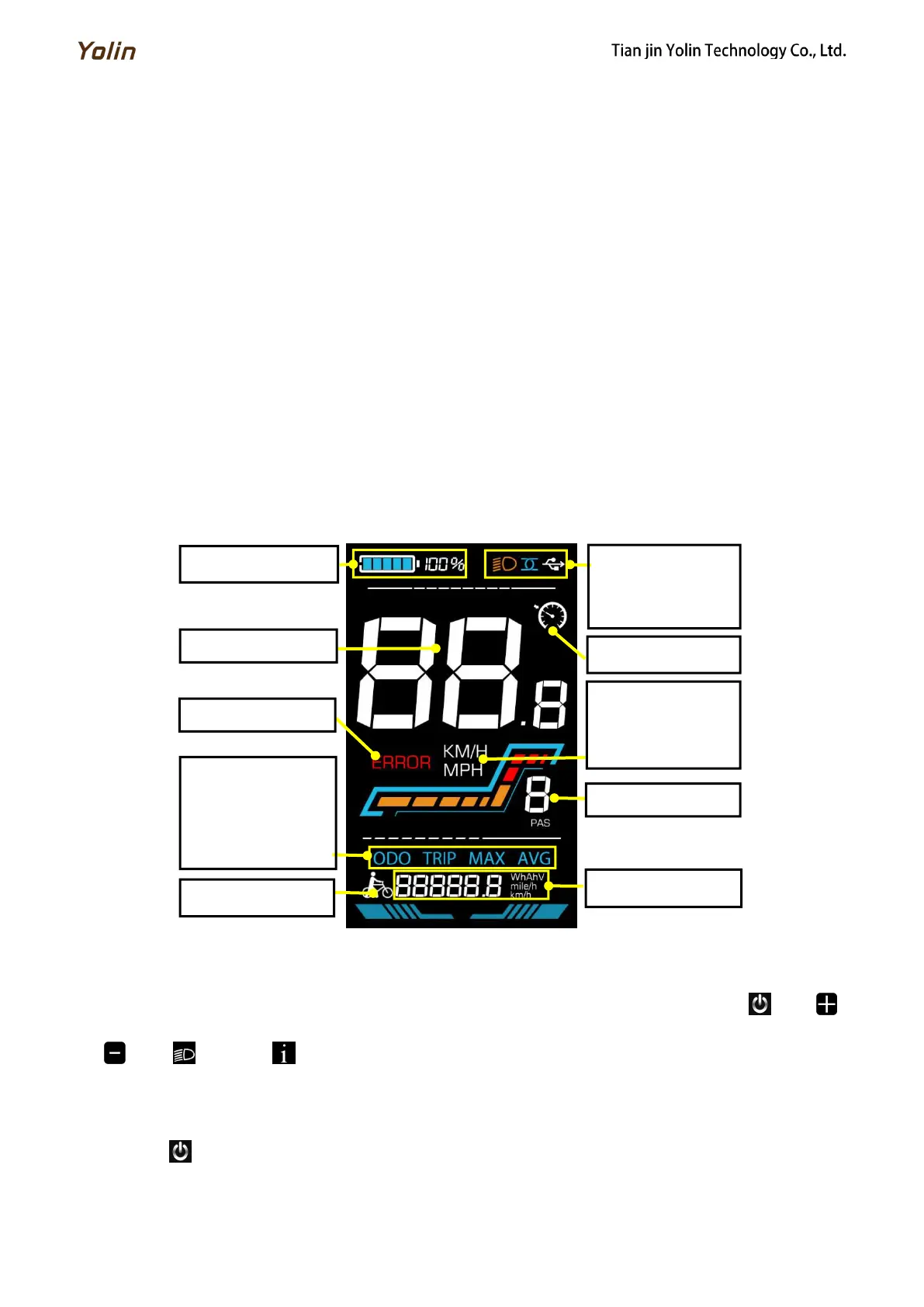
4. Function overview and Functional areas
4.1 Functional overview
The YL90 V display offers a variety of features to suit your riding needs, including:
● Battery level indicator
● Pedal assist (PAS) level indicator
● Speed (current speed, maximum speed, average speed)
● Mileage display (single and total mileage)
● Walk boost mode
● Light ON/OFF
● Error code indicator
● Motor power indicator (optional)
● USB connection indicator (customizable)
● Cruise control indicator (customizable)
● Bluetooth connection indicator (customizable)
● Personalized parameter settings (e.g. wheel diameter, speed limit, battery power setting and PAS parameter setting,
password setting, controller current limit setting, etc.).
● Factory default parameter recovery function
4.2 Functional areas
Figure 4-1 YL90V functional area distribution interface
4.3 Button definitions
The YL90V display is equipped with five buttons on the corresponding operating unit: power on/off , plus ,
minus , light and toggle .
5.1 Power on/off
Long press to power on/off the display. When the display is off, it will not use the battery power and the leakage
current is less than 1uA.
Odometer
Trip odometer
Max speed
Average speed



 To Next Page