21
2.8.2 Windows application interface
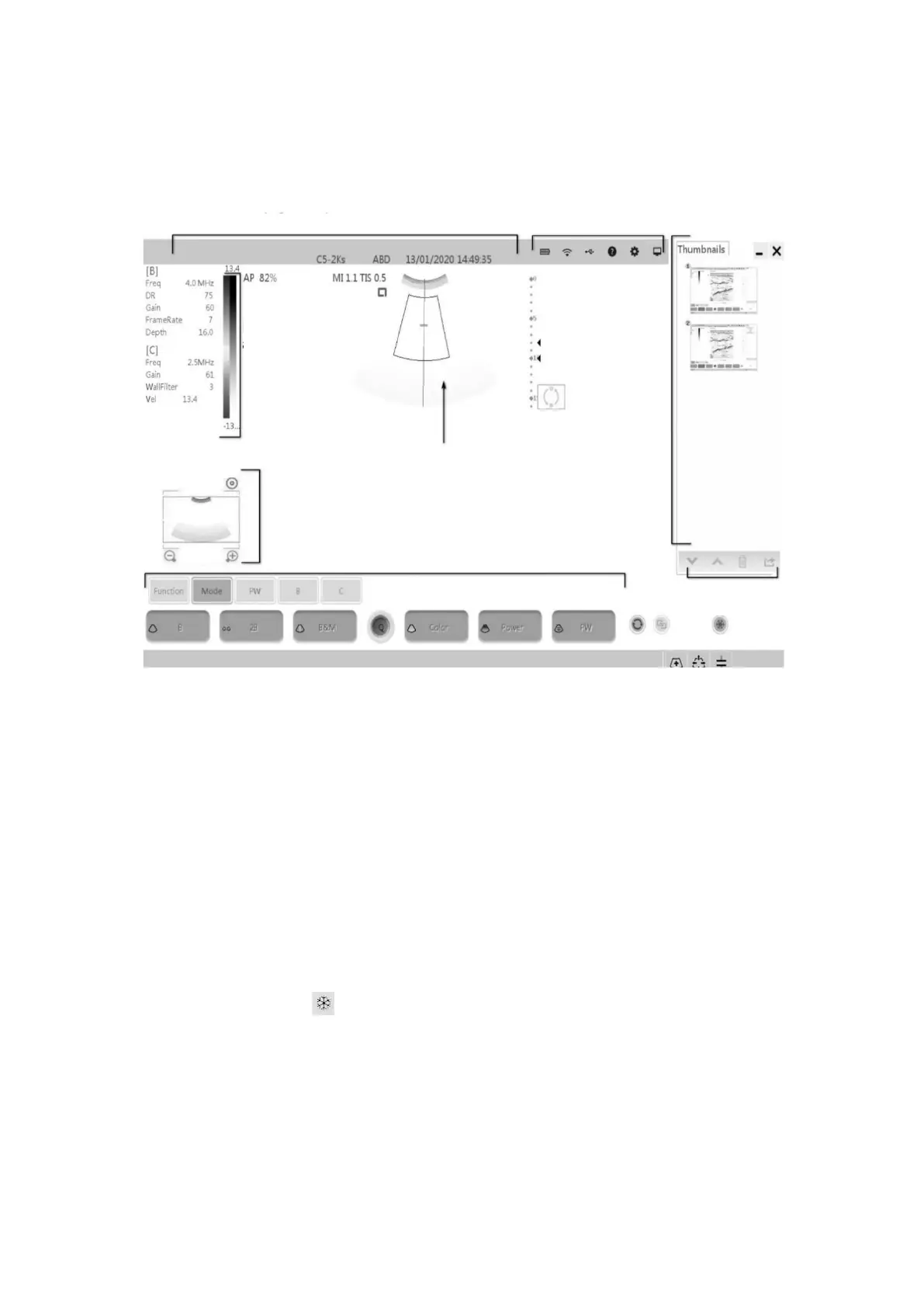
The interface layout diagram for the Windows application is as follows:
2.8.1 Interface layout diagram
Information area
The information area includes manufacturer identification, patient information, hospital
name, probe type, current inspection type, date, inspection time, freezing mark, etc.
➢ Manufacturer identification
Show the manufacturer's identity in the upper-left corner of the screen.
➢ Hospital name
Show the hospital name. The hospital name setting path is [preset] [system
preset][Hospital Information].
➢ Time
Show the time, that is, the date and time of the system. The date and time and display
format preset path is "[preset] [system preset] [composite preset]". Time as the image
freezes when the system freezes.
➢ Freezing mark
Freezing mark, Indicates that the current image is frozen.
➢ Patient information
Show patient name, ID, sex, age. Patient information is entered through the “patient
Information” dialog box or imported locally stored patient information data in the patient
list page.
➢ Probe type
Show the currently used probe model or the default probe model.
➢ Current inspection type


 To Next Page