44
6.1.1 Cineloop playback
The B mode and M mode cineloop will be played at the same pace.
6.1.2 Save Cineloop
In the image freeze state, click [Save Cine] in the SoftKey area. After you save the cineloop, you
can view it locally.
6.2 Annotation
It is often necessary to add comments to ultrasound images during diagnosis. Q7 pocket ultrasound
system supports two annotation types: typing characters and indicating arrowheads.
6.3 Body mark (for Windows version)
The body position of the probe and the position of the probe scanning direction are indicated by the
body mark, which can help to explain the image.
7 Probe
7.1 Probe description
7.1.1 Probe type
L-Linear array probe;
C-Convex array probe;
E-Cavity probe;
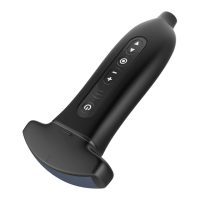
7.1.2 Probe composition
The transducer is composed of piezoelectric ceramic wafer, acoustic focusing lens and shell.
7.1.3 Probe performance index
The performance indicators of each probe are published as follows:


 To Next Page