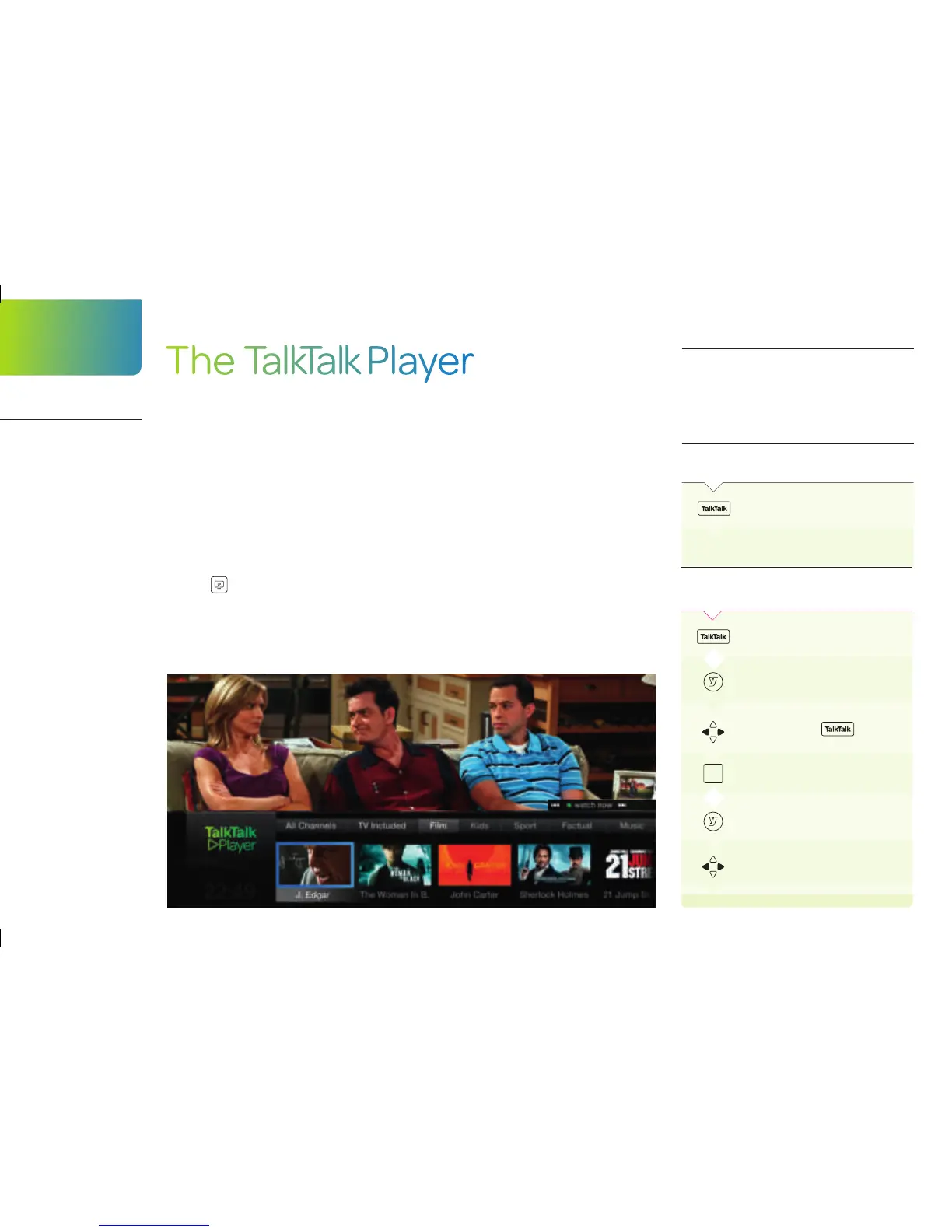
The TalkTalk Player
Accessing the TalkTalk Player
for the first time
You’ll need your TalkTalk PIN which you’ll find in
your Welcome Pack or online in My Account.
ON YOUR
REMOTE
PRESS:
To access the TalkTalk Player
Enter your TalkTalk PIN and follow
the
on-screen instructions
The TalkTalk Player is exclusively for our customers and is where you’ll have
unlimited access to our TV Gift giving you over a thousand inclusive shows
and box sets from the US and the UK.
You can also add monthly Boosts including Entertainment Boost, Kids Boost
and Music Boost as well as Sky Sports and Sky Movies to your package.
They are really easy to add and remove so you only pay for the content you
want, you’ll just need a minimum broadband speed of 5 Mbps to watch these.
You can watch On demand channels in the TalkTalk Player at anytime - these
have a
next to them. You’ll only be able to watch live premium channels
such as Sky 1, Sky Living, Discovery, FX, Gold, Watch or MTV when the
programme is scheduled to run and you can’t currently pause, rewind,
record or store these in MyView.
After you’ve registered
To access the TalkTalk Player
To open the main YouView menu
Scroll across to
OK
Scroll across to On demand to see
all
the players
OR
OR
TalkTalk
Player
Your exclusive
entertainment
library
16


 To Next Page