Manage your
YouView settings
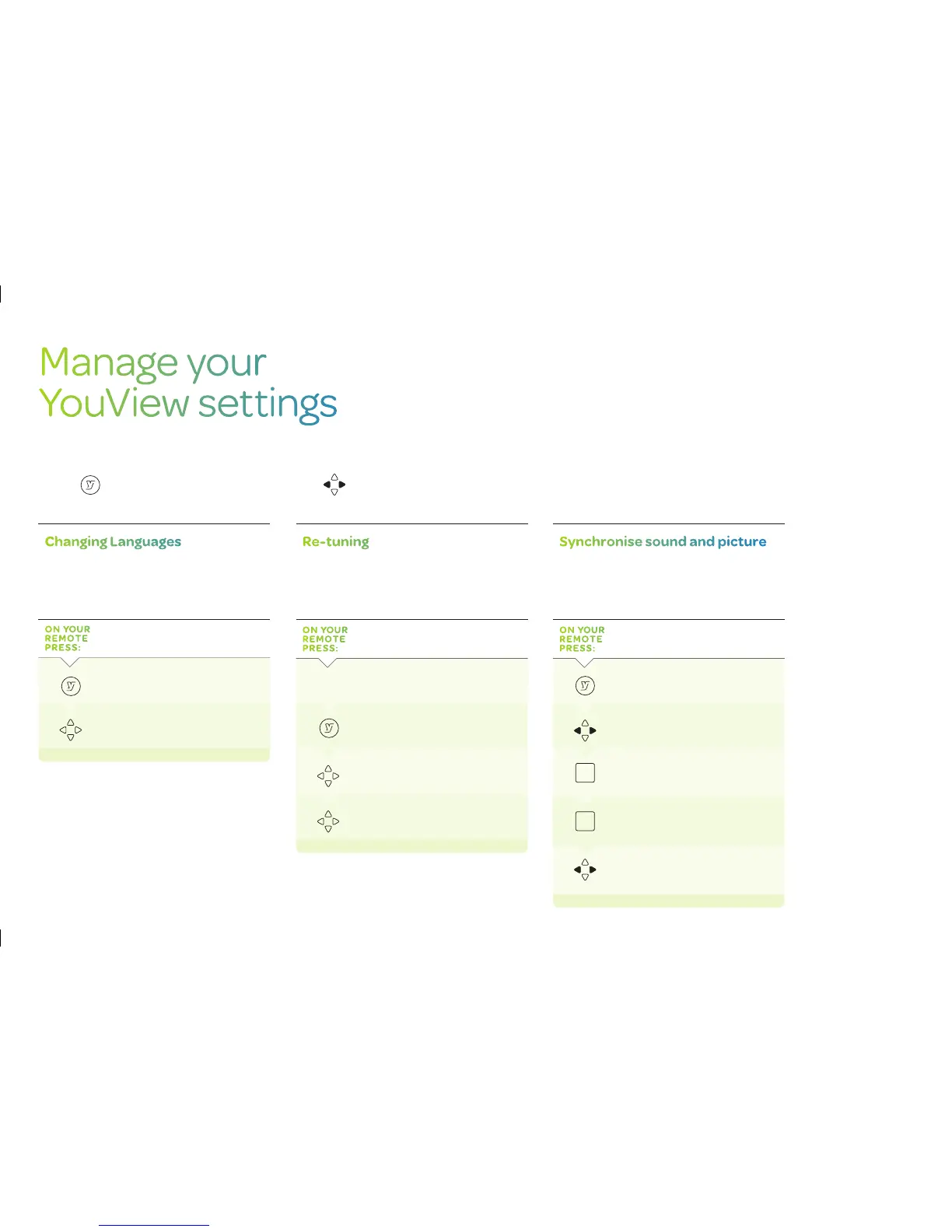
You can change any of your YouView settings at any time to personalise
your TV experience. To access any of the options covered in this section,
press and select Settings, then use the to move backwards and
forwards through the menu options.
Changing Languages
The default language is English. If you would prefer
to hear a programme in a different language, you can
change your language settings.
ON YOUR
REMOTE
PRESS:
To get to the main menu
Go to Settings select Languages
to
change your audio or subtitle
languages
Re-tuning
Occasionally, you may need to re-tune your live
digital TV channels. For example, you may have
moved house or you could be experiencing
problems with your reception.
ON YOUR
REMOTE
PRESS:
Make sure your aerial is connected
To get to the main menu
Go to Settings and select TV
Signal
and Quality
Select Re-tune Channels to begin
the
re-tune
Synchronise sound and picture
Connecting your YouView box to speakers or a
surround sound system may cause syncing issues.
If this happens, you will need to adjust the audio
delay.
ON YOUR
REMOTE
PRESS:
To get to the main menu
Scroll across to Settings
OK
Select TV Signal and Quality
OK
Select Synchronise Picture
and Sound
Use the left or right arrow keys to
select
the correct audio delay
21


 To Next Page