Quick
connection
If you need to move things around in
your home, simply disconnect your
YouView box and follow the
instructions to get set up easily.
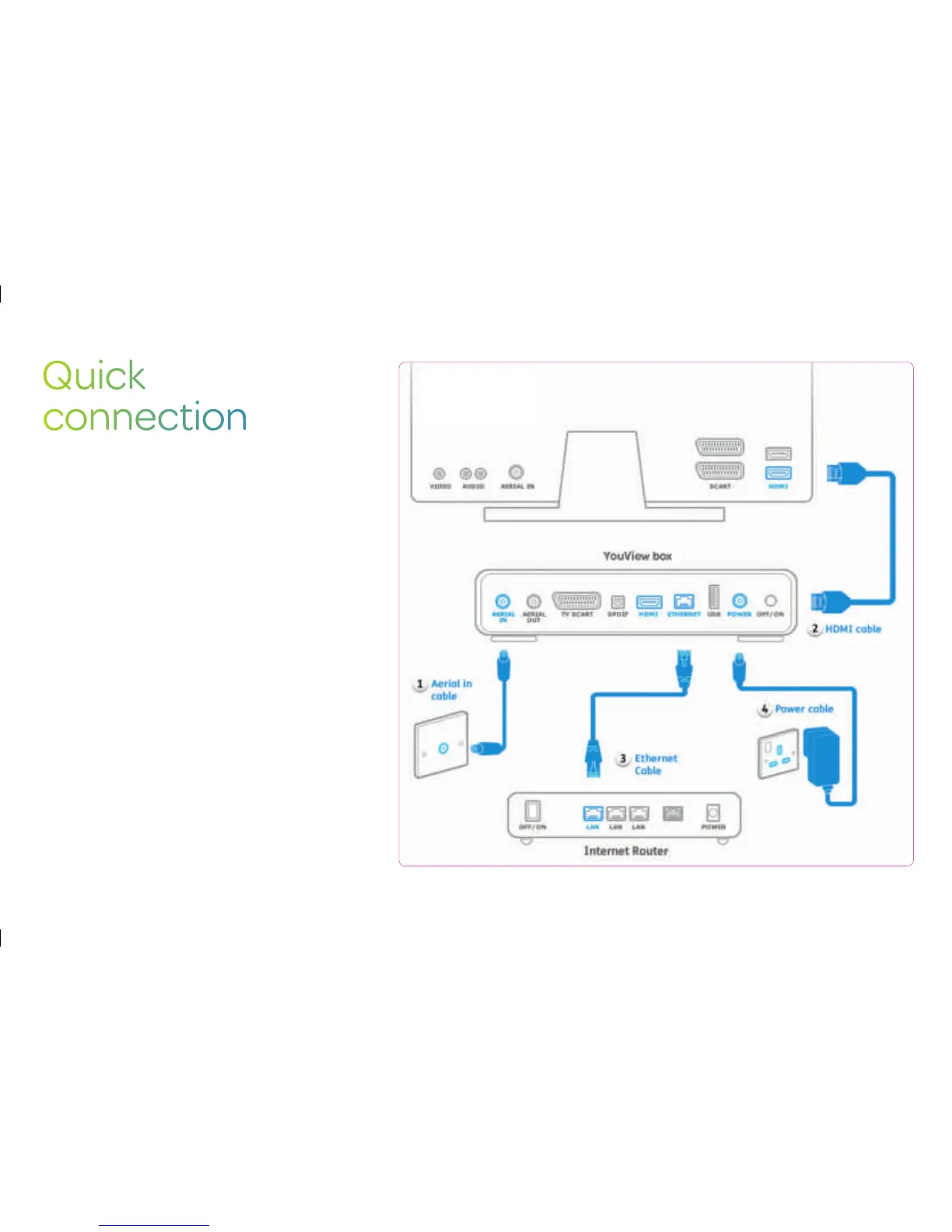
• Connect the TV aerial to your YouView box and
aerial socket.
• Connect the yellow ethernet cable to your YouView
box and router.
• Connect the HDMI cable or SCART cable to your
YouView box and TV.
• Plug your YouView box into the power supply.
• Turn on the router, wait 30 seconds for the lights to
turn solid green.
• Turn on your YouView box and TV and you’re ready
to watch.
25


 To Next Page