EasyManua.ls Logo

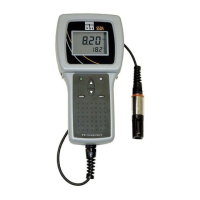
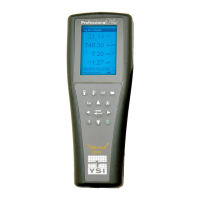
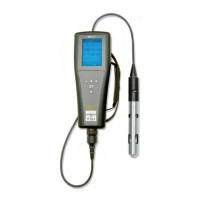
YSI PRO20 - User Manual

YSI PRO20
46 pages
Print Icon
To Next Page IconTo Next Page
Loading...
USER MANUAL
English
Pro20
Pro20i
User Manual
DOCUMENT #605597

Other manuals for YSI PRO20

Questions and Answers

  • J
    John WilliamsJul 26, 2025
    How to fix YSI Measuring Instruments when the instrument will not calibrate?
    • E
      Eric RobbinsJul 26, 2025
      If your YSI Measuring Instruments will not calibrate and displays “Calibration Over”, “Calibration Under”, or “Unstable Reading” during calibration, verify the barometer reading and the correct sensor and membrane type selection in the System Setup menu. Ensure the calibration sleeve is 100% water saturated by moistening the sponge. If performing mg/L or ppm calibration, ensure adequate sample movement. Allow sufficient stabilization time for dissolved oxygen and temperature. Wait at least 3 seconds before confirming a DO % or DO %Local calibration. Replace the membrane and electrolyte and clean the sensor electrodes. If the issue persists, return the system for service.
  • J
    Joe ChavezAug 2, 2025
    What to do if my YSI Measuring Instruments readings are inaccurate?
    • C
      Cathy McmahonAug 2, 2025
      If your YSI Measuring Instruments readings are inaccurate, check the sensor/membrane type selection in the System Setup menu. Verify the calibration, barometer reading, and salinity settings. Ensure temperature readings are accurate. If the sample temperature exceeds 45 ºC, it is outside the temperature compensation range. Also, ensure the probe was in a 100% water-saturated environment during calibration. Consider replacing the membrane and electrolyte, and cleaning the sensor electrodes. If problems persist, the system may need to be returned for service.
  • C
    Carlos CookAug 7, 2025
    Why won't my YSI Measuring Instruments turn on, or why does it display a battery symbol or “Critical Shutdown”?
    • C
      Crystal SchneiderAug 7, 2025
      If your YSI Measuring Instruments won't turn on, displays a battery symbol, or shows “Critical Shutdown”, the battery voltage might be low, so replace the batteries. Also, check the battery polarity to ensure the batteries are installed correctly. If the issue persists, the system may require service.
  • W
    William WestAug 13, 2025
    What to do if Dissolved Oxygen values display Over or Undr on YSI Measuring Instruments run screen?
    • M
      Michael GonzalesAug 13, 2025
      If Dissolved Oxygen values display Over or Undr on the run screen, first verify the correct sensor/membrane type selection in the System Setup menu. If using a polarographic sensor, allow the instrument to warm up for 5 – 15 minutes before use. If the sample O concentration is more than 2 50 mg/L or 500%, or less than –0.02 mg/L or -0.3%, verify the barometer and salinity settings are correct and recalibrate. Also, verify accurate temperature readings. Consider replacing the membrane and electrolyte and recalibrating. Clean the sensor electrodes. If the issue persists, the system may need to be returned for service.
  • M
    Michael RamosAug 20, 2025
    What to do if Temperature values display Over or Undr on YSI Measuring Instruments run screen?
    • T
      Timothy WhiteAug 20, 2025
      If the temperature values display Over or Undr on the run screen, it means the sample temperature is less than -5º C or more than +55oC. You should increase or decrease the sample temperature to bring it within the allowable range. If the issue persists, return the system for service.

Summary

WARRANTY

LIMITATION OF WARRANTY

Details the exclusions and limitations of the product warranty.

INTRODUCTION

BATTERY INSTALLATION

Steps to install or replace the 2 alkaline C-cell batteries in the instrument.

KEY PAD

CONNECTING THE SENSOR

Instructions for connecting the dissolved oxygen sensor to the cable.

Connecting the Cable (Pro20 Only)

Details on connecting the Pro20 to different cable options.

MEMBRANE INSTALLATION

Steps for preparing and installing a new membrane on the dissolved oxygen sensor.

SYSTEM SETUP MENU

ONE TOUCH CALIBRATION (ONE TOUCH CAL)

How to enable or disable the One Touch Calibration feature.

SENSOR TYPE

DO UNITS

CALIBRATION

DISSOLVED OXYGEN

Introduction to dissolved oxygen calibration procedures.

ONE TOUCH CALIBRATION

Calibrating in Percent (DO%)

Procedure for calibrating dissolved oxygen in percent saturation.

Calibrating in Percent (DO Local% Enabled)

Procedure for calibrating DO% when DO Local% is enabled.

Calibrating in mg;L

Procedure for calibrating dissolved oxygen in mg/L.

TAKING MEASUREMENTS

CARE, MAINTENANCE AND STORAGE

SENSOR MAINTENANCE

Sensor Maintenance - Dissolved Oxygen

Maintenance for the dissolved oxygen sensor.

Membrane Cap Installation

Instructions for installing a new membrane cap on the DO sensor.

TROUBLESHOOTING

Instrument will not turn on, a battery symbol appears, or Critical Shutdown displays on the screen.

Solutions for the instrument failing to power on or shutting down.

Instrument readings are inaccurate.

Solutions for inaccurate instrument readings.

Dissolved Oxygen values display Over or Undr on run screen.

Solutions for dissolved oxygen readings displaying Over or Undr.

Temperature values display Over or Undr on run screen.

Solutions for temperature readings displaying Over or Undr.

SPECIFICATIONS

CONTACT INFORMATION

YSI PRO20 Specifications

General IconGeneral
BrandYSI
ModelPRO20
CategoryMeasuring Instruments
LanguageEnglish

Related product manuals