4G Wireless Routing DTU User Manual
Shang Hai YUGE Information Technology co., LTD
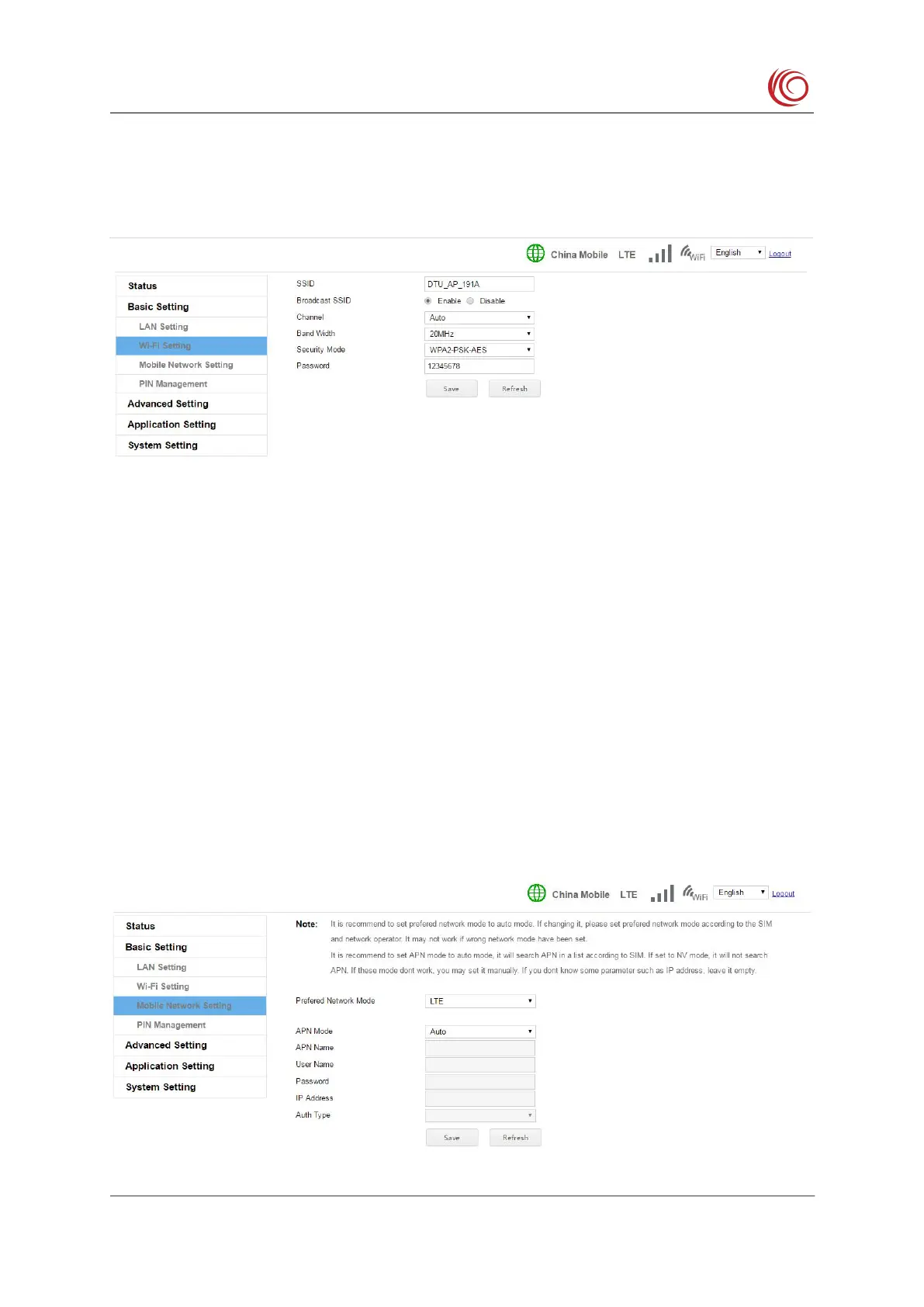
This setting modifies the Wi-Fi AP SSID name, transport channel, security mode and
password. After the broadcast network name is set to deactivate, other devices will not be able
to search for this Wi-Fi AP.
2.3.4 Mobile network settings
This setting modifies the 4G related parameters. For example, the preferred network type
(LTE, GSM, etc.) can be modified. After being set to the AUTO mode, the device will
automatically find the optimal network according to the SIM card, for example, look up the
LTE network first. If there is no LTE, look for the WCDMA or EVDO network, and then look
for the GSM or CDMA 1x network. It is recommended to keep this setting.
APN setting function, the device presets most of the operator APN related settings, and
the APN is set to the automatic selection mode to automatically match. If the SIM card is
special, it may not be automatically matched. In this case, you can set the APN manually.
If you can't access the network after setting the APN according to the SIM card operator's
requirements, you can try to modify the authentication type. The three authentication types are
different. You can try it.。



 To Next Page