4G Wireless Routing DTU User Manual
Shang Hai YUGE Information Technology co., LTD
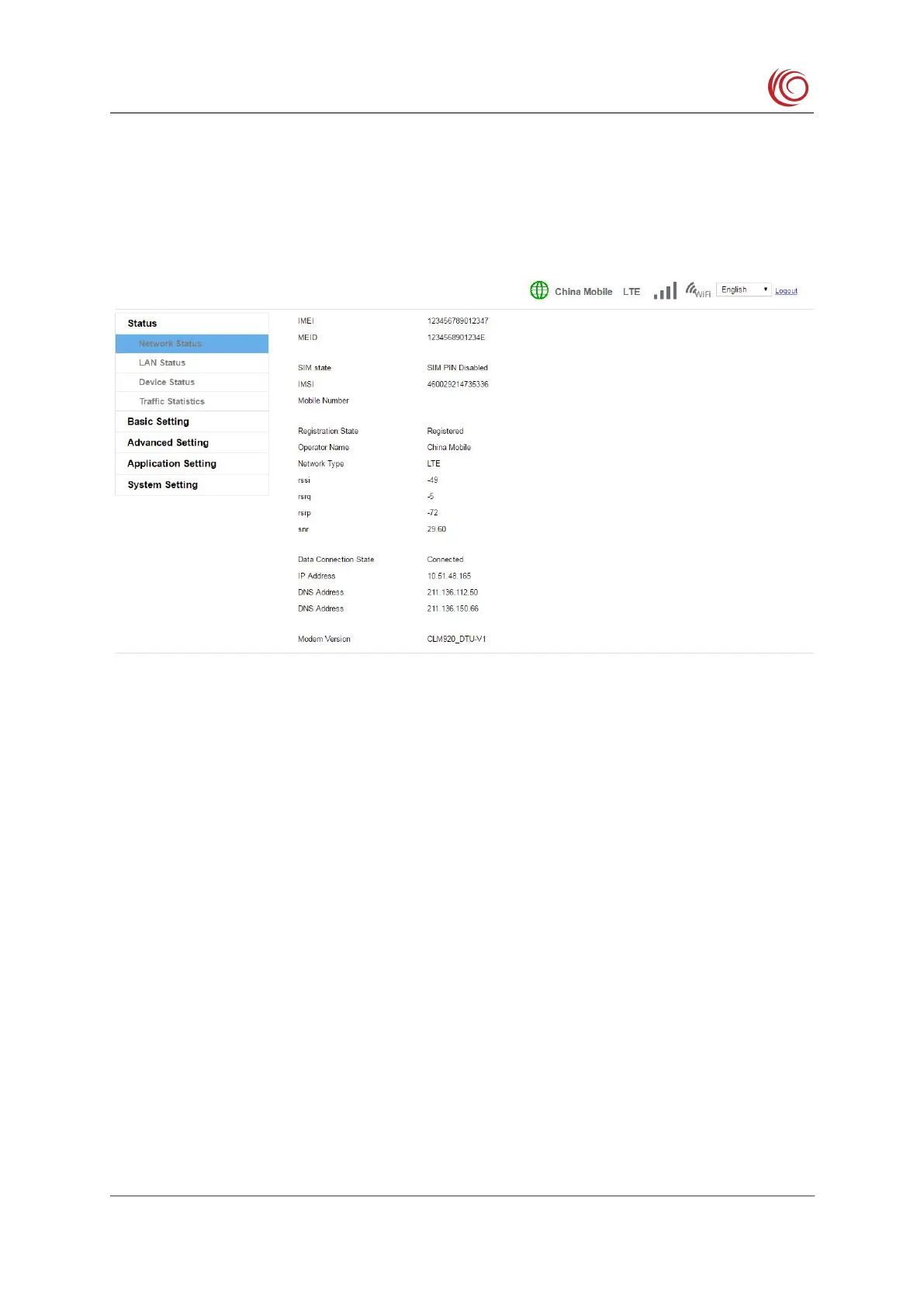
2.2 System Status
This page displays the current 4G network status and related information, such as the
connected network type (LTE, WCDMA, TD-SCDMA, etc.), signal strength value,
If you cannot register the network or cannot access the Internet, you can check the status
of this page to check whether the SIM card recognizes the normal, current network type and
This page will be refreshed automatically, so it may not match the 4G network indicator
or status bar. After the page is automatically refreshed, it can be refreshed manually.
If there is a problem with the network, you can modify the settings by referring to the
Mobile Network Settings page.
The device functions as a router, Wi-Fi AP and Ethernet are a local area network. This
page displays information about the LAN related settings status and the LAN client list.



 To Next Page