4G Wireless Routing DTU User Manual
Shang Hai YUGE Information Technology co., LTD
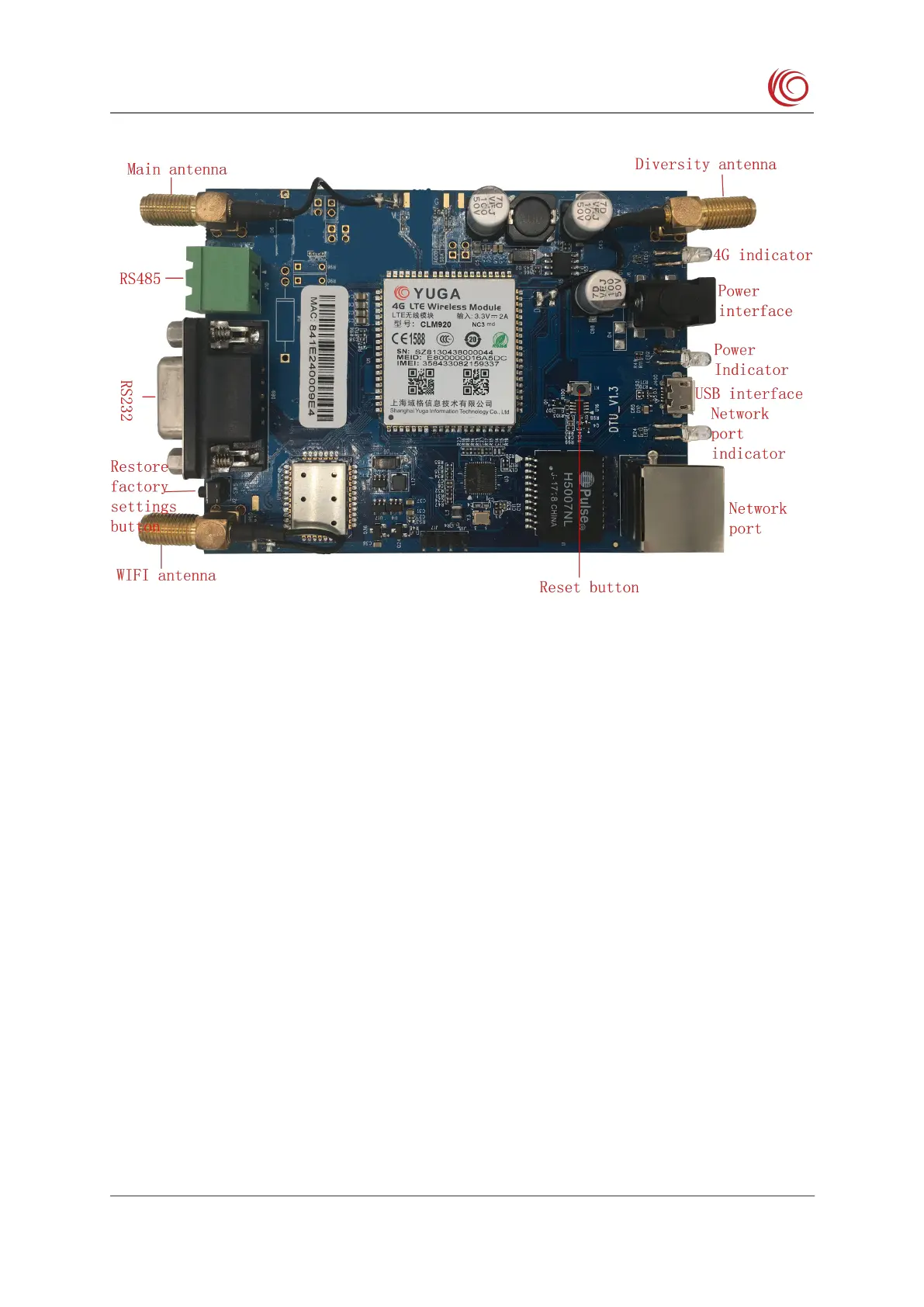
The DC power supply voltage range is 5V to 36V. It is recommended to use the power
The 4G indicator is green, and the 4G will always be on when connected to the network.
The power indicator is red and is constant after the power is connected.
The Ethernet indicator is green. It is always on after the RJ45 interface is connected to the
network cable, and blinks during communication.
The RS232 jumper cap must be connected, and the AT serial jumper cap cannot be
The Restore Factory button is used to delete user data. The reset button only resets the



 To Next Page