30
5. Description of control
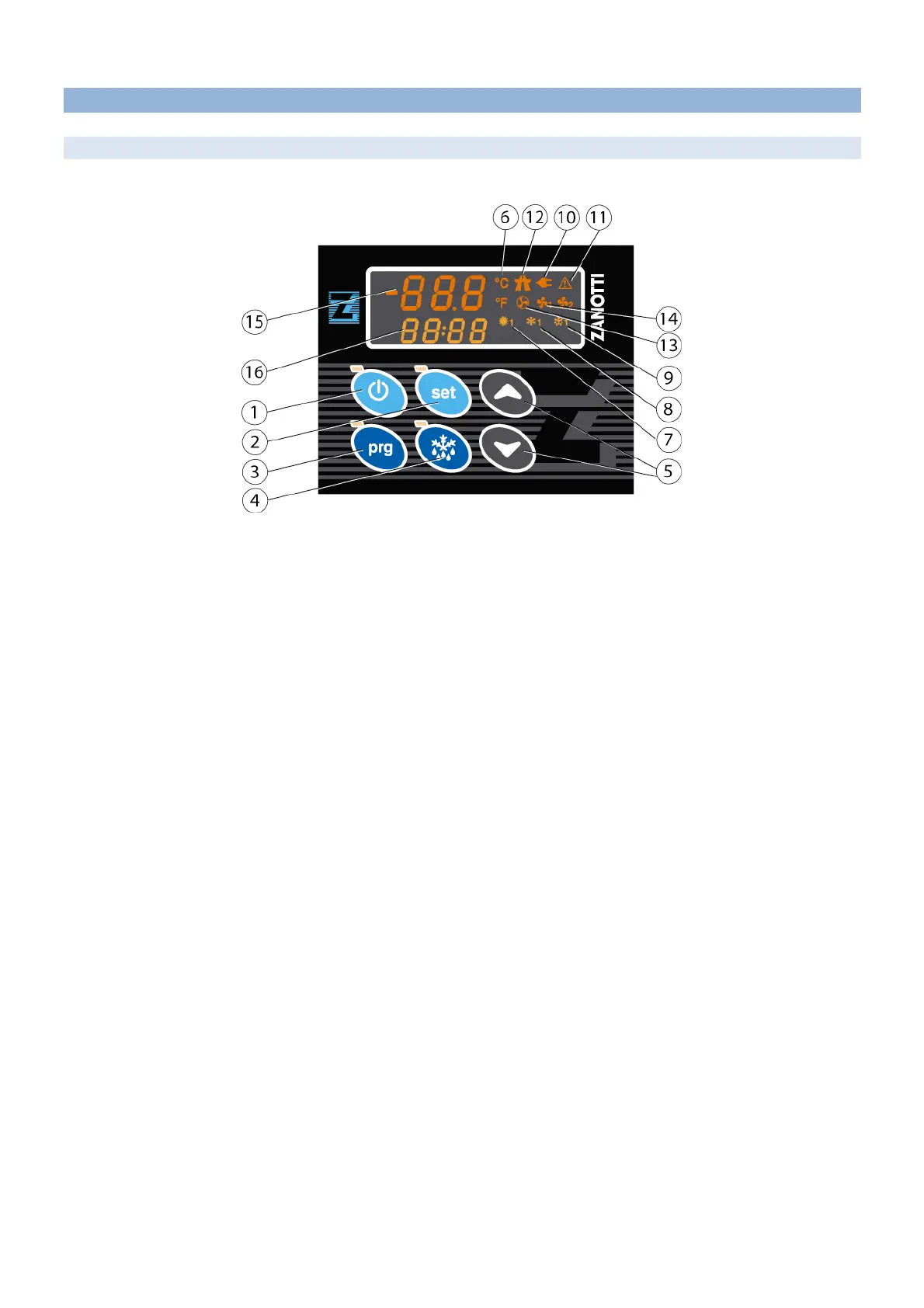
5.1 Display
5.1.1 Single temperature version
1. ON/OFF BUTTON: to switch on/off the unit (press 3 seconds). The red LED lights up when the unit is on.
2. SET button: to set the work set point of the unit. When the LED is on, setting is enabled.
3. PROGRAMMING BUTTON: to access the programming mode (press 5 seconds). When the LED is on,
programming is enabled.
4 MANUAL DEFROST BUTTON: press for 5 seconds to start a defrost cycle. When the LED is on, defrost is
in course.
5. UP/DOWN buttons to set parameters and set point.
6. LED °C or °F: it shows the unit of temperature measurement adopted for the displayed temperature.
7. HOT MODE LED: it shows that the unit is carrying out the hot cycle.
8. COLD MODE LED: it shows that the unit is carrying out the cold cycle.
9. DEFROST LED: it shows that the unit is carrying out the defrost cycle.
10. STAND-BY LED: it shows that the unit is operating in stand-by mode.
11. ALARM LED: it activates any time an alarm occurs.
12. ROAD LED: it shows that the unit is operating in road mode.
13. CONDENSER FAN LED: it shows that the condenser fan is operating.
14. EVAPORATOR FAN LED: it shows that the evaporator fan is operating.
15. DISPLAY: it shows the cold room temperature.
16. DISPLAY: it displays the alarms.


 To Next Page