AFGZP0BA - SMART CONSOLE - User Manual Page - 25/50
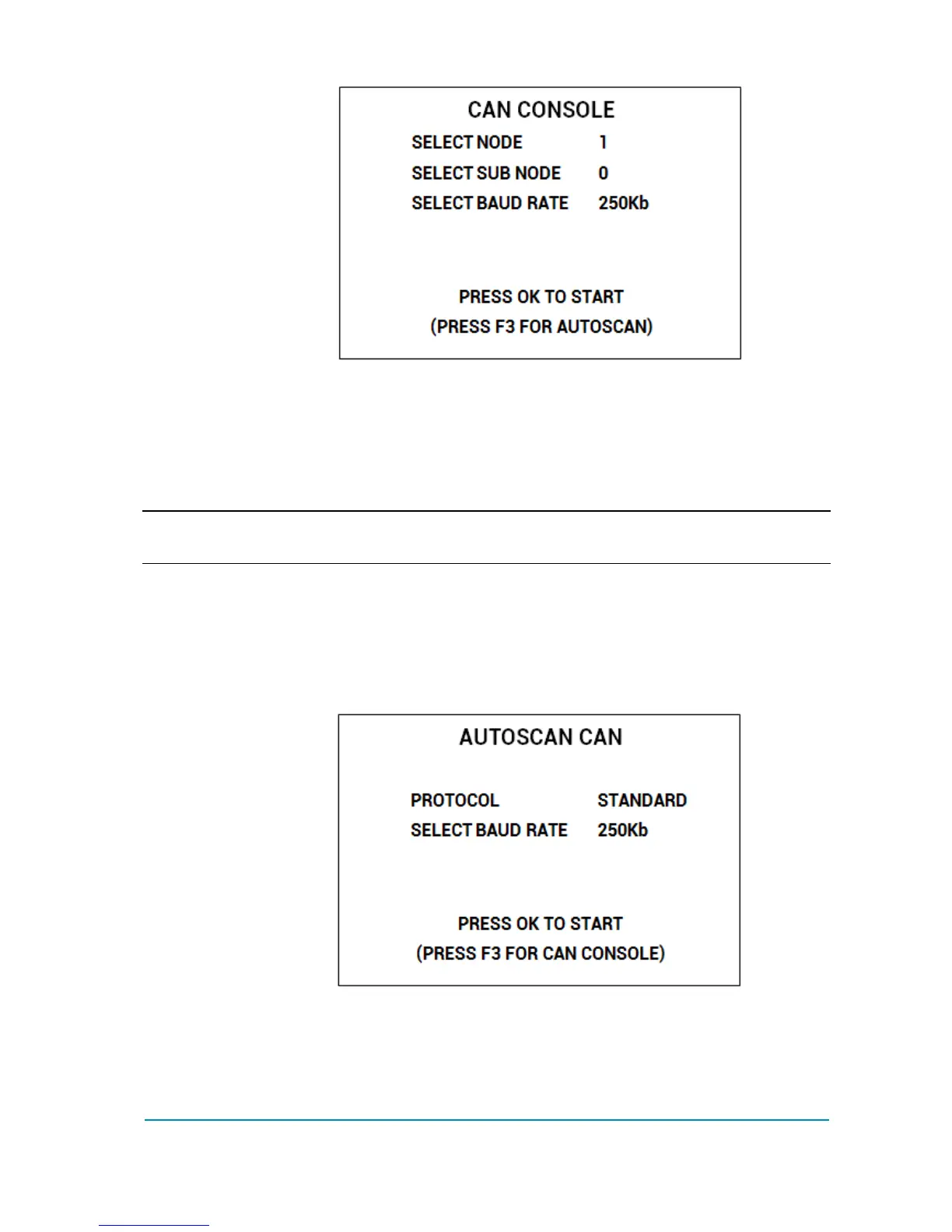
New menu asks for CAN node and subnode to connect to: current values are
displayed on the right side. The third line asks for the connection speed.
Use UP/DOWN keys to move between lines and LEFT/RIGHT to change the
value of each item.
Once correct values have been set, press OK to attempt communication with that
node/subnode.
4 Press ESC at any time to abort the connection attempt
If connection fails a “NO COMMUNICATION” warning will be shown: press ESC
key and look for what is preventing the connection.
Otherwise it is possible to try the AUTOSCAN function: just press F3.
SECOND CONNECTION METHOD: AUTOSCAN CAN
Highlight the line AUTOSCAN CAN and press OK: a new menu will appear.
The operator shall choose the type of protocol and the baud rate.
The Autoscan function support two types of protocol:
1. Zapi Standard protocol: mainly found in application where all nodes are
Zapi products
2. Zapi CANOPEN protocol: more common when CAN node are both Zapi
products and third-party ones.



 To Next Page