Maintenance
Replacing the Printhead
64
980644-001 Rev. A LP 2824 Plus™ User Guide 4/1/09
Replacing the Printhead
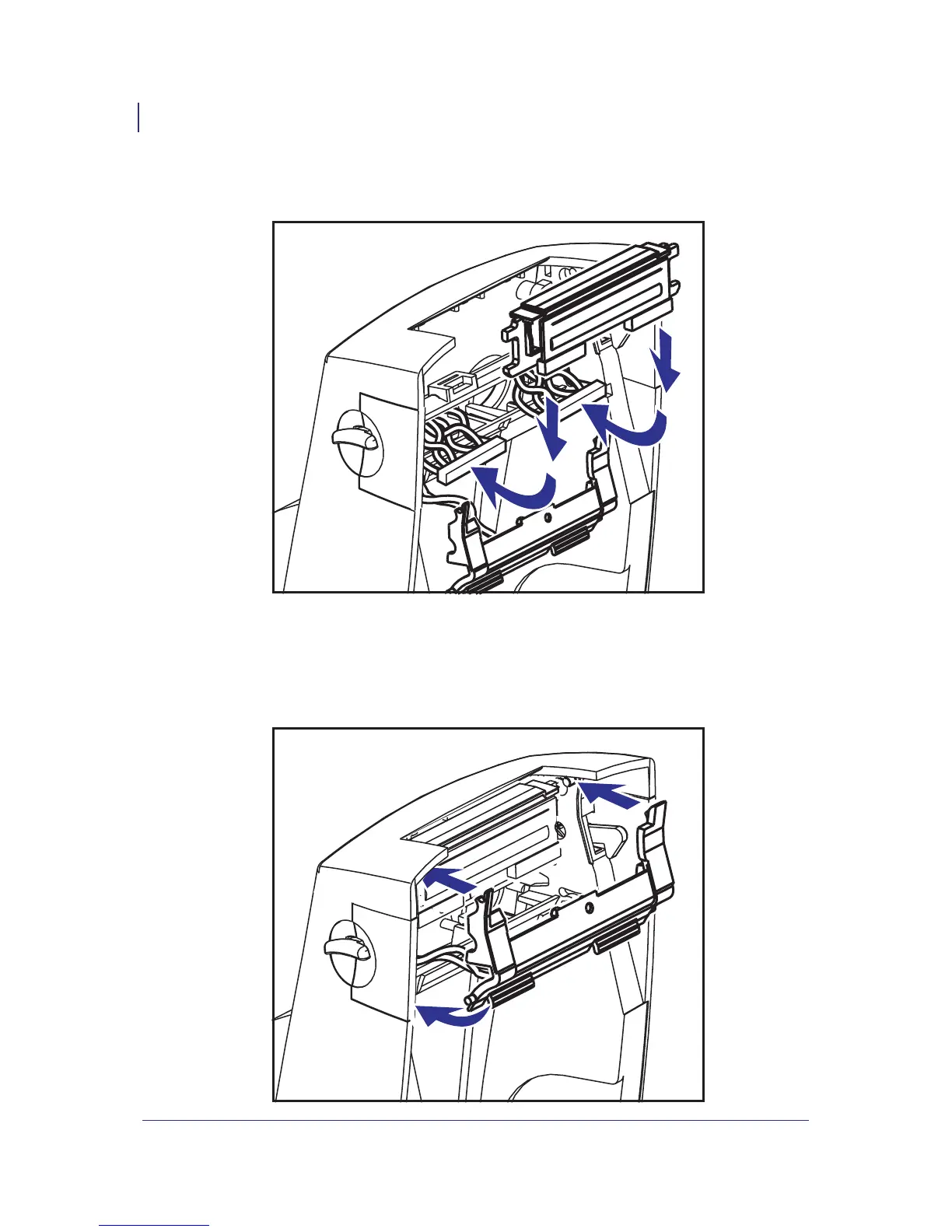
1. Align the printhead to plug the left and right connectors into the wire bundles.
2. Slip the ground wire under the right screw and use a #1 Phillips driver to tighten in.
3. Slide the printhead into one side and jog it into the other side.
4. Align the pivots of the bracket onto the posts; then, snap the bracket into place.



 To Next Page