EasyManua.ls Logo

Zeiss Axioscope 5 - User Manual

Zeiss Axioscope 5
204 pages
Print Icon
To Next Page IconTo Next Page
Loading...
Instruction Manual
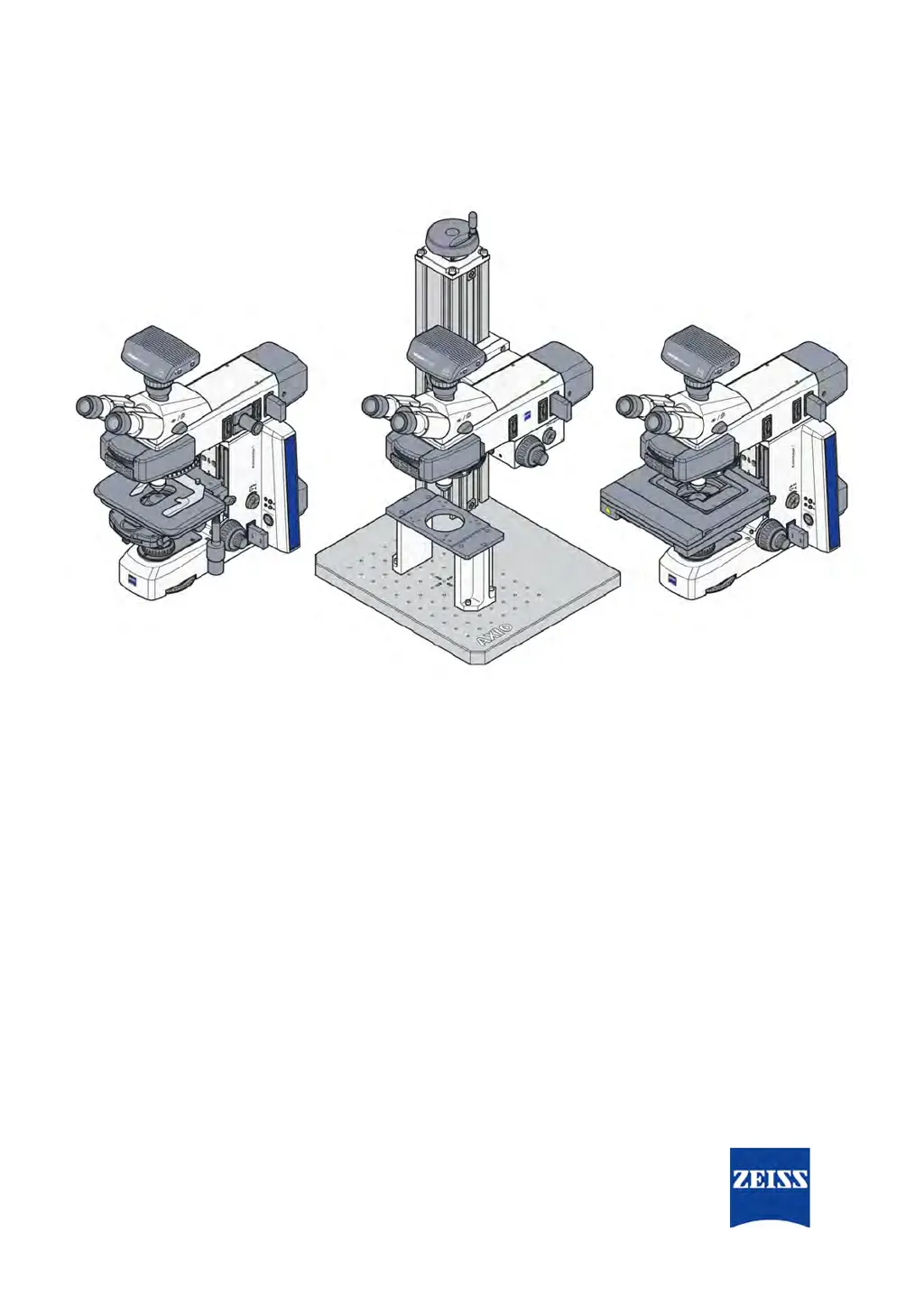
ZEISS Axioscope 5, Axioscope 5/7 MAT
Upright Microscope for Routine and Entry-level Research

Table of Contents

Other manuals for Zeiss Axioscope 5

Questions and Answers

  • A
    Alexander GravesAug 4, 2025
    Why is there shading in the field of view of my Zeiss Microscope?
    • A
      Amanda DoughertyAug 4, 2025
      Shading or brightness irregularities can occur in your Zeiss Microscope's field of view due to several reasons. It could be that the vis/phot push-pull rod/shift knob on the photo tube is not in the correct functional position, meaning it's in an in-between position. To resolve this, move the vis/phot push-pull rod/shift knob to the correct end position. Another cause could be that the nosepiece with the objective is not fully engaged in its locking position; ensure the nosepiece is fully engaged. Other potential causes include incorrect adjustment of the condenser, aperture diaphragm, or field diaphragm. Also, check that the filter is correctly inserted in its slot.
  • J
    Jason TorresNov 16, 2025
    What to do if my Zeiss Axioscope 5 has low resolution?
    • L
      lisa40Nov 17, 2025
      If you are experiencing low resolution with your Zeiss Microscope, several factors could be responsible. First, ensure that the opening of the aperture diaphragm is correctly adjusted according to the 2/3-rule and the texture of your sample. Also, check that the condenser is correctly focused and the front lens is properly connected. If you're using a transmitted light objective, make sure you are using standardized frame glasses with a thickness of 0.17 mm. Verify that the specimen holder is correctly inserted with the sample side up. For immersion objectives, use the correct immersion oil (ZEISS immersion oil 518 N or 518 F) and ensure there are no air bubbles. Clean the lens if immersion oil is present on a dry objective. Adjust the correction setting to match the frame glass thickness ...

Summary

About This Instruction Manual

Explanation of Warning Messages and Additional Information

Details signal words like DANGER, WARNING, CAUTION, NOTICE, and INFO for hazard communication.

Contact Information and Support

Lists contact information for ZEISS support, headquarters, and service partners for inquiries.

Microscope Safety Information

Intended Use and User Requirements

Defines the microscope's purpose, user requirements, and limitations for biological and materials analysis.

General Safety Information and Operator Requirements

Outlines general requirements for safe operation, personnel understanding, and regulatory compliance.

Prevention of Potential Hazards

Summarizes potential hazards (mechanical, electrical, environmental, ergonomic, etc.) and safety precautions.

Labels and Indicator Lights

Illustrates the location of warning labels and indicator lights on the microscope for hazard identification.

Product and Functional Description

Main Microscope Components

Identifies and illustrates the primary parts of different Axioscope microscope models.

Controls and Functional Elements

Details the various controls and functional elements on different microscope stands and components.

Light Manager Functionality

Explains the LM function, saving light intensity ratios for different objective/reflector combinations.

Microscopy and Contrast Methods Overview

Describes available microscopy techniques like Brightfield, Darkfield, DIC, Phase Contrast, and Polarization.

Microscopy Techniques Setup

Transmitted Light Brightfield Microscopy (KÖHLER Method)

Details the Brightfield microscopy method using the KÖHLER illumination principle.

Transmitted Light Darkfield Microscopy (KÖHLER Method)

Guides setting up for Darkfield microscopy using the KÖHLER Method.

Transmitted Light Phase Contrast Microscopy Setup

Details setting up for Phase Contrast microscopy.

Reflected Light Brightfield Microscopy (KÖHLER Method)

Details setting up for Reflected Light Brightfield Microscopy using the KÖHLER Method.

Installation Procedures

Unpacking and Setting up the Microscope

Provides step-by-step instructions for unpacking and setting up the microscope safely.

Assembling Microscope Components

Guides on assembling key components like the upper stand, binocular tube, and objectives.

Installing Light Sources and Condensers

Details installing light sources (LED, HAL, HBO, Colibri) and condensers for optimal illumination.

Connecting the Microscope to Mains Power

Provides instructions for connecting the microscope to the power mains safely.

Microscope Operation

Prerequisites for Commissioning and Operation

Lists basic prerequisites for commissioning and operating the microscope safely.

Switching the Microscope On and Off

Guides on how to switch on the microscope and its associated light sources correctly.

Adjusting Microscope Components

Covers various adjustment procedures for eyepieces, stand parts, condenser, and focus drive.

Using the Light Manager Function

Details enabling, disabling, and saving light intensity ratios using the Light Manager.

Care and Maintenance

Safety During Cleaning and Maintenance

Outlines safety precautions for cleaning and maintenance tasks on the microscope.

Maintenance Schedule and Work

Provides a schedule for preventive maintenance and covers general maintenance tasks.

Replacing Light Source Components

Guides on replacing halogen lamps and LED modules for HAL 100 and Colibri 3 light sources.

Exchanging Fuses for Safety

Details the procedure for exchanging fuses in the stand and power supply, emphasizing electrical safety.

Troubleshooting and System Reset

Common Troubleshooting Issues and Solutions

Provides solutions for common problems like no illumination, shading, poor contrast, and focus issues.

Resetting the Microscope to Factory Settings

Explains how to reset the microscope to factory settings, with a caution notice.

Decommissioning and Disposal

Safe Decommissioning Procedures

Outlines procedures for safely shutting down and securing the microscope when not in use.

Transport and Storage Guidelines

Provides regulations for safe transport and storage, including shock resistance and temperature limits.

Proper Disposal and Decontamination

Details proper disposal methods according to WEEE Directive and decontamination requirements.

Technical Data and Conformity

Performance Specifications and Environmental Requirements

Presents technical specifications including weight, size, location requirements, and environmental conditions.

Applicable Standards and Regulations

Lists applicable standards and regulations the microscope complies with, including EU directives.

Accessories and System Expansions

Binocular Tubes and Eyepieces

Details binocular tubes and eyepieces, their purpose, position, and features.

Light Sources and Condensers

Introduces light sources (HAL, HBO, Colibri) and condensers for optimal illumination.

Stages and Analyzer Sliders

Lists stages (mechanical, rotary) and analyzer sliders for polarization contrast.

Reflector Modules and Filters

Explains assembling reflector modules and changing filters or beam splitters.

Microscopy Techniques

Transmitted Light Techniques

Guides on setting up for Brightfield, Darkfield, Phase Contrast, DIC, PlasDIC, and Polarization.

Reflected Light Techniques

Guides on setting up for Brightfield, Darkfield, DIC, C-DIC, TIC, Polarization, and Fluorescence.

Glossary of Terms

Brightfield Illumination (BF)

Defines brightfield illumination and imaging system.

Differential Interference Contrast (DIC)

Defines DIC as an imaging method converting optical path differences to brightness.

Transmitted Light (TL)

Defines TL as light transmitted through an object.

Zeiss Axioscope 5 Specifications

General IconGeneral
TypeUpright Microscope
Optical SystemInfinity Optical System
Objective LensesPlan-Apochromat
Objective Turret6-position
IlluminationLED illumination
Contrast MethodsBrightfield, Darkfield, Phase Contrast, DIC, Fluorescence
Camera CompatibilityCompatible with various digital cameras
Camera PortC-mount
Focus Drive TypeMotorized or manual
StageMotorized or manual stage
Stage TypeScanning stage, mechanical stage
Eyepieces10x
Dimensions300 mm

Related product manuals