EasyManua.ls Logo

Zeiss Axiovert 135M - User Manual

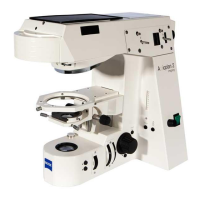
Zeiss Axiovert 135M
32 pages
Print Icon
To Next Page IconTo Next Page
Loading...
3D Microscopy for
Axiovert 100/135/135 M
Operating Manual

Table of Contents

Question and Answer IconNeed help?

Do you have a question about the Zeiss Axiovert 135M and is the answer not in the manual?

Summary

1 Notes on safety

1.1 General

General instructions for operating the instrument and safety notes.

1.2 Regulations concerning instrument safety and electromagnetic compatibility (EMC)

Details on safety standards and EMC regulations met by the components.

1.3 Notes on unpacking, transport and storage

Guidelines for handling, packaging, and storing the 3D microscopy components.

1.4 Hints on use

Basic usage guidelines, including lamp wattage and power connection.

1.5 Notes on maintenance

Instructions regarding maintenance, repairs, and unauthorized modifications.

2 General

2.1 Application

Lists various applications of 3D microscopy in biomedicine and materials science.

2.2 Function

2.2.1 Eyepiece version

Explains the principle and setup of the eyepiece version of 3D microscopy.

2.2.2 Monitor version

Details the functionality and setup of the monitor version of 3D microscopy.

2.2.3 Combination of eyepiece and monitor version

Describes the combined setup for eyepiece and monitor observation in 3D microscopy.

2.3 Maintenance and care

2.3.1 General

General advice on protecting components from climatic conditions and dust.

2.3.2 Cleaning of optical components

Instructions for cleaning optical parts, especially polarizing foils.

2.3.3 Change of voltage and fuses

Procedure for changing voltage settings and replacing fuses on the control unit.

2.4 Troubleshooting

3 Technical Data

1 Components for 3 D Microscopy - Overview

2 Eyepiece version

2.1 Converting the microscope

Steps for setting up and converting the microscope for the eyepiece version.

2.2 3 D-CONTROL DSA-3 Control Unit

Details the control unit's connections and controls for 3D microscopy.

2.3 Adjustment

Covers adjustment of the 3D illumination shutter and overall image settings.

3 Monitor version

3.1 Conversion

Instructions for setting up and connecting components for the monitor version.

3.2 MCU II Control Unit

Details the MCU II control unit's functions and basic 3D microscopy settings.

3.3 Adjustment

Steps for adjusting the 3D illumination shutter and overall image setup for the monitor version.

3.4 3 D video recordings

Instructions for recording and playing back 3D video sequences.

3.5 Printing of 3 D video recordings

Procedure for printing still images from 3D video recordings.

4 Eyepiece and monitor version

4.1 Conversion and adjustment

Steps for setting up and adjusting the combined eyepiece/monitor version.

4.2 Observation

Covers eyepiece and monitor observation in the combined 3D microscopy setup.

Summary

1 Notes on safety

1.1 General

General instructions for operating the instrument and safety notes.

1.2 Regulations concerning instrument safety and electromagnetic compatibility (EMC)

Details on safety standards and EMC regulations met by the components.

1.3 Notes on unpacking, transport and storage

Guidelines for handling, packaging, and storing the 3D microscopy components.

1.4 Hints on use

Basic usage guidelines, including lamp wattage and power connection.

1.5 Notes on maintenance

Instructions regarding maintenance, repairs, and unauthorized modifications.

2 General

2.1 Application

Lists various applications of 3D microscopy in biomedicine and materials science.

2.2 Function

2.2.1 Eyepiece version

Explains the principle and setup of the eyepiece version of 3D microscopy.

2.2.2 Monitor version

Details the functionality and setup of the monitor version of 3D microscopy.

2.2.3 Combination of eyepiece and monitor version

Describes the combined setup for eyepiece and monitor observation in 3D microscopy.

2.3 Maintenance and care

2.3.1 General

General advice on protecting components from climatic conditions and dust.

2.3.2 Cleaning of optical components

Instructions for cleaning optical parts, especially polarizing foils.

2.3.3 Change of voltage and fuses

Procedure for changing voltage settings and replacing fuses on the control unit.

2.4 Troubleshooting

3 Technical Data

1 Components for 3 D Microscopy - Overview

2 Eyepiece version

2.1 Converting the microscope

Steps for setting up and converting the microscope for the eyepiece version.

2.2 3 D-CONTROL DSA-3 Control Unit

Details the control unit's connections and controls for 3D microscopy.

2.3 Adjustment

Covers adjustment of the 3D illumination shutter and overall image settings.

3 Monitor version

3.1 Conversion

Instructions for setting up and connecting components for the monitor version.

3.2 MCU II Control Unit

Details the MCU II control unit's functions and basic 3D microscopy settings.

3.3 Adjustment

Steps for adjusting the 3D illumination shutter and overall image setup for the monitor version.

3.4 3 D video recordings

Instructions for recording and playing back 3D video sequences.

3.5 Printing of 3 D video recordings

Procedure for printing still images from 3D video recordings.

4 Eyepiece and monitor version

4.1 Conversion and adjustment

Steps for setting up and adjusting the combined eyepiece/monitor version.

4.2 Observation

Covers eyepiece and monitor observation in the combined 3D microscopy setup.

Zeiss Axiovert 135M Specifications

General IconGeneral
BrandZeiss
ModelAxiovert 135M
CategoryMicroscope
LanguageEnglish

Related product manuals