Oine License Activation allows an approved ZEISS representative to activate a license on an instrument or review software.
This feature should be used only when internet connectivity is not available on the instrument or review workstation.
• Access to FlexNet is required.
• Access to internet is required on a seperate laptop.
• An empty USB drive is required.
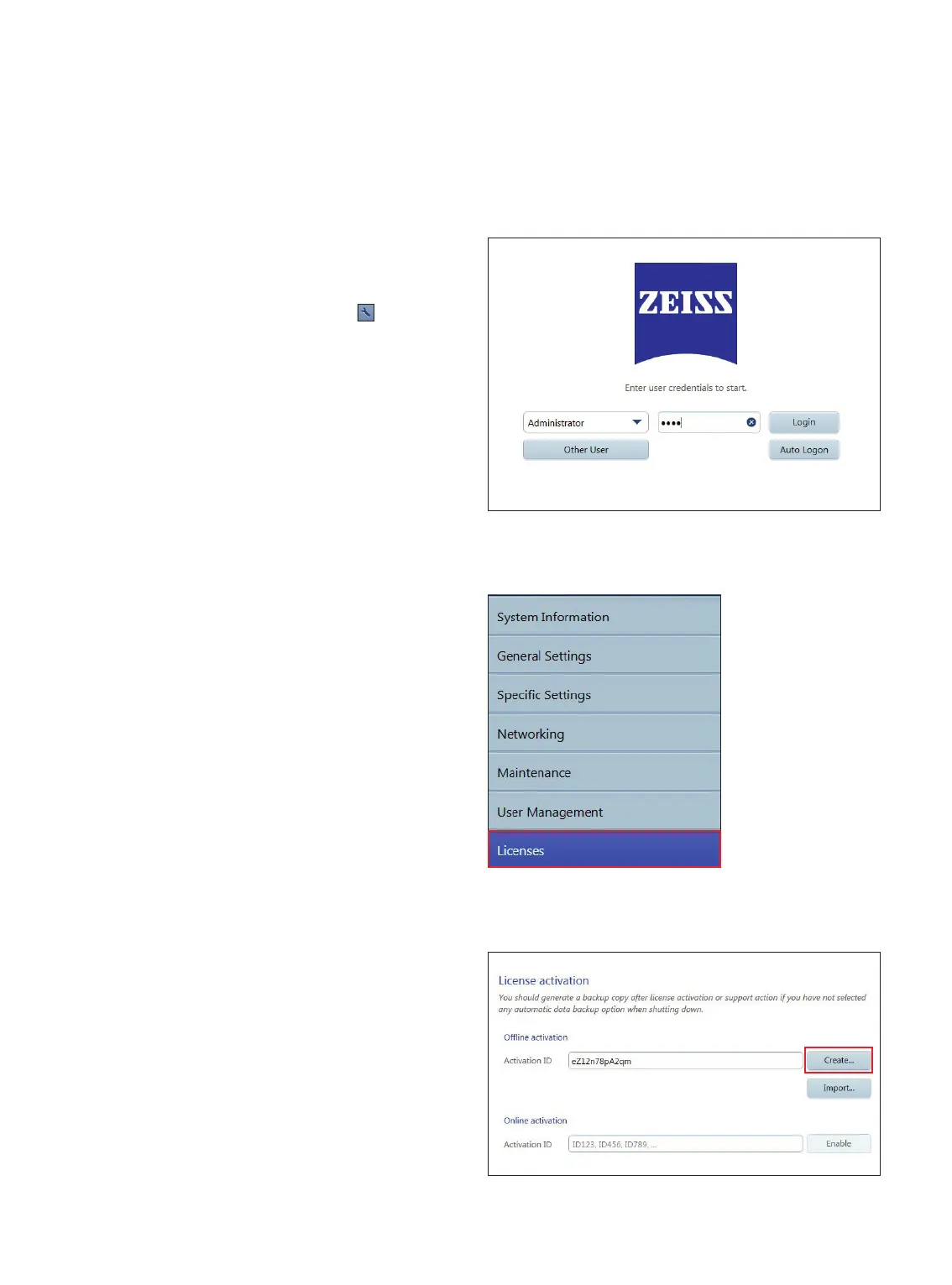
6. In the Licenses screen, under License Activation: Oine
Activation, enter the Activation ID from the electronic
entitlement certicate.
7. Click Create Request File. (Figure 3)
For internal use only
Course of Action
1. At the Log In screen, select Administrator. (Figure 1)
2. Enter Administrator Password, then click Log in. (Figure 1)
3. At the Patient screen, click Settings icon
.
Figure 1
4. In the Settings screen, select the Licenses tab. (Figure 2)
5. Insert USB ash drive to an available USB port of the
IOLMaster 700.
Figure 2
Figure 3














 To Next Page