For internal use only
8. Browse to USB ash drive from step 5 and click Save. Allow approx. 20 seconds for the le to save.
9. Remove the USB ash drive from the IOLMaster 700.
10. Connect the USB Flash Drive to a computer with internet access.
11. Login to Flexnet through the FlexNet webpage: http://activation.zeiss.com/exnet/operationsportal/logon.do
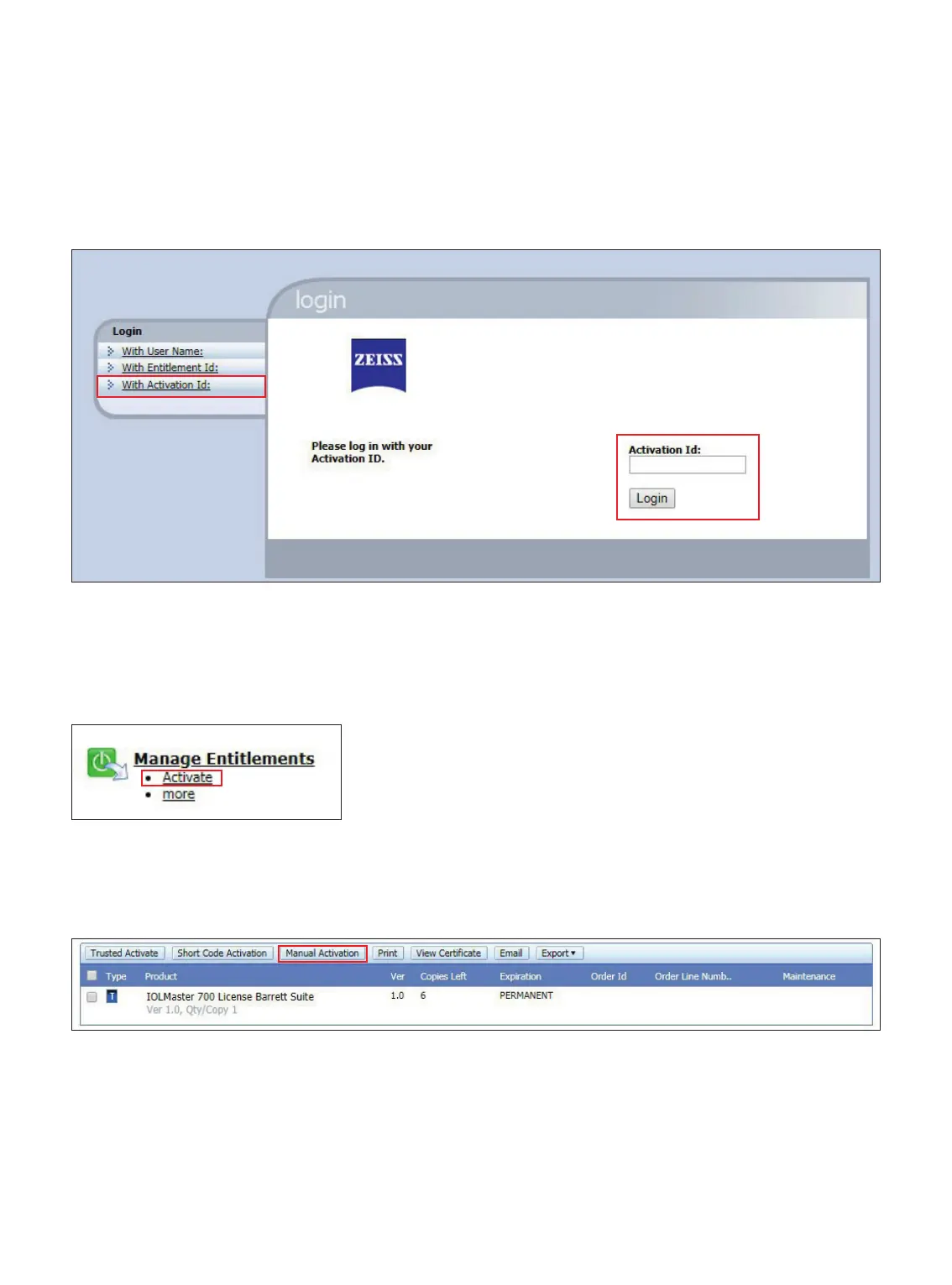
12. Select With Activation ID. (Figure 4)
13. Enter Activation ID and select Login (Figure 4).
15. Under Activatable Line Items, click Manual Activation. (Figure 6)
14. Under manage entitlements, select Activate. (Figure 5)
Figure 4
Figure 5
Figure 6














 To Next Page