For internal use only
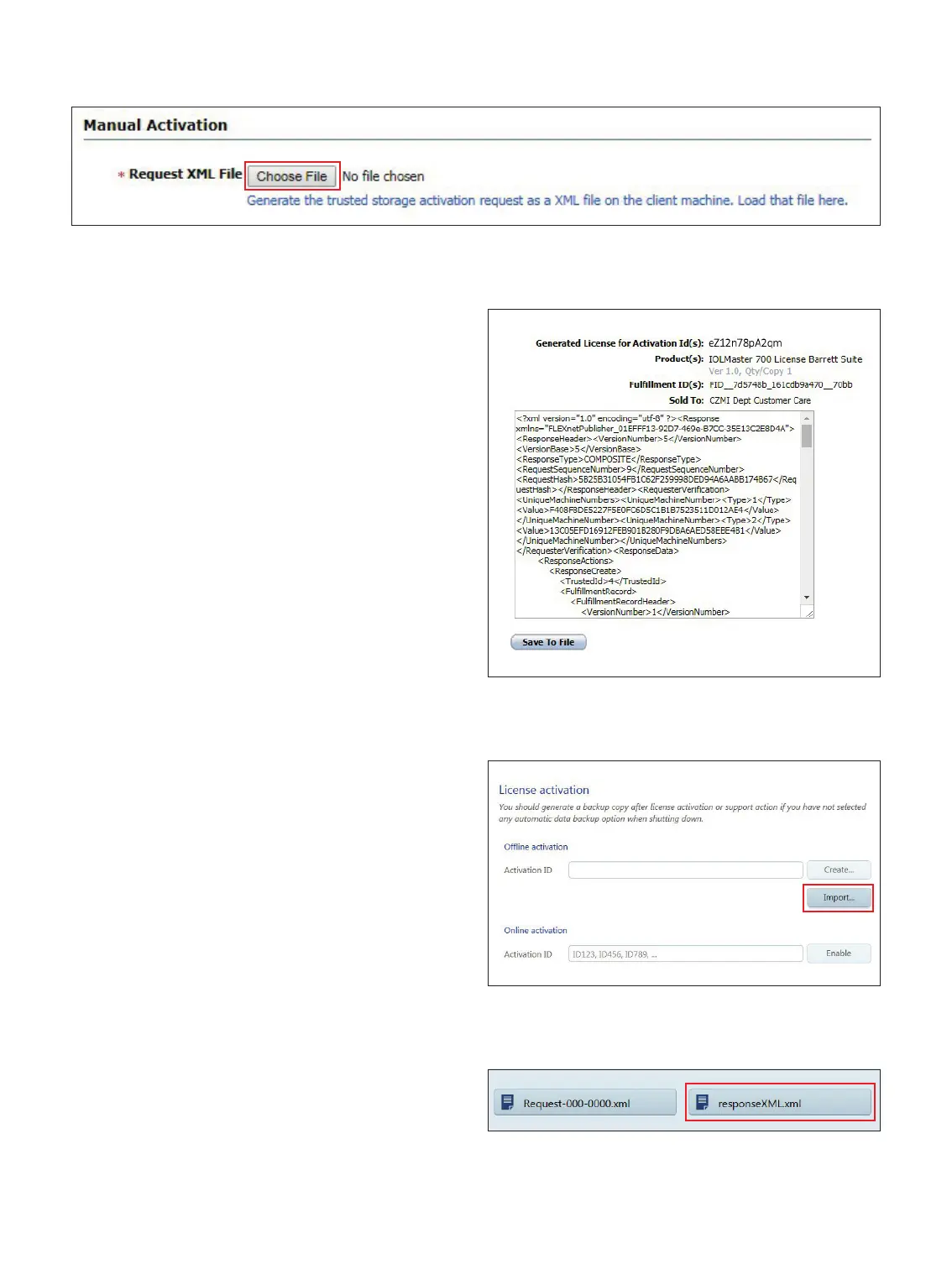
16. Select Choose File. (Figure 7)
17. Browse to the .XML activation le from Step 8.
18. Select Submit.
19. Select Save To File. (Figure 8)
20. Save the Response XML to the USB ash drive.
21. Remove the USB ash drive from the Licensing computer
and connect the USB ash drive to the IOLMaster 700.
22. In the Licenses screen, under License Activation:
Oine Activation, select Import… (Figure 9)
23. Browse to the USB ash drive from step 21 and select
responseXML.xml. Click on Select. (Figure 10)
Figure 7
Figure 8
Figure 9
Figure 10














 To Next Page