13
000000Ć1150Ć839 IOLMaster 11.02.2004
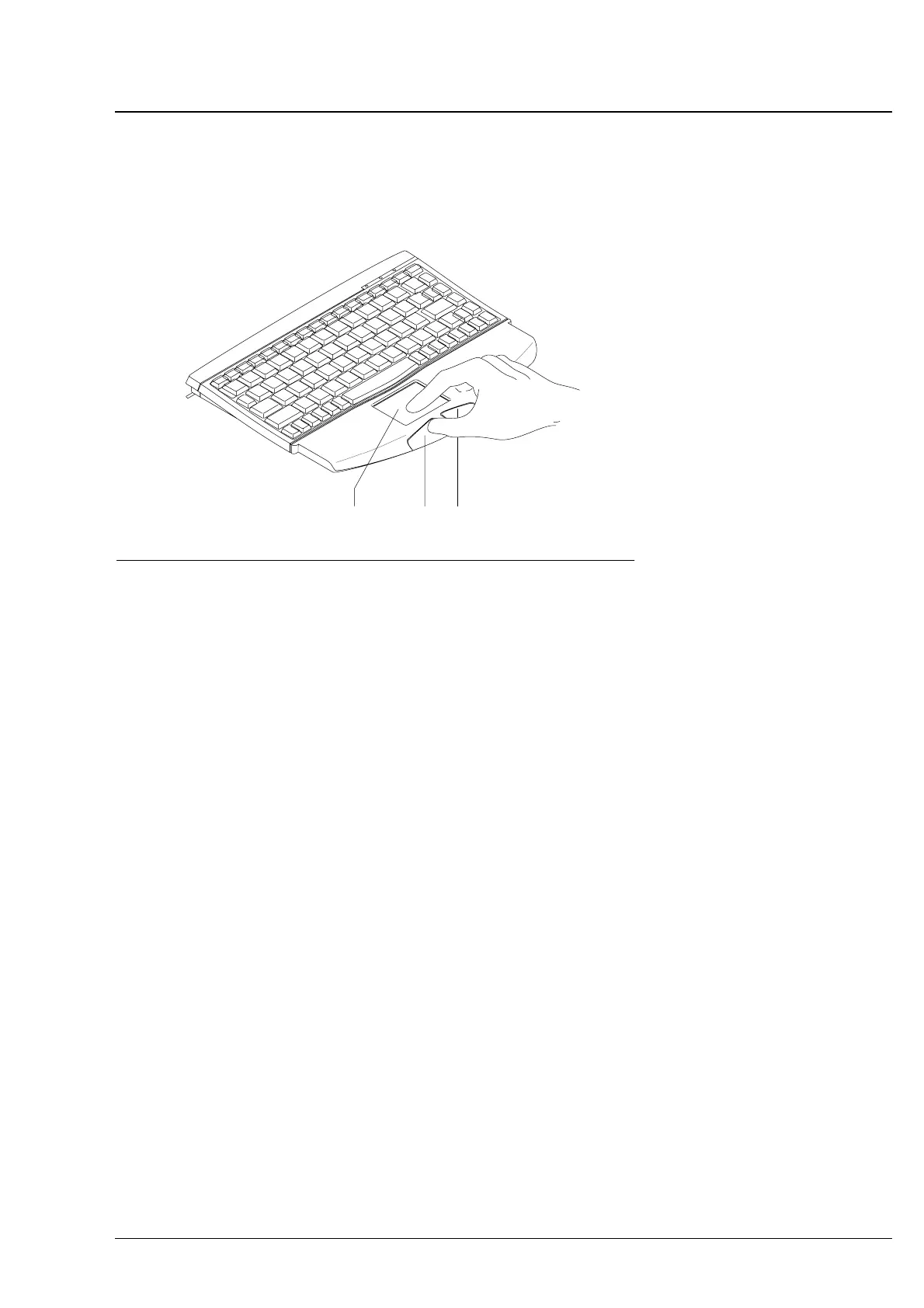
Operation via touchpad and keyboard
Fig. 3 Operation via touchpad and keyboard
1
1 Touchpad
2 Left mouse button
3 Right mouse button
23
q Move the cursor by touching the touchpad with your finger and
moving it as desired.
q Single and double clicks are possible by tapping a finger on the
touchpad or with the left mouse button.
q To drag the cursor, hold the left mouse button depressed while
moving the finger across the touchpad.
q The right mouse button is only functional for:
Ć Resetting the zoom function (see p. 55)
Ć Continuous fine positioning of the cursor while dragging (see
p.ā59).
Single click
Selection of menu, textbox or entry.
Operation of all buttons
Double click OK, confirmation of actions.
q In addition to program control via mouse and touchpad, you may also
activate particular menus by pressing individual keys or key
combinations (see menu overview on p. 17 and overview of shortcut
keys on p. 15).
Operation via optional keyboard and mouse
You can also operate the instrument via standard PC keyboards and
mice with PS/2 connector obtainable from computer shops in place of
the keyboard with integrated touchpad provided. Connect these items
to the appropriate connectors (see Fig. 2., p. 10).
Operation















 To Next Page