23
000000Ć1150Ć839 IOLMaster 11.02.2004
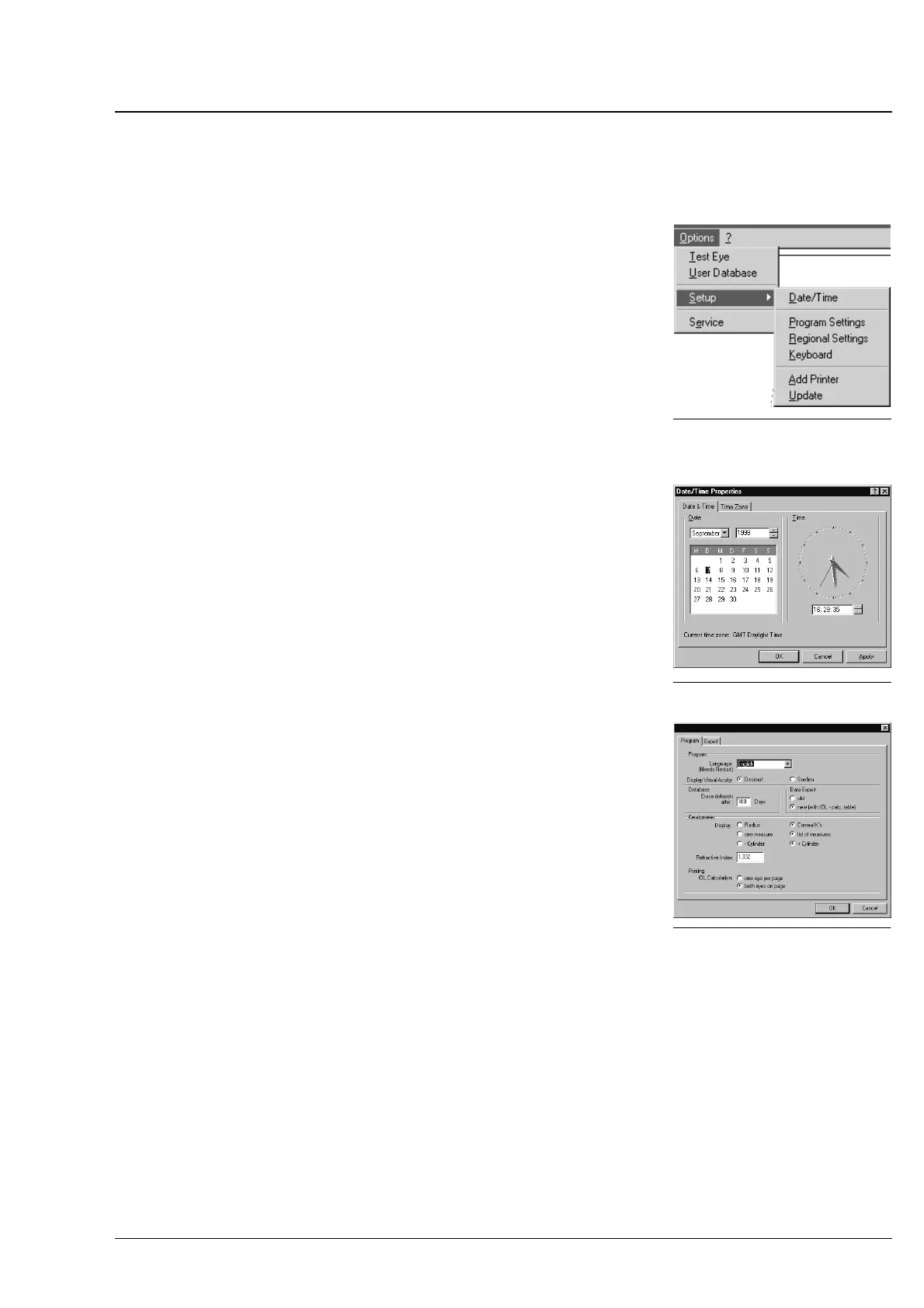
Setup submenu
The Options Setup submenu provides the following settings:
Ć Date/Time
Ć Program Settings
Ć Regional Settings
Ć Keyboard
Ć Add Printer
Ć SWĆOption
Ć Update
Date/Time
This option allows you to set Windows system date and time.
Program Settings/Program
This submenu provides the following options (defaults in bold types):
Ć Software language:
IOLMaster dialogs in German or English or other languages
(change requires system restart).
Ć Display of visual acuity: Decimal or Snellen.
Entry of visual acuity in Patient Data dialog.
Ć Storage time of datasets: 5 ... 20 ... 100 days.
All figures between 5 and 100 are possible.
Ć Data Export:
Choose old, if the connected office management system only
allows import of data of interface software versions 1.01 ... 2.02
(patient data, measured values).
Choose new, if the connected office management system can
import all offered data according to interface software version 3.0
and higher.
Ć Keratometer display: Radius or Corneal K's for IOL calculation.
Ć Keratometer display: one measure oder list of measures.
By activating the list of measurements" option, you may simultaĆ
neously display three measurements (joystick released 3x), conĆ
sisting of five internal individual measurements each
You may take an optional number of individual measurements, but
only the results of the last three measurements will be diplayed.
Ć Keratometer display: ć Cylinder or + Cylinder.
Fig. 9 SetupĆsubmenuĄ
Fig. 10 Date TimeĄ
Fig. 11 Program SettingsĄ
Operation















 To Next Page