31
000000Ć1150Ć839 IOLMaster 11.02.2004
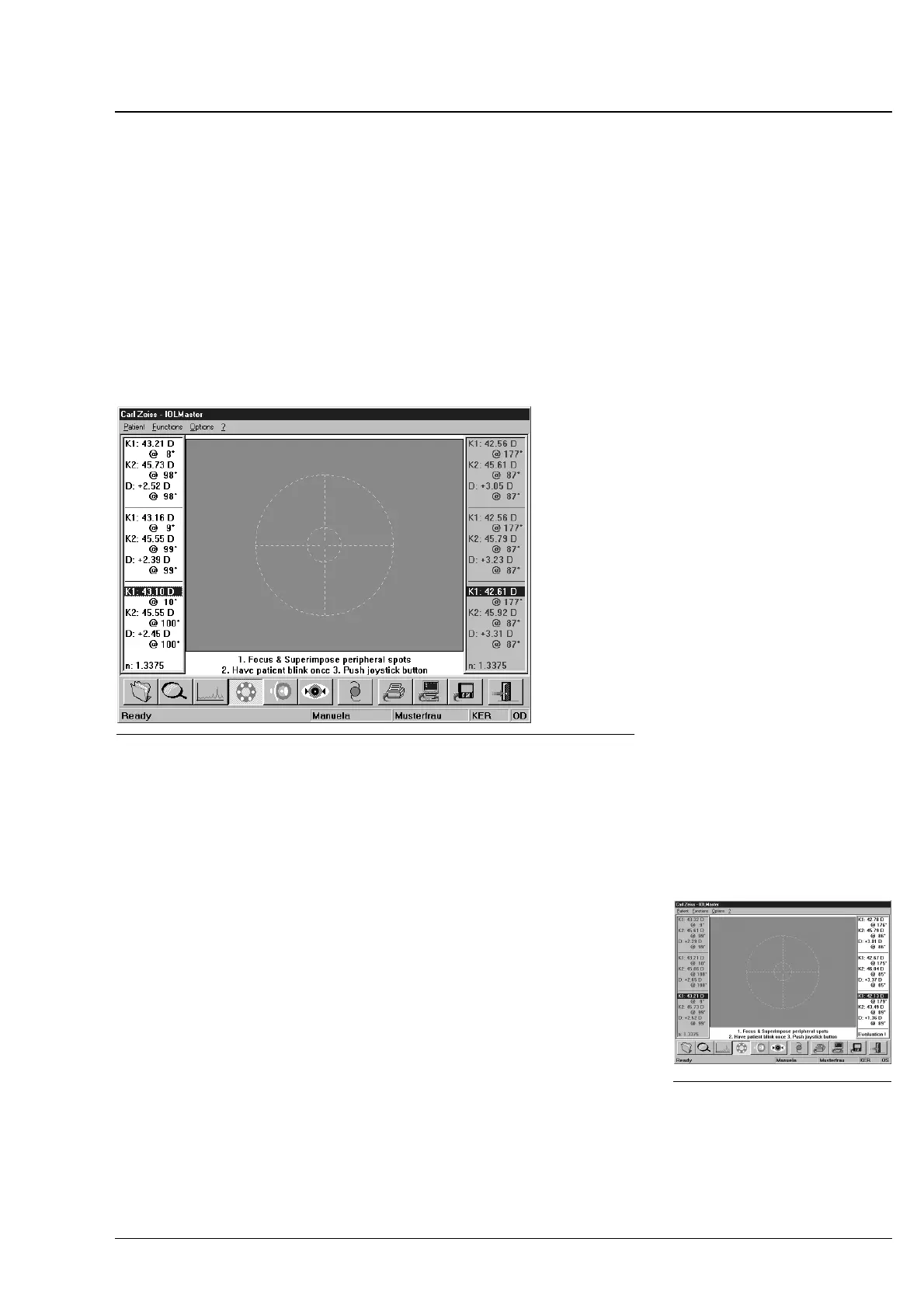
Multiple keratometer measurements
If on the Options ć Setup / Program Settings you choose the one
measure" option, only one measurement result will be displayed, which
was obtained through five internal single measurements.
If on the Options ć Setup / Program Settings you choose the list of
measures" option, three measurement results (joystick released 3x) may
be displayed, obtained each through five internal single measurements.
Though you may take an optional number of measurements, only the
last three measurements will be displayed.
Fig. 19 Multiple keratometer measurement
Same as before, you may delete the last measurement by pressing
<Ctrl> + <Z>.
To delete one of the three displayed measurements, select the
measurement to be deleted and press the
<DEL> key. Confirm the
delete action with Yes".
If the results of the last three measurements differ by > 0.5 D (average
value of both radius) or the tolerance of > 0.08 ... 0.1 mm (depending
on n) has been exceeded, the display shows the message "Evaluation!".
In this case, check the tear film of the examined eye, let the patient blink,
if necessary, and repeat the measurements. The erroneous
measurements must be deleted as in the Evaluation" state the
obtained measured values will not be accepted for ACD measurement,
IOL calculation and the database for optimization of constants.
Highlight the result to be used for IOL calculation:
The last result will be highlighted in blue by default.
Fig. 20 Results with too large
result differences
Operation















 To Next Page