37
000000Ć1150Ć839 IOLMaster 11.02.2004
Filling in the IOL database
Before the system calculates IOL options, you must enter the desired
lens types into the database.
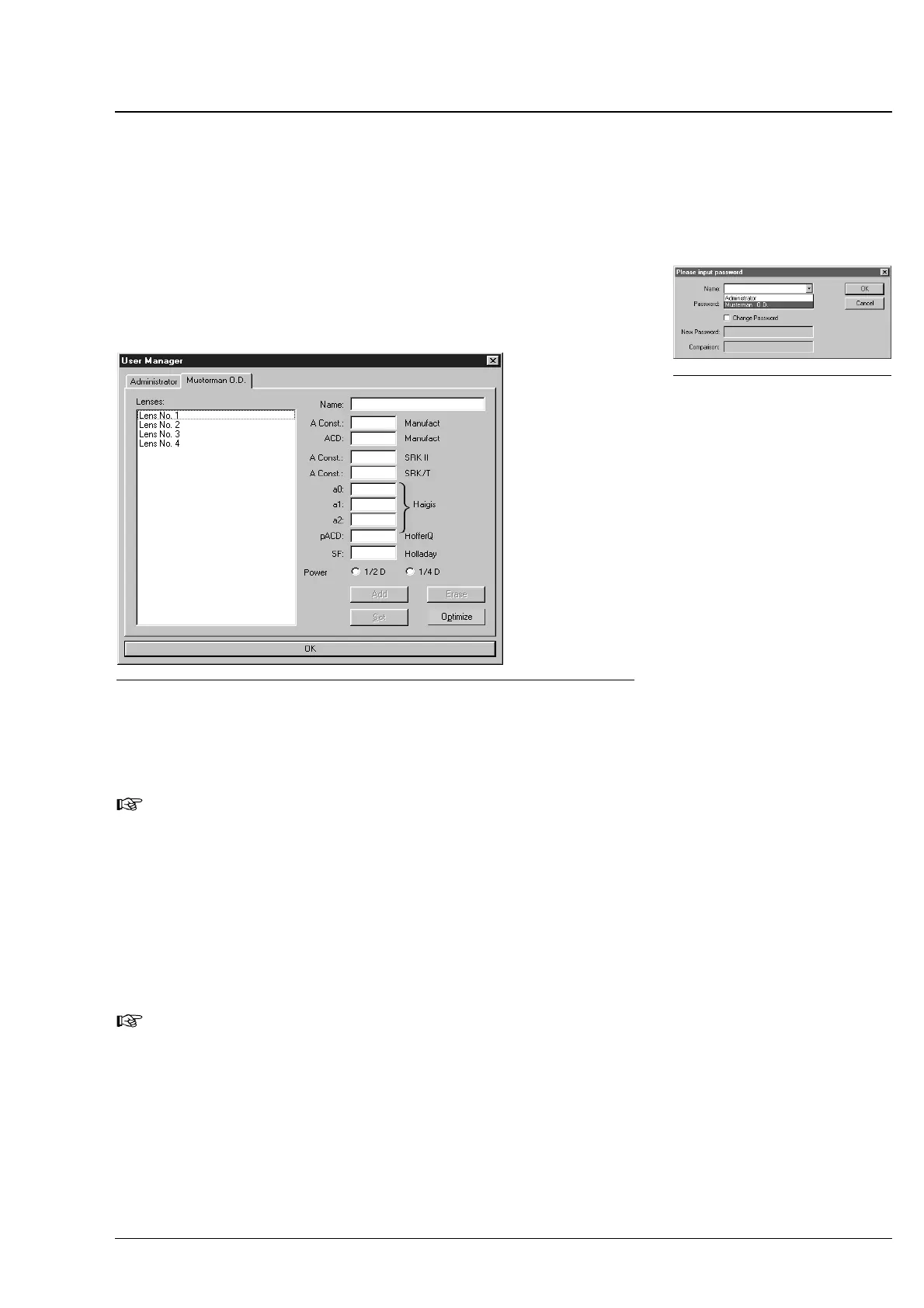
The user opens a database window for the entry of the specific lens
data via the Options - User Manager. by entry/selection of her or
his name (possibly, additional entry of password). (For adding a new
user, refer to p. 16).
Fig. 25 Database window for entry of lens data
In the Name, A Const. Manufact and ACD Manufact fields, type
in the corresponding data of the manufacturer or the values specified
in catalogues or on package slips.
Note:
If the ACD constant should not be available, you may click the
ADD
button after the entry of the A Const. Manufact. All parameters
will automatically be calculated from the A Constant based on
standard formulas.
In the AĆConst. SRKII, AĆConst. SRK/T, a0, a1, a2, pACD and SF
SF fields you must enter/edit your IOL constants optimized for diffeĆ
rent formulae of calculation for the optical biometry or the personally
determined constants.
Note
For calculating with the IOL Master the suggestions for the power
of the intraocular lenses to be implanted, do not use the IOL
constants of the manufacturer, but constants optimized for the
optical biometry only (see also p. 42 and p. 60).
If you use lenses graded in 0.25 D intervals (in future), activate the
Power 1/4 D radio button.
Use the
ADD button to save the data to the database.
Fig. 24 Input of password
Operation















 To Next Page