47
000000Ć1150Ć839 IOLMaster 11.02.2004
Note:
Between Surgery Date and Post Op Date, there should be a
period of at least 8 weeks. (This period, however, will not be
checked!)
If you want to reject the entries made and return to the optimization
calculation, click the
CANCEL button.
To confirm the new data record and add it to the list of data records
to be used for optimization, click the
OK button.
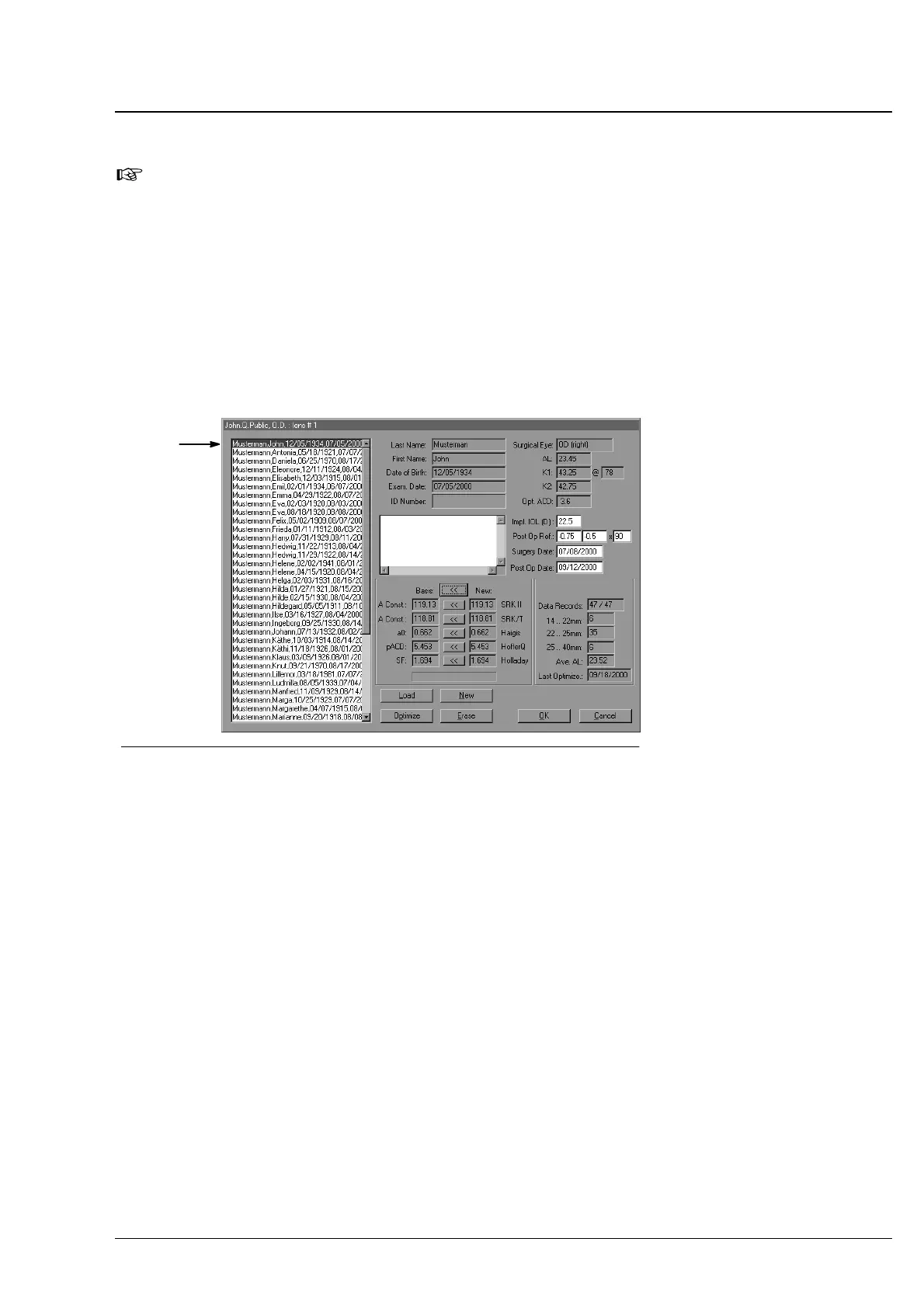
The new data record appears on the list of data records and is
included in the Data Records field.
Fig. 38 New data record has been added
new data record
Data records you do not want to use for a new optimization, but keep
for a possible later reuse may be selected after a click on the
LOAD
button and retransferred to the result table by a click on the >>
button.
If you click the
ERASE button, however, the selected data records will
be irrevocably removed.
Click on the
OPTIMZE button to start a new optimization calculation.
To reject the last optimization run, click on
CANCEL. In this case, the
optimized constants will not be saved to the lens data base although
a new data record had been entered.
Confirm the newly optimized lens constants by a click on the
<<
button right of the Basis field. In this case, all optimized constants will
be accepted. If you want to accept a special constant only (e. g. a0),
click on the
<< button right of this constant.
Operation















 To Next Page