HDS4x2 User Guide, Rev 1.1, 08-31-07
16
Restoring Factory Defaults
Restoring everything to the factory default settings
It’s possible to reset the HDS4x2 back to its factory defaults.
WARNING: All preset programming will be lost! All newly learned IR codes will be lost!
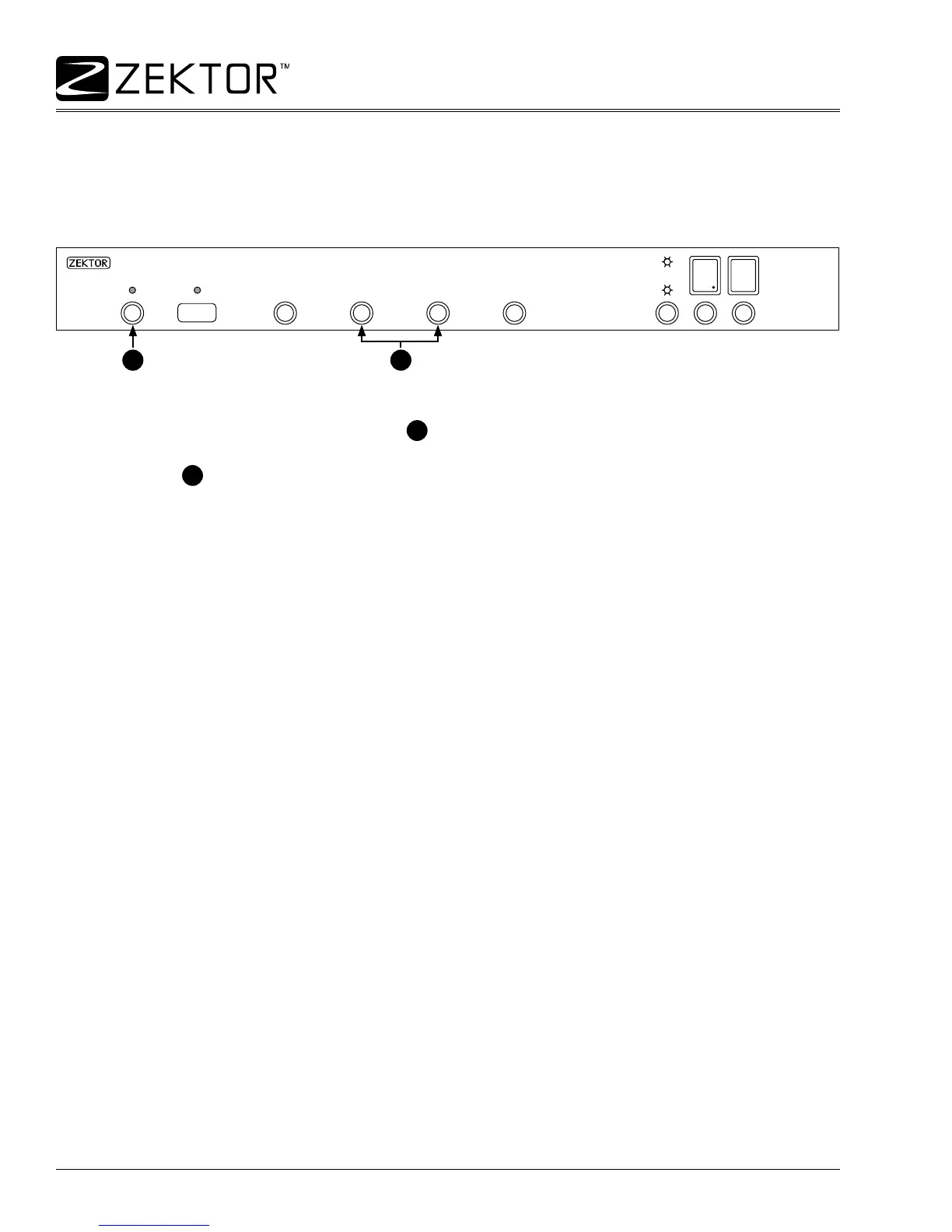
To reset to factory defaults:
Press and hold the Power Toggle button
1
.
While continuing to hold the Power Toggle button, also press and hold the both the ‘2’ and ‘3’
buttons
2
.
Continue to hold these three buttons until the display ashes slowly 4 times.
The HDS4x2 will now be reset to factory default settings.
1.
2.
3.
2
1
Press and hold the
power toggle button...
...while holding the power toggle, press and hold
both the ‘2’ and ‘3’ buttons.
2
1
Press and hold the
power toggle button...
...while holding the power toggle, press and hold
both the ‘2’ and ‘3’ buttons.



 To Next Page