HDS4x2 User Guide, Rev 1.1, 08-31-07
18
The RS-232 Port
RS-232 port specications
The RS-232 on the HDS4x2 is the same format as a PC-modem, and uses the same type cable as a serial
modem would, which is a standard straight through cable. Do not use a cable that is marked as a “Null Mo-
dem” cable.
The HDS4x2 can also be used with any USB to RS-232 conversion cable, these are all typically straight
through cables.
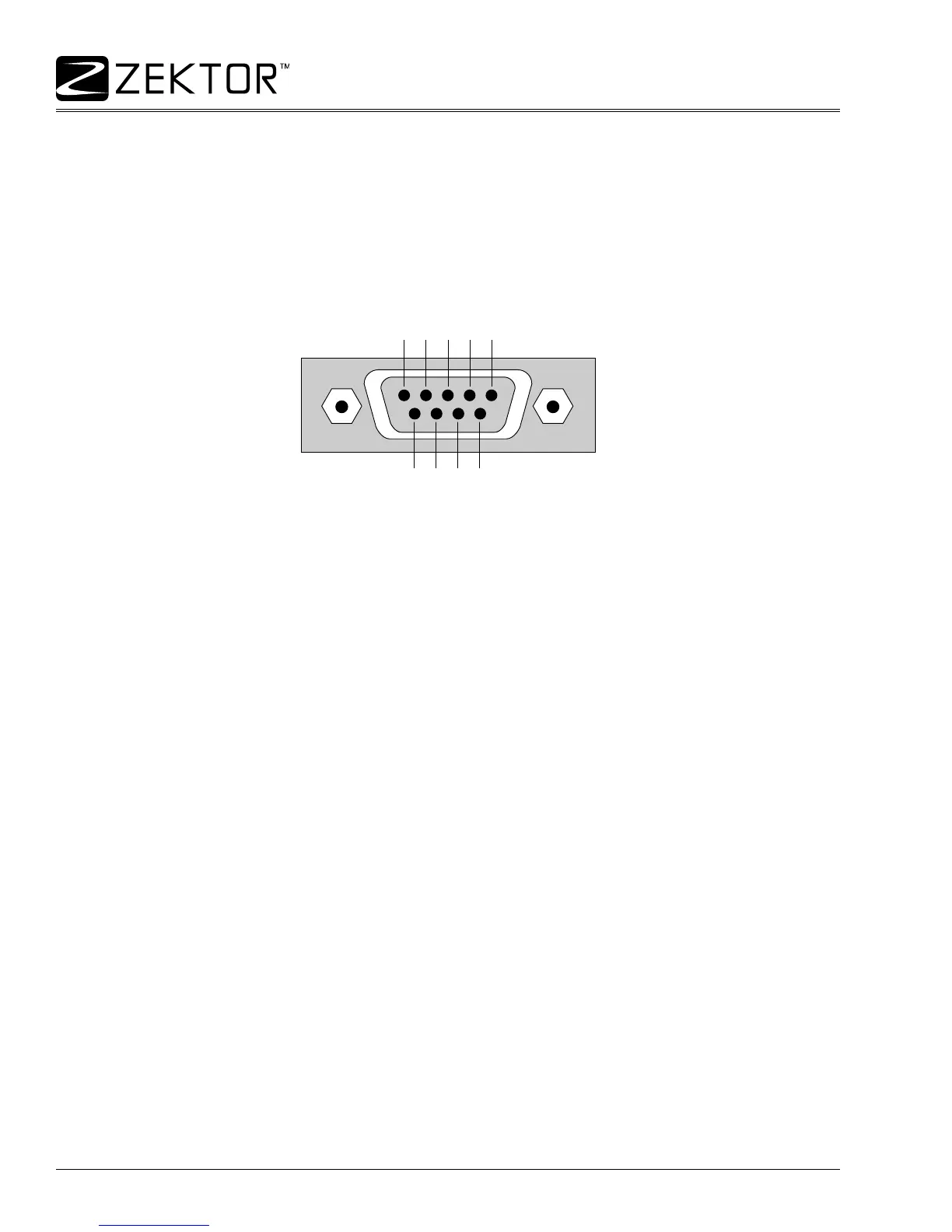
The RS-232 port is a female type DE-9 connector (sometimes mistakenly referred to as a DB-9 connector)
with the following pinout:
Pin denitions:
1 - No Connect 6 - No Connect
2 - TX 7 - No Connect
3 - RX 8 - No Connect
4 - No Connect 9 - No Connect
5 - GND
The port settings used by the HDS4x2 are:
Baudrate: 9600
Data Bits: 8
Stop Bits: 1
Parity: NONE



 To Next Page