EasyManua.ls Logo

ZENEC ZE-NC3811D - User Manual

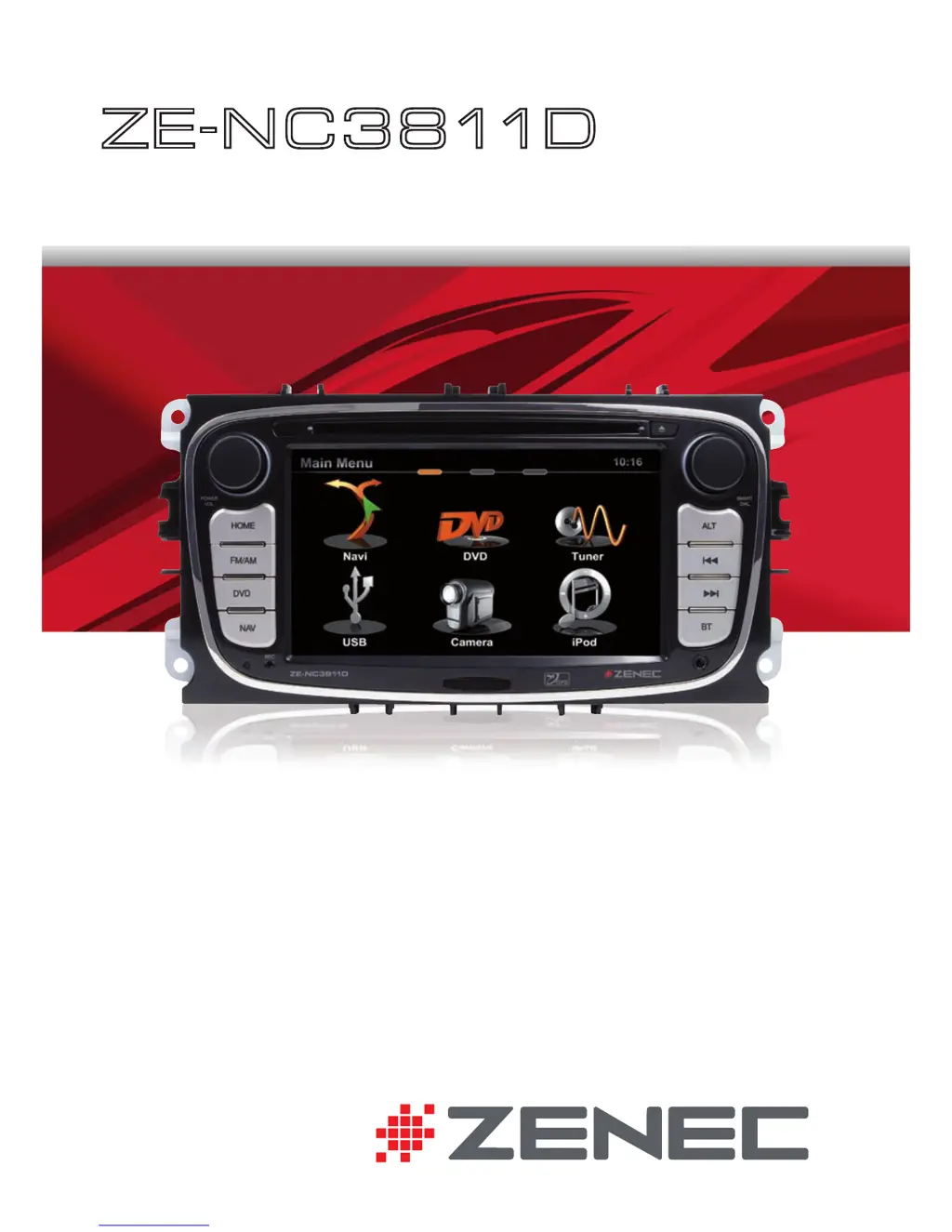
ZENEC ZE-NC3811D
100 pages
Print Icon
To Next Page IconTo Next Page
Loading...
USER MANUAL
ENGLISH/ GERMAN
USER MANUAL
BEDIENUNGSANLEITUNG
ZE
-
N C 3 8 11D
CAR SPECIFIC NAVICEIVER FOR
FORD VEHICLES

Other manuals for ZENEC ZE-NC3811D

Questions and Answers

Summary

Safety Instructions

Front Panel Buttons Overview

Front Panel Button Descriptions

Basic Operation

Power On;Off and Source Selection

Instructions for powering the device on/off and selecting the audio/video source.

Basic Operation Elements

Radio Mode

Radio Mode RDS Text

Radio Mode Presets

Radio Mode Options

Playback

iPod;USB;SD;Disc Playback

Introduction to playback functionality for iPod, USB, SD, and Disc media types.

Playback iPod

Playback USB;SD;Disc

Playback Search

Playback Video

Playback Notes

Bluetooth Mode

Bluetooth Calls

Bluetooth Call Handling

Managing incoming and outgoing calls, including dialing, answering, and switching calls.

Bluetooth Pairing

Pairing a Mobile Phone

Step-by-step guide to pairing a mobile phone with the device via Bluetooth settings.

Bluetooth Pairing Confirmation

Bluetooth PIN Entry and Confirmation

Instructions for entering the PIN code and confirming successful Bluetooth device pairing.

Bluetooth Contacts

Bluetooth Call Logs

Bluetooth Favorites

Bluetooth Notes

Navigation Mode

Setting a Navigation Destination

Guide to inputting a destination address and starting route guidance on the navigation system.

Navigation Mode Notes

Setup: Main;First Settings

Initial Setup Options

Configuring OSD language and reverse camera settings during the initial setup process.

Setup: Audio

Audio Mixer and Source Level Adjustment

Setting start volume, TA volume, NAV volume, and adjusting levels for different audio sources.

Setup: General

General System and Driver Settings

Configuring system time, driver assist features, OSD language, and driver position.

Remote Control Main

Main Remote Control Buttons

Diagram showing the layout and numbering of buttons on the primary remote control unit.

Main Remote Control Functions

Main Remote Control Functions

Detailed explanation of the function of each button on the main remote control.

Troubleshooting

General Troubleshooting

Solutions for common issues like power failures, audio problems, and sound quality distortion.

Troubleshooting Media

Summary

Safety Instructions

Front Panel Buttons Overview

Front Panel Button Descriptions

Basic Operation

Power On;Off and Source Selection

Instructions for powering the device on/off and selecting the audio/video source.

Basic Operation Elements

Radio Mode

Radio Mode RDS Text

Radio Mode Presets

Radio Mode Options

Playback

iPod;USB;SD;Disc Playback

Introduction to playback functionality for iPod, USB, SD, and Disc media types.

Playback iPod

Playback USB;SD;Disc

Playback Search

Playback Video

Playback Notes

Bluetooth Mode

Bluetooth Calls

Bluetooth Call Handling

Managing incoming and outgoing calls, including dialing, answering, and switching calls.

Bluetooth Pairing

Pairing a Mobile Phone

Step-by-step guide to pairing a mobile phone with the device via Bluetooth settings.

Bluetooth Pairing Confirmation

Bluetooth PIN Entry and Confirmation

Instructions for entering the PIN code and confirming successful Bluetooth device pairing.

Bluetooth Contacts

Bluetooth Call Logs

Bluetooth Favorites

Bluetooth Notes

Navigation Mode

Setting a Navigation Destination

Guide to inputting a destination address and starting route guidance on the navigation system.

Navigation Mode Notes

Setup: Main;First Settings

Initial Setup Options

Configuring OSD language and reverse camera settings during the initial setup process.

Setup: Audio

Audio Mixer and Source Level Adjustment

Setting start volume, TA volume, NAV volume, and adjusting levels for different audio sources.

Setup: General

General System and Driver Settings

Configuring system time, driver assist features, OSD language, and driver position.

Remote Control Main

Main Remote Control Buttons

Diagram showing the layout and numbering of buttons on the primary remote control unit.

Main Remote Control Functions

Main Remote Control Functions

Detailed explanation of the function of each button on the main remote control.

Troubleshooting

General Troubleshooting

Solutions for common issues like power failures, audio problems, and sound quality distortion.

Troubleshooting Media

ZENEC ZE-NC3811D Specifications

General IconGeneral
AutoYes
Marine (chartplotters, sounders)No
Map coverageEastern Europe, Western Europe
Display diagonal6.5 \
Display resolution800 x 480 pixels
Native aspect ratio16:9
Storage media typeFlash
Compatible memory cardsSD, SDHC
Maximum memory card size32 GB
Internal storage capacity8 GB
Audio formats supportedMP3, WMA
Image formats supportedJPG
Video formats supportedAVI, H.264, XVID
Form factorFixed
Product colorBlack
USB 2.0 ports quantity1
USB 3.2 Gen 1 (3.1 Gen 1) Type-A ports quantity0
Supported radio bandsAM, FM
Preset stations quantity30
Weight and Dimensions IconWeight and Dimensions
Weight- g

Related product manuals