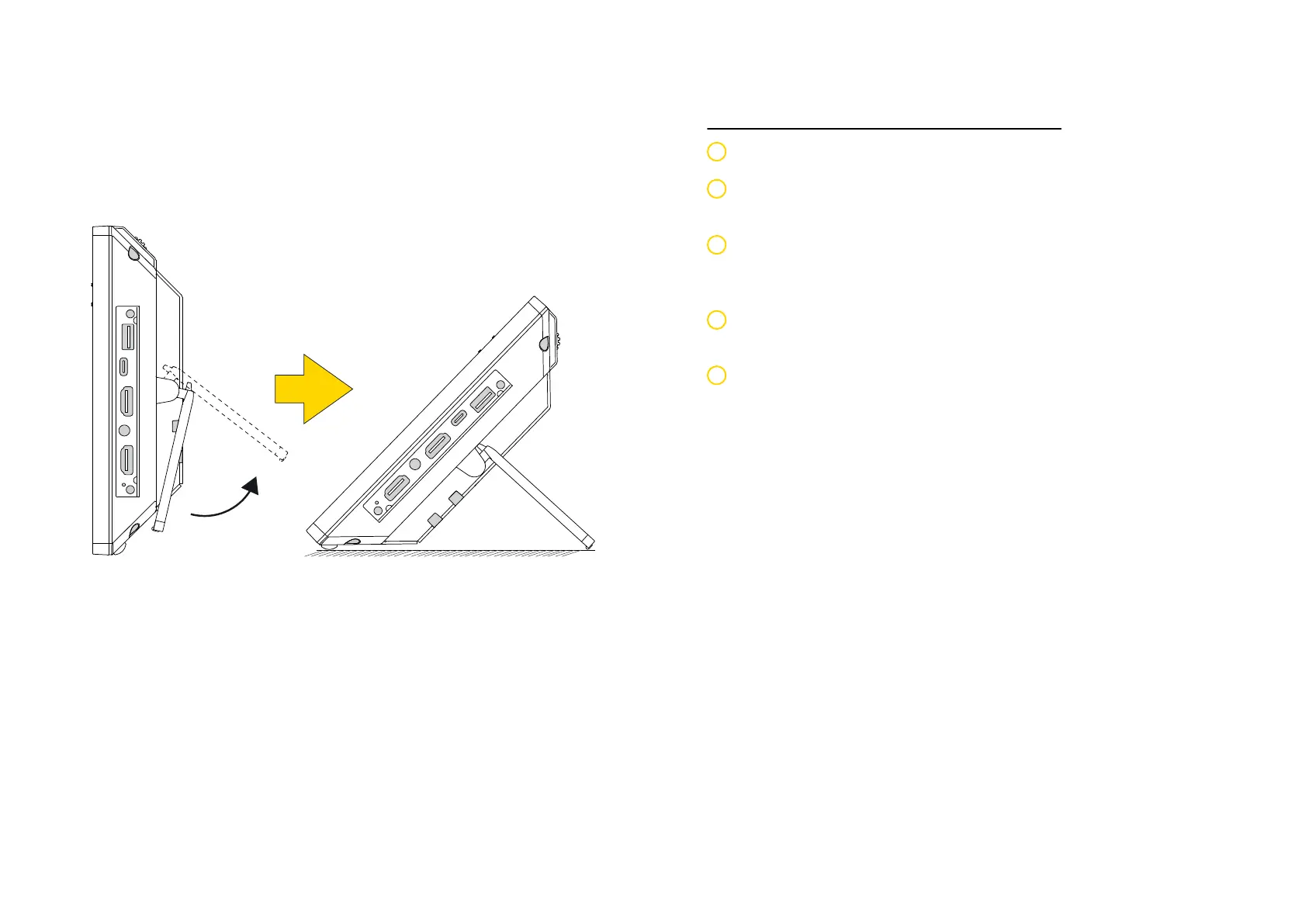
Using the Phone Stand
The ITSV-5 has a built-in phone stand. To use it, pull out the phone stand
handle on the back of the phone. Adjust the angle as preferred and make
sure the phone stands still on the desktop.
Connecting the Phone
Connect the handset and main phone case with the phone cord.
Connect the LAN port of the phone to the RJ-45 socket of a hub/switch
or a router using the Ethernet cable.
Connect the 12VDC output plug to the power jack on the phone; plug
the power adapter into an electrical outlet. If PoE is used in step 2, this
step could be skipped.
The LCD will display booting up or firmware upgrading information.
Before continuing, please wait for the main screen display to show up.
Using the web configuration interface or from the menu of the touch
screen, you can further configure network connection using static IP,
DHCP... etc.
1
2
3
4
5
Tips For Using the ITSV-5 Keys
• Tap Volume Down / Up keys to adjust volume on the phone.
• Tap Home key to return to default idle screen. Or press and hold on the
Home key for 2 seconds to take a screenshot.
• Press Menu key to access phone’s display settings, edit widgets and
thread manager. Or press and hold down the Menu key for 2 seconds
to enter managing application interface directly.
• Press Back key to go back to previous menu.


 To Next Page