EasyManua.ls Logo

Zenith Allegro - Manual Record Playback

Zenith Allegro
24 pages
Print Icon
To Next Page IconTo Next Page
To Previous Page IconTo Previous Page
Loading...
.
8
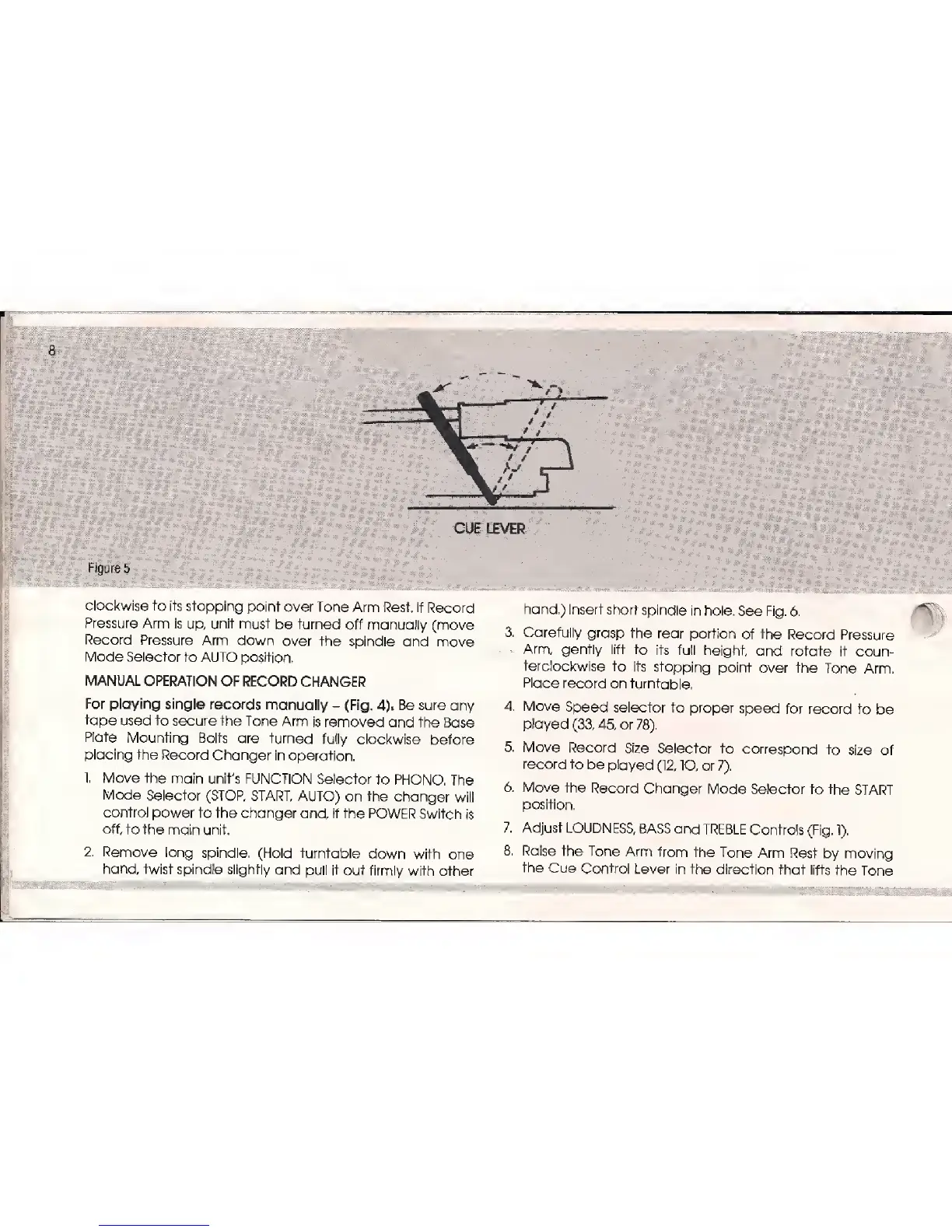
CUE LEVER
Figures
clockwise
to its
stopping point
over
Tone
Arm Rest. If
Record
Pressure
Arm is
up,
unit
must
be
turned
off manually
(move
Record Pressure
Arm
down
over
the spindle
and move
Mode
Selector to AUTO
position,
MANUAL
OPERATION
OF RECORD
CHANGER
For playing single
records
manually
-
(Fig.
4)*
Be sure any
tape
used
to
secure
the Tone Arm
is removed
and the
Base
Plate
Mounting
Bolts are
turned
fully
clockwise
before
placing
the Record Changer
in
operation.
1.
Move the
main unit's
FUNCTION
Selector to
PHONO.
The
Mode Selector
(STOP,
START,
AUTO) on the
changer
will
control
power to the
changer
and,
if
the POWER Switch
is
off, to
the main
unit.
2.
Remove
long spindle.
(Hold turntable
down
with
one
hand,
twist spindle slightly
and
pull it
out firmly
with other
hand.) Insert
short
spindle
in hole.
See Fig.
6.
3.
Carefully
grasp
the rear portion
of the
Record
Pressure
Arm,
gently lift
to its full
height,
and rotate
it
coun-
terclockwise
to its
stopping
point
over the Tone
Arm.
Place
record
on turntable.
4. Move
Speed selector
to proper
speed
for
record to
be
played
(33, 45,
or
78).
5.
Move Record
Size
Selector
to
correspond
to
size of
record
to
be piayed
(12,
"IO, or
7).
6.
Move the
Record
Changer
Mode
Selector to
the START
position.
7. Adjust
LOUDNESS,
BASS and
TREBLE
Controls
(Fig.
1).
8.
Raise the
Tone
Arm
from the
Tone Arm
Rest
by moving
the
Cue Control
Lever
in the direction
that
lifts
the
Tone

Related product manuals