EasyManua.ls Logo

Zenith Allegro - Page 7

Zenith Allegro
24 pages
Print Icon
To Next Page IconTo Next Page
To Previous Page IconTo Previous Page
Loading...
o
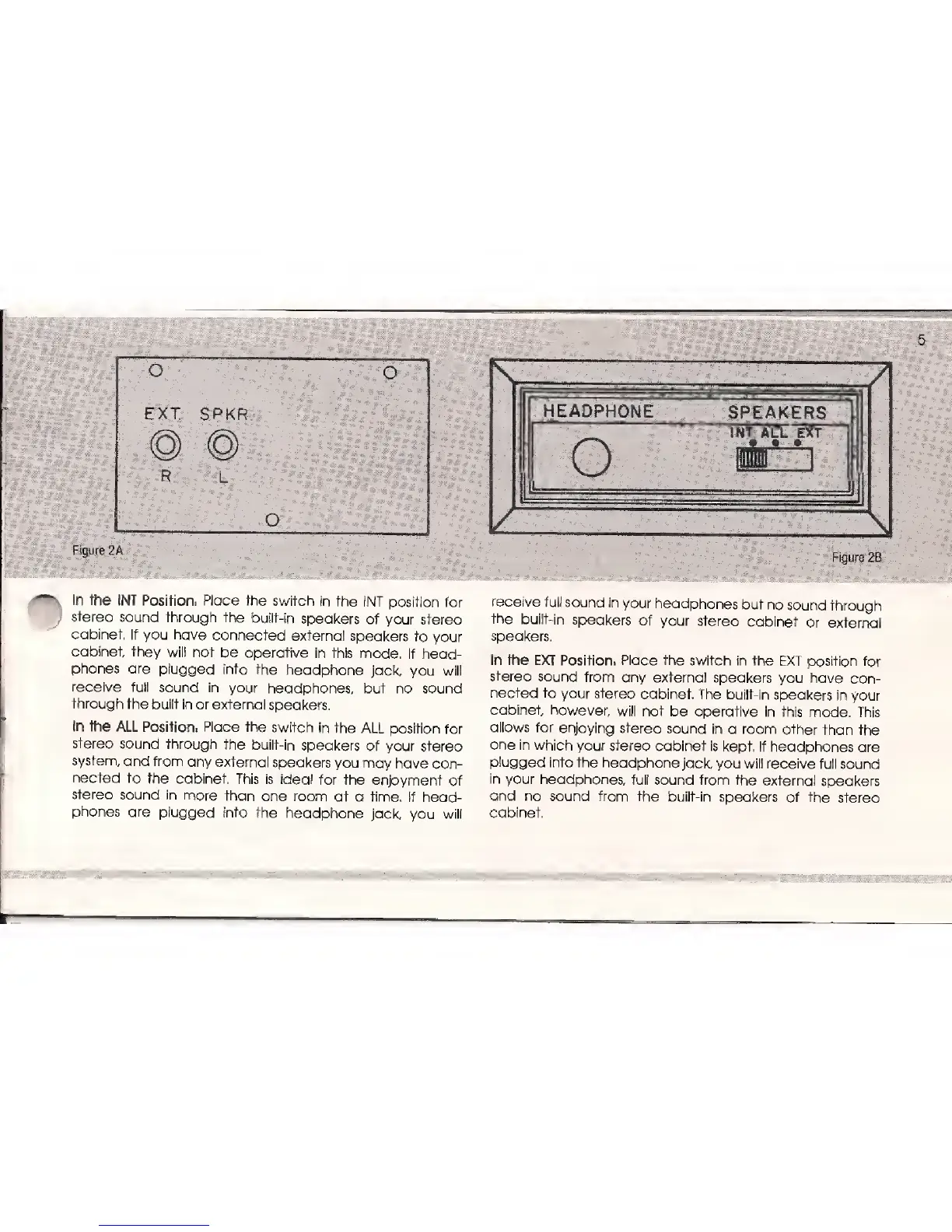
EXT.
SPKR
O
L
O
Figure 2A
'../,.
=
In the
INT Position.
Place
the
switch
in the INT
position
for
stereo
sound through
the
built-in
speakers
of your stereo
cabinet. If
you have
connected
external
speakers
to
your
cabinet
they
wilt not
be operative
in this
mode.
If head-
phones are plugged
into
the
headphone
jack,
you will
receive
full
sound in your
headphones,
but no sound
through the
built in
or
external
speakers.
In
the
ALL Position.
Place
the switch
in
the
ALL
position
for
stereo
sound
through
the
built-in speakers
of
your
stereo
system,
and
from
any external
speakers
you may
have
con-
nected
to
the
cabinet. This is
ideal for
the
enjoyment
of
stereo
sound
in
more
than one room
at
a time.
If head-
phones
are plugged
info
the
headphone
jack,
you
will
HEADPHONE
SPEAKERS
o
INT ALL EXT
Figure 28
"-'
:
*
1
"
m
,
s
SIS'
'
m
'
:
;
..:. 1 1
..:
receive
full
sound in
your
headphones
but no
sound
through
the
built-in
speakers
of your
stereo
cabinet
or external
speakers.
In the
EXT
Position.
Place the switch
in the EXT
position
for
stereo
sound
from
any external
speakers
you have
con-
nected to
your
stereo
cabinet.
The built-in
speakers in
your
cabinet
however,
will
not be operative
in this
mode. This
allows
for
enjoying
stereo
sound in
a room
other than
the
one
in which your
stereo cabinet
is kept.
If
headphones
are
plugged into
the headphone
jack,
you
will
receive
full sound
in your headphones,
full
sound from
the
external speakers
and
no sound from
the built-in
speakers
of the
stereo
cabinet.

Related product manuals